Is your trusty 14-inch laptop starting to feel more like a hot plate than a portable workstation? You’re not alone. Many users, especially those with powerful 14-inch machines, face the challenge of managing heat. Finding the right 14-inch laptop cooler isn’t just about blowing air; it’s about optimizing performance, extending your device’s lifespan, and making your computing experience genuinely comfortable. As a thermal engineer with over a decade of experience designing and testing cooling solutions, I’m here to guide you through everything you need to know to keep your 14-inch companion running cool and strong.
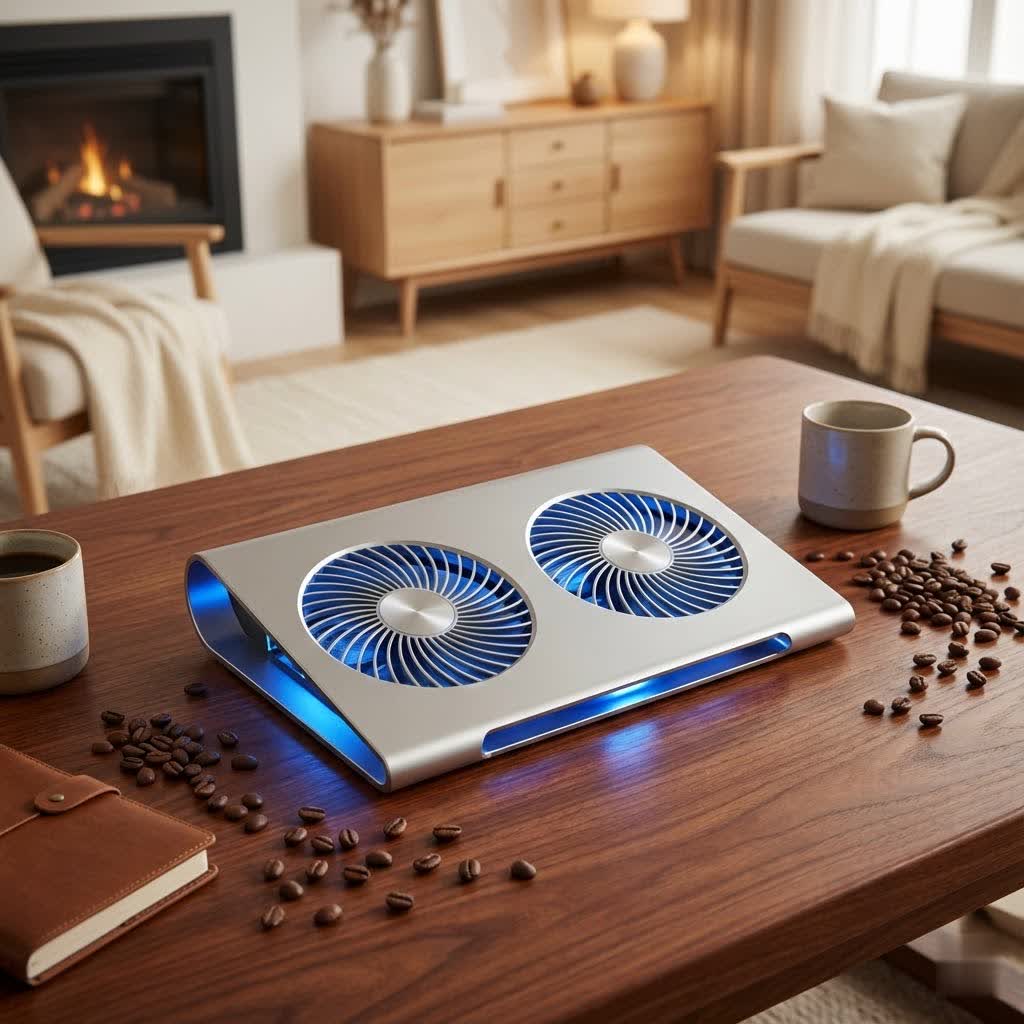
Why Your 14-inch Laptop Needs a Cooling Partner
Modern 14-inch laptops pack incredible power into increasingly slim chassis. While fantastic for portability, this compact design often leaves less room for robust internal cooling systems, making them particularly susceptible to overheating. When your laptop gets too hot, it’s not just uncomfortable; it triggers a mechanism called “thermal throttling,” where the CPU and GPU intentionally slow down to prevent damage. This directly impacts your work, gaming, and overall productivity.
The benefits of a quality 14-inch laptop cooler are clear:
- Enhanced Performance: Keep components at optimal temperatures to avoid throttling, ensuring sustained peak performance.
- Extended Hardware Lifespan: Reduce thermal stress on critical internal components, like your processor and graphics card, potentially prolonging their life.
- Improved Comfort: Say goodbye to burning laps and sweaty wrists. A cooler laptop makes for a more pleasant experience.
- Reduced Noise: When a cooling pad assists, your laptop’s internal fans don’t have to work as hard, leading to quieter operation.
Deciphering the World of 14-inch Laptop Coolers
Before you pick a 14-inch laptop cooler, it’s helpful to understand the different approaches they take to beat the heat. Each type has its unique strengths, and the best choice often depends on your specific laptop and usage habits.
What are the main types of laptop cooling pads?
There are several primary types of laptop cooling pads, each designed to address different cooling needs:
- Multi-Fan Pads: These are the most common, featuring an array of smaller fans distributed across the pad’s surface. They aim to provide even cooling over a broad area underneath your laptop, which can be effective for laptops with multiple intake vents.
- Turbo or Blower Designs: Often found in high-performance coolers, these utilize one or more powerful, larger fans (sometimes called “turbofans”) to generate a strong, focused blast of air. They are particularly good at forcing air directly into specific intake vents and can achieve significant temperature drops, though they can sometimes be louder at max speed.
- Passive Stands: These aren’t “coolers” in the active sense, but rather stands that elevate your laptop. By increasing the space underneath, they improve natural airflow around the device, relying on convection to dissipate heat. Some also use heat-conductive materials like aluminum to draw heat away.
- Side-Mounted Blower Coolers: Less common for 14-inch models but worth noting, these compact devices clamp onto the side of your laptop, directly over an exhaust vent. They act like a mini-vacuum, actively sucking hot air out of your laptop’s system. They are highly portable but only work if your laptop has compatible side exhaust vents.
|
Our Picks for the Best Laptop Cooler in 2026
As an Amazon Associate I earn from qualifying purchases.
|
||
| Num | Product | Action |
|---|---|---|
| 1 | llano V12 RGB Laptop Cooling Pad, Gaming Laptop Cooler with 5.5 Inch Powerful Turbofan, Fast Cooling Laptop 15.6-21in, Adjustable Speed, Touch Control, LCD Screen, Black (RGB) |

|
| 2 | Razer Laptop Cooling Pad: Adaptive Smart - Intelligent Fan Control - Airtight Pressure Chamber - Fits Most Laptops & Macbooks 14” to 18\" - Preset & Custom Fan Curves - 3 Port USB Type A - Chroma RGB |
|
| 3 | AICHESON Laptop Cooling Pad 5 Fans Up to 17.3 Inch Heavy Notebook Cooler, Blue LED Lights, 2 USB Ports, S035, Blue-5fans |
|
| 4 | havit HV-F2056 15.6\"-17\" Laptop Cooler Cooling Pad - Slim Portable USB Powered (3 Fans), Black/Blue |
|
| 5 | ChillCore Laptop Cooling Pad, RGB Lights Laptop Cooler 9 Fans for 15.6-19.3 Inch Laptops, Gaming Laptop Fan Cooling Pad with 8 Height Stands, 2 USB Ports - A21 Blue |
|
| 6 | Laptop Cooling Pad, Laptop Cooler 6 Quiet Fans for 12\"-17\" Laptops, Gaming Laptop Fan Cooling Pad with 5 Height Adjustable, Slim Portable USB Powered, 2 USB Ports & Phone Holder |
|
| 7 | Laptop Cooling Pad, Gaming Laptop Cooler for 13-19 Inch Laptops, RGB Lights Laptop Fan Cooling Pad with 3 Height Adjustable and 3 USB Ports, 4.72 Inch Large Turbo Fan, Max 3500RPM |
|
| 8 | KeiBn Laptop Cooling Pad, Gaming Laptop Cooler 2 Fans for 10-15.6 Inch Laptops, 5 Height Stands, 2 USB Ports (S039) |
|
| 9 | llano V12 Laptop Cooling Pad, Gaming Laptop Cooler Stand with 5.5inch Powerful Turbo Fan, Adjustable Speed, Touch Control, 3-Port USB A, for Fast Cooling Laptop 15.6-19in, Black (No RGB) |
|
| 10 | Kootek Laptop Cooling Pad, Laptop Cooler with 5 Quiet Fans for 12\"-17\" Computer PC Notebook Gaming Laptop Fan, Height Adjustable Laptop Cooling Stand Laptop Accessories, Blue |
|
“Choosing the right cooling pad means understanding how your specific 14-inch laptop dissipates heat internally,” advises Dr. Anya Sharma, Lead Thermal Systems Engineer at Tselk. “A cooler designed to align with your laptop’s vents will always outperform one that doesn’t, no matter how powerful it claims to be.”
Choosing the Perfect 14-inch Laptop Cooler: Your Personal Buying Guide
Selecting the ideal 14-inch laptop cooler involves a careful balance of compatibility, performance, and features tailored to your needs. Here’s a breakdown of what to look for:
How do I choose the right size cooling pad for my 14-inch laptop?
Size Compatibility: First and foremost, ensure the cooling pad physically accommodates your 14-inch laptop. While many pads support a range from 12 to 17 inches, getting one that closely matches your laptop’s footprint ensures optimal contact and fan alignment. An oversized pad might be unwieldy, while one that’s too small won’t provide adequate coverage or stability. Always check the cooling pad’s specifications for its maximum laptop size compatibility.
What factors contribute to a laptop cooler’s performance?
Cooling Performance: This is the core of any 14-inch laptop cooler. Look at these key aspects:
- Fan Configuration: More fans can provide more even cooling, but a single large turbo fan can deliver a stronger, more focused airflow. For 14-inch laptops, a balance is often ideal, or a design with adjustable fans that can be positioned over critical heat zones.
- Fan Speed (RPM) and Control: Adjustable fan speeds are a huge plus. This allows you to crank up cooling during intense tasks (like gaming or video editing) and dial it down for quieter operation during light work or browsing. Higher RPMs generally mean more airflow, but also more noise.
- Airflow Design and Fan Placement: This is where engineering truly shines. The most effective cooling pads create a “sealed chamber” underneath your laptop using foam gaskets or seals. This forces all the cool air through your laptop’s intake vents, preventing it from escaping uselessly. Ensure the cooling pad’s fans align well with your 14-inch laptop’s actual intake vents for maximum efficiency. Some pads are specifically designed with bottom intake in mind, which is common for gaming laptops.
Does ergonomics matter for a laptop cooler?
Ergonomics and Adjustability: A good 14-inch laptop cooler isn’t just about cooling; it should also improve your comfort. Look for:
- Height Adjustment: Multiple height settings allow you to elevate your screen to a comfortable viewing angle and improve your typing posture. This can reduce neck and wrist strain during long sessions.
- Tilt Options: Adjustable tilt further enhances ergonomics, providing a more natural typing position.
- Surface Material: Non-slip surfaces are crucial to keep your laptop securely in place, especially if the pad has a significant tilt. Metal frames or mesh surfaces often offer better durability and aid in passive heat dissipation.
What about portability and design considerations for a 14-inch laptop cooler?
Portability and Design: Think about how and where you’ll use your 14-inch laptop cooler:
- Weight and Thickness: If you travel frequently or move your setup often, a lightweight and slim design is preferable. Some portable options, like side-mounted blowers, are designed specifically for on-the-go use, though they may have specific laptop compatibility requirements.
- Aesthetics: For some, RGB lighting or a sleek, professional design is important. For others, a minimalist approach is key.
- Noise Levels: High-performance fans can be noisy. If you work in quiet environments or are sensitive to sound, seek out models with noise reduction technology or opt for pads with larger, slower-spinning fans which move more air quietly.
Are extra features like USB ports important?
Connectivity and Extra Features: Modern cooling pads often come with added perks:
- USB Ports: Many USB-powered cooling pads use one of your laptop’s precious USB ports. Look for pads with built-in USB hubs (pass-through ports) that allow you to connect other peripherals, effectively giving you back the port you used.
- Power Source: Most are USB-powered, drawing power from your laptop. Some high-powered models might use an external adapter for stronger fan performance without impacting laptop battery life.
- Fan Controls: Beyond simple speed dials, some advanced coolers offer digital displays, programmable buttons, or even software integration for precise control over fan curves and RGB lighting.
- Temperature Sensors: Premium models may include sensors that automatically adjust fan speeds based on detected laptop temperatures, providing “smart thermal management.”
Price and Value: 14-inch laptop coolers range from budget-friendly options ($25-$40) to mid-range models ($40-$80) and premium systems ($100+). Consider the long-term value, cooling efficiency, and included features rather than just the initial cost. An investment in a good cooler can save you from costly repairs or premature laptop replacement.
Top Contenders for Your 14-inch Laptop: What Features Matter
While I won’t endorse specific brands directly here on Tselk.com, I can highlight key features commonly found in top-tier 14-inch laptop coolers that our research and experience show deliver real results.
For example, models like the Razer Laptop Cooling Pad are known for their “airtight chamber” design and foam gaskets, which effectively seal off the laptop’s bottom, forcing air directly into intake vents and preventing leakage. This can lead to significant temperature drops, sometimes up to 15°C (59°F). These premium options often include customizable fan curves, RGB lighting, and USB hubs, making them ideal for gaming 14-inch laptops that demand both performance and aesthetic appeal.
On the other hand, budget-friendly options such as the Havit HV-F2701 offer multiple smaller fans and adjustable height, providing good airflow for a range of 13-inch to 17-inch laptops without breaking the bank. The sheer number of fans in such designs can ensure cool air reaches various vent positions on the laptop’s underside.
High-airflow coolers, like the IETS GT600 V2, often feature a single, powerful turbo fan and also incorporate foam sealing to direct airflow efficiently, supporting laptops from 14 to 19.3 inches. While incredibly effective, these can be quite loud at their highest settings – a trade-off for top-tier cooling performance.
For those with slightly larger 14-inch laptops that may push the upper limits of the 14-inch category, products like the Llano Gaming Laptop Cooler V13 extend compatibility up to 21 inches while still offering essential features like foam gaskets, USB hubs, and adjustable heights.
Ultimately, the best 14-inch laptop cooler for you will be one that aligns its fans with your laptop’s intake vents, provides sufficient airflow for your workload, and fits within your budget and portability requirements.
Keeping Your 14-inch Laptop Cooler Running Smoothly: Usage & Maintenance
Owning a 14-inch laptop cooler is a great first step, but proper usage and maintenance are key to maximizing its effectiveness and lifespan.
How should I use and maintain my laptop cooler?
- Proper Placement: Always ensure your cooling pad is on a flat, stable surface. This allows its own fans to draw in cool ambient air efficiently. Avoid placing the cooling pad on soft surfaces like blankets or carpets, as this can block its intake vents.
- Align Fans: Position your 14-inch laptop on the cooler so that the cooler’s fans align as closely as possible with your laptop’s intake vents. This ensures direct airflow to the components that need it most.
- Regular Cleaning: Over time, both your laptop’s internal vents and the cooling pad’s fans will accumulate dust. Use compressed air to regularly clean dust from your laptop’s vents and the cooling pad itself. Dust is an insulator and a major enemy of efficient cooling.
- Manage Fan Speed: Utilize adjustable fan speed controls. Run the fans at higher speeds during demanding tasks, but consider dialing them down during lighter use to reduce noise and potentially extend fan life.
- Monitor Temperatures: Use software like HWiNFO or Core Temp to monitor your laptop’s CPU and GPU temperatures. This helps you gauge the effectiveness of your cooling pad and understand when your laptop might be struggling. Compare temperatures with and without the cooler to see the real impact.
Beyond the Pad: Optimizing Your Laptop’s Thermal Health
While a 14-inch laptop cooler is a powerful tool, it’s part of a larger thermal management strategy. Here are some additional tips to keep your laptop cool:
- Elevate Your Laptop: Even without an active cooling pad, simply elevating your 14-inch laptop (e.g., with a book or a passive stand) improves natural airflow underneath and helps dissipate heat.
- Clean Internal Components: Dust buildup inside your laptop’s heatsinks and fans is a major cause of overheating. If you’re comfortable, or with professional help, consider periodic internal cleaning.
- Cool Environment: Use your laptop in a well-ventilated, cooler environment whenever possible. High ambient temperatures make it harder for your laptop to cool itself.
- Manage Software Load: Close unnecessary applications and browser tabs. Reducing the workload on your CPU and GPU directly reduces heat generation.
- Update Drivers and OS: Keep your operating system and drivers (especially graphics drivers) updated. Manufacturers often release updates that improve thermal management.
- Repaste Thermal Compound: For advanced users, replacing the thermal paste between your CPU/GPU and heatsinks every few years can significantly improve heat transfer, especially for gaming or high-performance 14-inch laptops.
Frequently Asked Questions
Do 14-inch laptop coolers actually work?
Yes, 14-inch laptop coolers can significantly reduce operating temperatures, particularly for laptops under heavy load or for gaming. Their effectiveness depends on factors like fan power, airflow design (especially sealed chambers), and how well the fans align with your laptop’s vents. Many users report temperature drops of 5-20°C with a good quality cooler.
What’s the ideal fan setup for a 14-inch laptop cooler?
The ideal fan setup depends on your laptop’s vent placement. Multi-fan designs offer broad coverage, while large turbo fans provide focused, powerful airflow. Coolers with foam seals that create an airtight channel are generally more efficient, as they direct air directly into your laptop’s intake vents.
Can a cooling pad improve gaming performance on a 14-inch laptop?
Absolutely. By preventing thermal throttling—where your laptop reduces performance to avoid overheating—a good 14-inch laptop cooler allows your CPU and GPU to run at their intended speeds, leading to higher frame rates and smoother gameplay.
How noisy are 14-inch laptop coolers?
Noise levels vary greatly. Budget-friendly models or high-airflow turbo-fan coolers can be quite loud at maximum settings. However, many models offer adjustable fan speeds, allowing you to balance cooling performance with acoustic comfort. Quieter options are often available, especially those with larger fans that move more air at lower RPMs.
How long do laptop cooling pads last?
A quality laptop cooling pad typically lasts 2-4 years with regular use. Factors like build quality, fan type, usage frequency, and maintenance all play a role. Metal-framed pads generally offer greater durability than plastic ones, and models with replaceable fans can potentially last longer.
Should I get a cooling stand or an active cooling pad for my 14-inch laptop?
Both have merits. Cooling stands excel at improving ergonomics and passive airflow through elevation. However, for significant temperature reductions, especially for gaming or demanding tasks, an active 14-inch laptop cooler with powered fans is generally more effective in providing direct thermal management.
Keeping Your Cool: The Tselk.com Approach
Investing in a quality 14-inch laptop cooler is an investment in your laptop’s health and your computing experience. By maintaining lower operating temperatures, these essential accessories combat thermal throttling, extend component lifespan, and make using your 14-inch machine far more enjoyable.
When you’re ready to choose, remember to prioritize compatibility with your laptop’s size and cooling design. Think about the features that align with how you use your laptop daily, from fan configurations to ergonomics and extra ports. Whether you’re a dedicated gamer pushing your system to its limits or a professional needing reliable, quiet cooling for your daily grind, there’s a perfect 14-inch laptop cooler out there for you. Keep exploring, stay informed, and keep your laptop running at its absolute best.
