A Cooler Master laptop cooler is a vital accessory for maintaining optimal laptop performance and extending its lifespan by preventing overheating. These coolers typically reduce CPU and GPU temperatures by 5 to 10 degrees Celsius, ensuring components operate efficiently and avoid thermal throttling. Cooler Master stands out due to its innovative designs, high-quality materials like aluminum, and a diverse range of solutions tailored for various user needs, from casual browsing to intensive gaming.
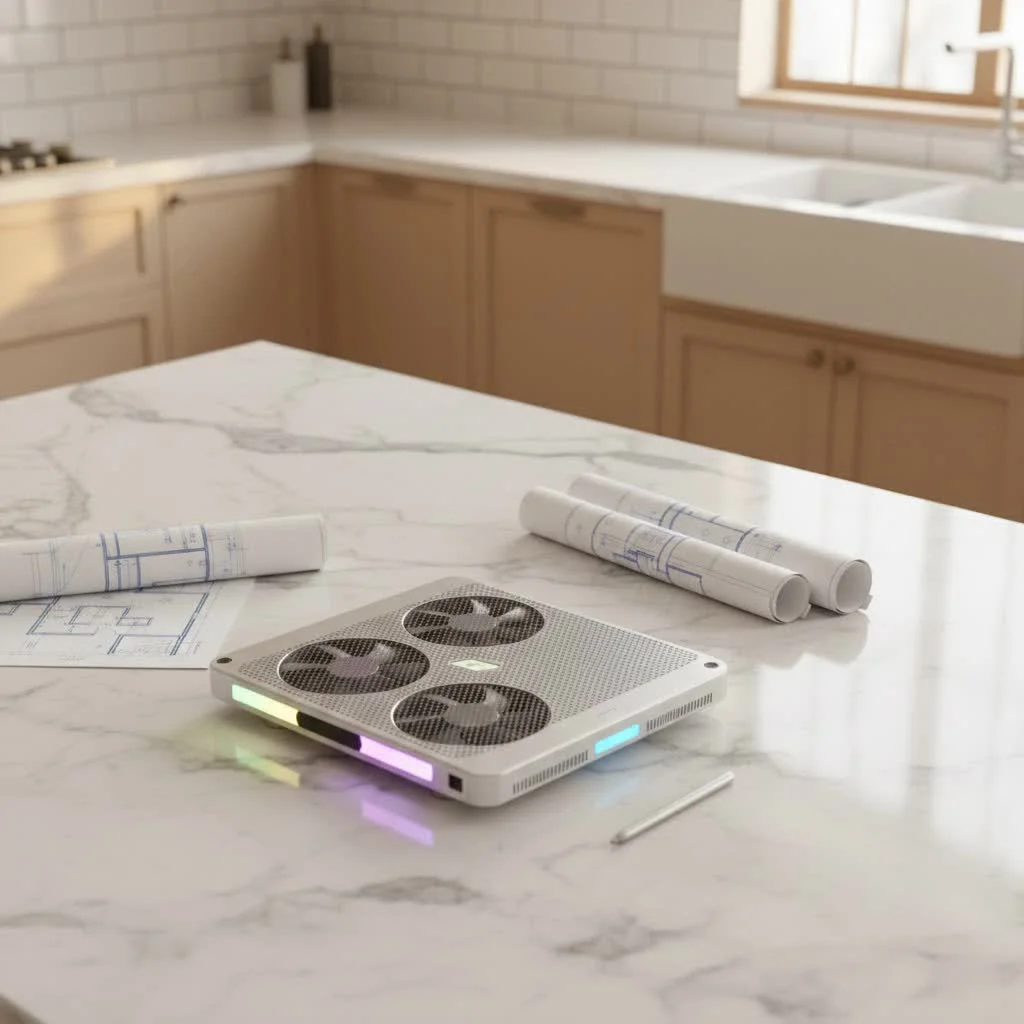 laptop cooler with a laptop on top” style=”margin: 20px auto;width: 800px;max-width: 100%;height: auto” />
What Makes Cooler Master Laptop Coolers Stand Out?
Cooler Master has been a leader in the PC cooling industry for decades, applying their extensive expertise to laptop cooling. Their solutions are designed with a deep understanding of thermal dynamics and user requirements, going beyond simple fan placement.
Innovation and Design Philosophy
Cooler Master is recognized for thoughtful engineering, often introducing features that address common user issues. This includes customizable fan placement to target specific hot spots and ergonomic designs that improve posture while cooling. Their approach combines practicality with advanced cooling technology.
Build Quality and Materials
Cooler Master coolers frequently feature high-quality materials such as aluminum, which acts as an excellent heat sink to draw heat away from the laptop more effectively than plastic. This durable construction ensures longevity, with products designed to withstand daily use and frequent travel. Investing in a Cooler Master laptop cooler often means acquiring a product built for lasting performance.
Range of Solutions
Cooler Master offers a diverse lineup suitable for casual users, demanding gamers, and creative professionals. Their range includes everything from minimalist pads with a single large fan to robust, multi-fan setups with advanced features, ensuring a tailored solution for nearly every laptop size and cooling requirement.
Demystifying Cooler Master’s Popular Laptop Cooler Models
Cooler Master provides several iconic series, each with distinct advantages. Here are some key models that can significantly enhance your laptop’s thermal management.
The Iconic Notepal Series
The Notepal series is Cooler Master’s most recognized line of laptop coolers, valued for its balance of performance and practicality.
Notepal X-Lite and Notepal XL: These models are popular for their simplicity and effectiveness. The X-Lite features a large, quiet fan, balancing airflow and low noise. The Notepal XL offers an even larger, more powerful 230mm fan, providing impressive airflow ideal for larger or hotter laptops. Both prioritize ergonomics, elevating the laptop to a comfortable typing angle, and often include extra USB ports for expanded connectivity.
Notepal U2 Plus and Notepal U3 Plus: These are the customizable options. Their unique feature is the ability to precisely position two (U2 Plus) or three (U3 Plus) adjustable fans. This allows users to target specific heat-generating areas like the CPU, GPU, or hard drive. Constructed from aluminum, they also function as sturdy stands and convenient carriers, offering excellent portability alongside superior cooling. The U3 Plus is specifically designed for larger gaming laptops, providing extensive coverage and robust support.
Specialized Models
Beyond the Notepal series, Cooler Master also develops specialized designs, sometimes incorporating RGB lighting for gaming setups or advanced ergonomic adjustments. These models cater to niche requirements, ensuring that even the most particular users can find a Cooler Master laptop cooler that meets their unique demands.
How to Choose the Perfect Cooler Master for Your Laptop
|
Our Picks for the Best Laptop Cooler in 2026
As an Amazon Associate I earn from qualifying purchases.
|
||
| Num | Product | Action |
|---|---|---|
| 1 | ChillCore Laptop Cooling Pad, RGB Lights Laptop Cooler 9 Fans for 15.6-19.3 Inch Laptops, Gaming Laptop Fan Cooling Pad with 8 Height Stands, 2 USB Ports - A21 Blue |

|
| 2 | llano V12 RGB Laptop Cooling Pad, Gaming Laptop Cooler with 5.5 Inch Powerful Turbofan, Fast Cooling Laptop 15.6-21in, Adjustable Speed, Touch Control, LCD Screen, Black (RGB) |
|
| 3 | Kootek Laptop Cooling Pad, Laptop Cooler with 5 Quiet Fans for 12\"-17\" Computer PC Notebook Gaming Laptop Fan, Height Adjustable Laptop Cooling Stand Laptop Accessories, Blue |
|
| 4 | Laptop Cooling Pad, Laptop Cooler 6 Quiet Fans for 12\"-17\" Laptops, Gaming Laptop Fan Cooling Pad with 5 Height Adjustable, Slim Portable USB Powered, 2 USB Ports & Phone Holder |
|
| 5 | Razer Laptop Cooling Pad: Adaptive Smart - Intelligent Fan Control - Airtight Pressure Chamber - Fits Most Laptops & Macbooks 14” to 18\" - Preset & Custom Fan Curves - 3 Port USB Type A - Chroma RGB |
|
| 6 | Laptop Cooling Pad, Gaming Laptop Cooler for 13-19 Inch Laptops, RGB Lights Laptop Fan Cooling Pad with 3 Height Adjustable and 3 USB Ports, 4.72 Inch Large Turbo Fan, Max 3500RPM |
|
| 7 | AICHESON Laptop Cooling Pad 5 Fans Up to 17.3 Inch Heavy Notebook Cooler, Blue LED Lights, 2 USB Ports, S035, Blue-5fans |
|
| 8 | llano V12 Laptop Cooling Pad, Gaming Laptop Cooler Stand with 5.5inch Powerful Turbo Fan, Adjustable Speed, Touch Control, 3-Port USB A, for Fast Cooling Laptop 15.6-19in, Black (No RGB) |
|
| 9 | havit HV-F2056 15.6\"-17\" Laptop Cooler Cooling Pad - Slim Portable USB Powered (3 Fans), Black/Blue |
|
| 10 | KeiBn Laptop Cooling Pad, Gaming Laptop Cooler 2 Fans for 10-15.6 Inch Laptops, 5 Height Stands, 2 USB Ports (S039) |
|
Selecting the right laptop cooler involves finding the best fit for your specific laptop and usage habits, not just picking the most expensive option.
Understanding Your Laptop’s Cooling Needs
First, consider your laptop’s size and weight; a cooler for a 15-inch laptop may not support a 17-inch gaming rig. Next, examine your laptop’s bottom vents to ensure the cooler can directly supplement its natural airflow. Finally, assess your usage: demanding tasks like gaming or video editing require a more powerful Cooler Master laptop cooler than casual web browsing.
Key Features to Look For
When exploring Cooler Master’s lineup, keep these features in mind:
- Fan Size and Quantity: Larger fans move more air quietly; multiple fans offer targeted cooling.
- Adjustable Fan Speed: Allows balancing cooling performance with noise levels.
- Ergonomics and Height Adjustment: Many coolers double as stands, improving comfort and reducing neck strain.
- Extra USB Ports: A useful feature for restoring lost connectivity due to thin laptop designs.
- Build Material: Aluminum provides better passive cooling and durability than plastic.
- Portability: For frequent travelers, lighter, slimmer designs are easier to pack.
Balancing Performance and Portability
For maximum cooling, a larger, multi-fan aluminum cooler typically performs best but is less portable. If you primarily use your laptop in one location, prioritize performance. If you are frequently mobile, a slimmer, lighter Cooler Master laptop cooler like the X-Lite might be a better compromise, balancing cooling with ease of transport.
Maximizing Performance: Tips for Your Cooler Master Cooler
Effective use of your cooler is crucial for optimal performance. Here are some professional tips to get the most from your Cooler Master cooling solution.
Proper Placement and Airflow
Unobstructed airflow is the golden rule. Ensure your laptop’s intake vents (usually on the bottom) align with the cooler’s fans. If you have a Notepal U2 Plus or U3 Plus, adjust fan placement to target hot areas like the CPU and GPU. Always place the cooler on a hard, flat surface to ensure optimal air intake and avoid soft surfaces that can restrict airflow.
Regular Maintenance for Longevity
Dust is detrimental to cooling systems. Over time, dust and lint accumulate on fans and grilles, reducing efficiency and increasing noise. Regularly clean your Cooler Master laptop cooler with compressed air to blow out dust from fan blades and vents. For stubborn grime, use a soft brush or cloth. This routine maintains efficiency and significantly extends the cooler’s lifespan.
Complementary Cooling Strategies
While a Cooler Master cooler is powerful, it works best as part of a comprehensive thermal management system:
- Clean Your Laptop’s Internal Fans: Periodically cleaning dust from internal heatsinks and fans dramatically improves internal cooling, enhancing the external cooler’s effectiveness.
- Monitor Temperatures: Use software like HWMonitor or MSI Afterburner to track CPU and GPU temperatures, helping you understand your laptop’s thermal state and cooling efficiency.
- Optimize Power Settings: Adjust your operating system’s power plans to “Balanced” or “Power Saver” for less demanding tasks to reduce heat generation by lowering CPU clock speeds.
- improve your Laptop: Even without a powered cooler, slightly elevating your laptop can improve natural convection and reduce temperatures.
Expert Insight
“The biggest mistake people make with laptop cooling isn’t just ignoring it; it’s expecting a silver bullet,” says Dr. Ethan Vance, Lead Thermal Engineer at TechFlow Innovations. “A high-quality Cooler Master laptop cooler is a fantastic tool, but its effectiveness is amplified when paired with good laptop maintenance and smart usage habits. It’s about creating a holistic environment for your machine to breathe.”
Are Cooler Master Laptop Coolers Worth the Investment?
Absolutely. In today’s world of powerful yet compact laptops, thermal management is paramount. A Cooler Master laptop cooler is an investment in your laptop’s health, performance, and longevity. By actively dissipating heat, these coolers prevent thermal throttling, allowing your CPU and GPU to operate at full potential for smoother gaming, faster rendering, and a more responsive system. Keeping internal components cooler also reduces stress on delicate electronics, potentially extending the lifespan of your expensive laptop. For anyone serious about their laptop’s performance and long-term health, a Cooler Master laptop cooler is a wise and often necessary addition.
Frequently Asked Questions (FAQ)
Q1: How much can a Cooler Master laptop cooler lower temperatures?A Cooler Master laptop cooler can typically lower CPU and GPU temperatures by anywhere from 5 to 10 degrees Celsius, sometimes more depending on the laptop’s original thermal design and the specific cooler model. This reduction is often enough to prevent thermal throttling and improve performance.
Q2: Which Cooler Master Notepal is best for gaming?For gaming, the Cooler Master Notepal U3 Plus is often considered one of the best choices due to its three customizable fans. This allows gamers to precisely target the CPU and GPU areas, which are typically the hottest components during intense gaming sessions, providing superior cooling and stability.
Q3: Do I need a laptop cooler if my laptop isn’t overheating?While not strictly necessary if your laptop isn’t actively overheating, a Cooler Master laptop cooler can still offer benefits. It helps maintain lower operating temperatures, which can prolong component lifespan and prevent heat-related wear and tear over time. It can also provide ergonomic benefits by elevating your screen.
Q4: How often should I clean my Cooler Master laptop cooler?It’s a good practice to clean your Cooler Master laptop cooler every 1 to 3 months, or more frequently if you live in a dusty environment or have pets. Regular dusting with compressed air will prevent dust buildup on the fans and grilles, ensuring optimal airflow and efficiency.
Q5: Can a Cooler Master cooler extend my laptop’s lifespan?Yes, by significantly reducing operating temperatures, a Cooler Master laptop cooler can absolutely help extend your laptop’s lifespan. Heat is a major factor in component degradation, and keeping your laptop cooler reduces stress on its internal hardware, thereby promoting greater longevity.
Conclusion
Your laptop works hard for you, and it deserves a cool, stable environment to perform its best. A Cooler Master laptop cooler is more than just a fan; it’s a strategically engineered tool designed to enhance performance, improve ergonomics, and protect your valuable investment from the damaging effects of excessive heat. By understanding your needs, choosing the right model, and following a few simple maintenance tips, you can unlock a new level of efficiency and comfort from your machine. So, take control of your laptop’s thermal destiny – your hardware (and your lap) will thank you for it! Don’t just suffer through the heat; master it with Cooler Master.
Frequently Asked Questions
How much can a Cooler Master laptop cooler reduce temperatures?
A Cooler Master laptop cooler can typically lower CPU and GPU temperatures by 5 to 10 degrees Celsius. This reduction is often sufficient to prevent thermal throttling and significantly improve overall performance, especially during demanding tasks.
Which Cooler Master Notepal model is recommended for gaming laptops?
For gaming, the Cooler Master Notepal U3 Plus is highly recommended due to its three customizable fans. These fans can be precisely positioned to target the CPU and GPU, which are the primary heat sources during intense gaming sessions, ensuring superior cooling and stability.
Is a laptop cooler necessary if my laptop doesn't overheat?
While not strictly necessary if your laptop isn't actively overheating, a Cooler Master laptop cooler still offers benefits. It helps maintain lower operating temperatures, which can prolong component lifespan and prevent long-term heat-related wear. It also provides ergonomic advantages by elevating the screen.
What is the recommended cleaning frequency for a Cooler Master laptop cooler?
It is good practice to clean your Cooler Master laptop cooler every 1 to 3 months, or more often in dusty environments or homes with pets. Regular dusting with compressed air prevents dust buildup on fans and grilles, ensuring optimal airflow and efficiency.
Can a Cooler Master cooling pad extend my laptop's overall lifespan?
Yes, by significantly reducing operating temperatures, a Cooler Master laptop cooler can help extend your laptop's lifespan. Heat is a major contributor to component degradation, and keeping your laptop cooler reduces stress on its internal hardware, promoting greater longevity for expensive components.
Choose the Perfect Cooler Master for Your Laptop
Selecting the right Cooler Master laptop cooler involves understanding your laptop's specific needs and identifying key features that align with your usage habits.
Consider your laptop's size, weight, and the location of its bottom vents to ensure compatibility and effective airflow. Evaluate your typical usage, as intensive tasks like gaming or video editing require more powerful cooling solutions.
Look for features such as fan size and quantity, adjustable fan speed, ergonomic design with height adjustment, and extra USB ports. Prioritize aluminum construction for better passive cooling and durability, especially if you travel frequently.
For maximum cooling, choose a larger, multi-fan aluminum cooler if portability isn't a primary concern. If you travel often, opt for a slimmer, lighter model like the Notepal X-Lite to balance cooling with ease of transport.
Get our weekly buyer guide
Practical specs, not advice. Unsubscribe anytime.

As someone who works from home and uses my laptop for hours on end, preventing overheating is crucial for extending its lifespan. This Cooler Master cooler has been fantastic. It keeps my laptop cool even during heavy multitasking, and I appreciate the high-quality materials. It’s a small investment that makes a big difference in performance and longevity.
I’ve been using a Cooler Master laptop cooler for my gaming rig for about a month now, and the difference is night and day. My CPU and GPU temps used to hit alarming levels during long sessions, but now they stay consistently 8-10 degrees Celsius lower. It’s really helped prevent thermal throttling, which was a huge issue for me before. Definitely a game-changer for serious gamers.
I picked up one of the Cooler Master models with the aluminum construction, and it feels super solid and well-built. The design is sleek, and it fits my 15-inch laptop perfectly. My only minor gripe is that the fan noise is a little noticeable when it’s on full blast, but it’s not a dealbreaker considering how much cooler my laptop runs. Great for everyday use and light photo editing.
I got a Cooler Master cooler hoping to solve some overheating issues with my older laptop. While it does help a bit, I haven’t seen the dramatic 5-10 degree drop mentioned. It’s better than nothing, but I was expecting a bit more given their reputation for innovative designs. Maybe my laptop’s just too far gone, haha.