A Targus laptop cooler effectively manages laptop temperatures, safeguarding performance, extending lifespan, and ensuring smooth operation by dissipating heat from the underside of the device. These coolers, particularly the Chill Mat series, utilize dual fans, ergonomic designs, and sometimes integrated USB hubs to prevent thermal throttling and enhance user comfort during extended use.
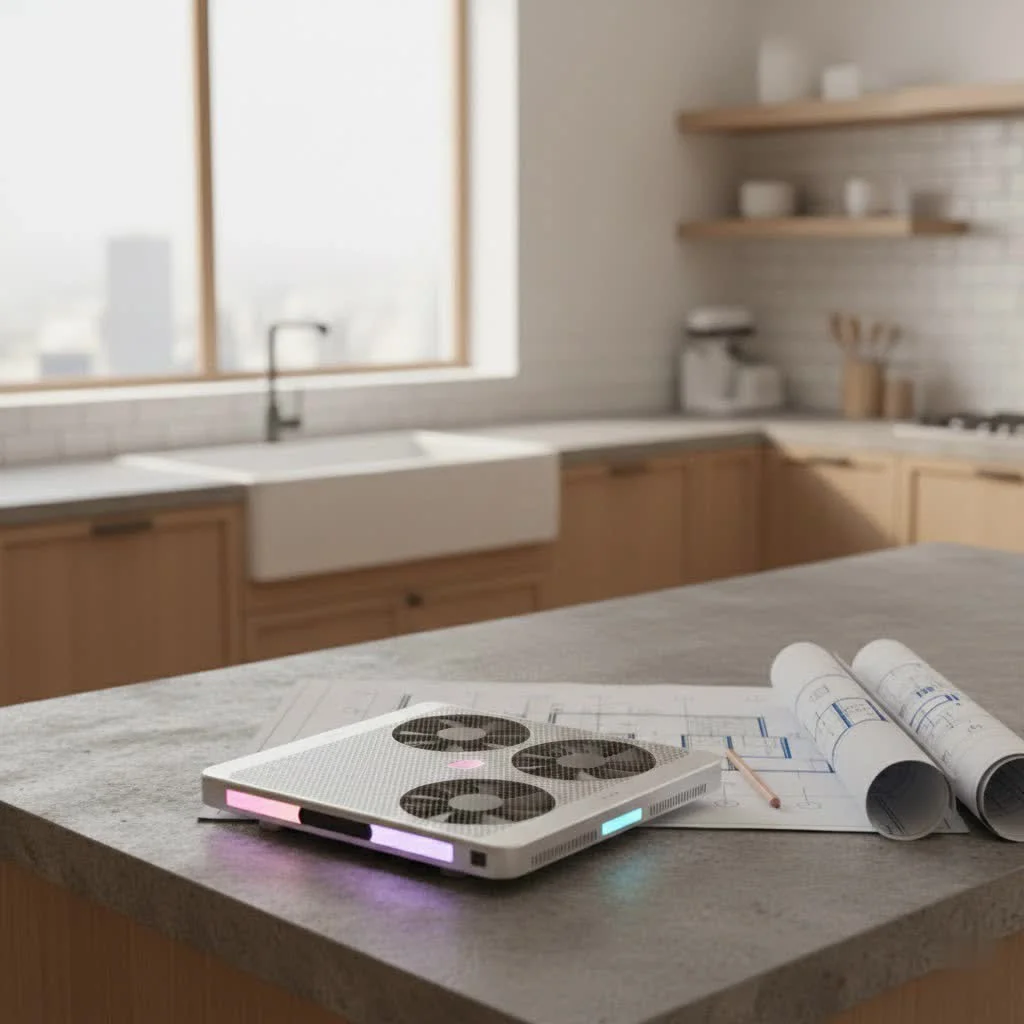
In our increasingly mobile world, laptops are pushed to their limits, whether we’re crunching numbers for work, streaming our favorite shows, or diving into an epic gaming session. All that power generates heat, and without proper management, your laptop can quickly turn into a simmering hotplate. This is where a reliable cooling solution, like a Targus laptop cooler, steps in as your laptop’s best friend. It’s an essential tool, not just an accessory, for anyone who values their laptop’s health and performance. For shop curated laptop cooling on this site.
Why Your Laptop Needs a Cooling Partner
Think of your laptop’s internal components – the CPU, GPU, and hard drive – as athletes running a marathon. When they’re pushed hard, they get hot. Excessive heat can lead to a phenomenon known as “thermal throttling,” where your laptop intentionally slows itself down to prevent damage. This means slower performance, frustrating lag, and even unexpected shutdowns. Over time, consistent overheating can permanently shorten the lifespan of vital components, turning a minor annoyance into an expensive repair or replacement.
A Targus laptop cooler is specifically designed to combat these issues. By providing active or passive airflow, it helps dissipate the heat that naturally builds up within your device, particularly from its underside. This keeps internal temperatures in check, allowing your laptop to maintain optimal performance, preventing throttling, and ensuring a more comfortable user experience – especially when your laptop is actually on your lap!
Discovering the Targus Difference: Key Features to Look For
Targus has been a prominent name in laptop accessories for years, and their line of laptop coolers, particularly the popular Chill Mat series, showcases a thoughtful approach to thermal management. When considering a Targus laptop cooler, several key features stand out, each contributing to a cooler, more comfortable, and more productive computing experience.
Dual-Fan Power and Optimized Airflow
At the heart of many Targus cooling solutions are powerful, yet whisper-quiet, dual fans. These fans are strategically positioned to direct cool air towards your laptop’s intake vents, effectively pushing hot air away and preventing heat buildup. For instance, models like the Targus Dual Fan Chill Mat often feature fans designed to provide consistent airflow without creating distracting noise, which is a huge plus for focused work or immersive entertainment. While smaller fans might not tackle extreme gaming heat as aggressively as some specialized gaming coolers, they are remarkably effective for typical usage and thinner laptops.
Ergonomics and Comfort
|
Our Picks for the Best Laptop Cooler in 2026
As an Amazon Associate I earn from qualifying purchases.
|
||
| Num | Product | Action |
|---|---|---|
| 1 | ChillCore Laptop Cooling Pad, RGB Lights Laptop Cooler 9 Fans for 15.6-19.3 Inch Laptops, Gaming Laptop Fan Cooling Pad with 8 Height Stands, 2 USB Ports - A21 Blue |

|
| 2 | AICHESON Laptop Cooling Pad 5 Fans Up to 17.3 Inch Heavy Notebook Cooler, Blue LED Lights, 2 USB Ports, S035, Blue-5fans |
|
| 3 | Laptop Cooling Pad, Laptop Cooler 6 Quiet Fans for 12\"-17\" Laptops, Gaming Laptop Fan Cooling Pad with 5 Height Adjustable, Slim Portable USB Powered, 2 USB Ports & Phone Holder |
|
| 4 | Laptop Cooling Pad, Gaming Laptop Cooler for 13-19 Inch Laptops, RGB Lights Laptop Fan Cooling Pad with 3 Height Adjustable and 3 USB Ports, 4.72 Inch Large Turbo Fan, Max 3500RPM |
|
| 5 | havit HV-F2056 15.6\"-17\" Laptop Cooler Cooling Pad - Slim Portable USB Powered (3 Fans), Black/Blue |
|
| 6 | Kootek Laptop Cooling Pad, Laptop Cooler with 5 Quiet Fans for 12\"-17\" Computer PC Notebook Gaming Laptop Fan, Height Adjustable Laptop Cooling Stand Laptop Accessories, Blue |
|
| 7 | llano V12 RGB Laptop Cooling Pad, Gaming Laptop Cooler with 5.5 Inch Powerful Turbofan, Fast Cooling Laptop 15.6-21in, Adjustable Speed, Touch Control, LCD Screen, Black (RGB) |
|
| 8 | KeiBn Laptop Cooling Pad, Gaming Laptop Cooler 2 Fans for 10-15.6 Inch Laptops, 5 Height Stands, 2 USB Ports (S039) |
|
| 9 | llano V12 Laptop Cooling Pad, Gaming Laptop Cooler Stand with 5.5inch Powerful Turbo Fan, Adjustable Speed, Touch Control, 3-Port USB A, for Fast Cooling Laptop 15.6-19in, Black (No RGB) |
|
| 10 | Razer Laptop Cooling Pad: Adaptive Smart - Intelligent Fan Control - Airtight Pressure Chamber - Fits Most Laptops & Macbooks 14” to 18\" - Preset & Custom Fan Curves - 3 Port USB Type A - Chroma RGB |
|
One of Targus’s standout contributions is their emphasis on user comfort. Many Targus laptop cooler models come with an ergonomic tilt, raising your laptop to a more comfortable viewing and typing angle. This slight elevation can make a significant difference during long work sessions, reducing strain on your neck and wrists. Beyond the angle, many Chill Mats feature a soft neoprene base, making them incredibly comfortable to use directly on your lap. This thoughtful design prevents your legs from bearing the brunt of your laptop’s heat, turning your couch or bed into a viable workstation.
Connectivity and Convenience
Some advanced Targus laptop cooler models, such as the Chill Mat+, go beyond just cooling by integrating additional features like a multi-port USB hub. This is a major upgrade for modern laptops, especially those with limited ports. Imagine having extra USB ports readily available for your mouse, keyboard, external hard drive, or even charging your phone, all powered conveniently through a single USB connection from your laptop. It streamlines your workspace and enhances productivity, making your Targus laptop cooler a true multifunctional accessory.
Built for Stability
No one wants their laptop sliding around. Targus addresses this with clever design elements like rubber stops or non-slip pads on the surface of their cooling mats. These small but crucial details ensure your laptop stays securely in place, even when tilted or used on uneven surfaces. This stability is vital for both productivity and protecting your valuable device from accidental slips and bumps.
Portability for the On-the-Go Professional
For those who are constantly on the move, Targus offers portable solutions like the Space Saving Lap Chill Mat. This innovative design folds down to a slim profile, making it easy to slip into your laptop bag. While some portable coolers might sacrifice cooling power for compactness, Targus aims to strike a balance, offering effective cooling in a travel-friendly package. Even with dual fans, these models are often lightweight enough not to be a burden.
Choosing the Right Targus Laptop Cooler for Your Needs
Selecting the perfect Targus laptop cooler depends heavily on your specific usage patterns, laptop type, and budget. With a range of options available, here’s how to narrow down your choice:
Casual User or Student
If your laptop use primarily involves web browsing, document editing, streaming videos, or light schoolwork, a basic Targus laptop cooler like the Lap Chill Mat Jr. or a standard Chill Mat will likely suffice. These models offer reliable cooling for everyday tasks, preventing discomfort and minor performance drops without breaking the bank. They are typically USB-powered and straightforward to use.
Everyday Workhorse
For professionals or students who spend hours on their laptops, running multiple applications, and demanding consistent performance, the Targus Dual Fan Chill Mat or the Chill Mat+ with its integrated USB hub would be excellent choices. These options provide more robust cooling and added convenience, enhancing your workspace and ensuring your laptop remains stable and efficient throughout your workday. They are often compatible with laptops up to 16-17 inches.
The Power User & Occasional Gamer
While Targus coolers are generally well-regarded for general use, if you’re a serious gamer or frequently engage in demanding tasks like video editing or 3D rendering, you’ll need to manage your expectations. Basic Targus models might offer a few degrees of temperature reduction, which is helpful. However, for heavily stressed gaming laptops, some users find that the fan strength of standard Targus Chill Mats might not be sufficient compared to dedicated high-performance gaming cooling pads. If you’re an occasional gamer or have a less heat-intensive gaming laptop, a Targus 17-inch Dual Fan Chill Mat could still offer a noticeable improvement, especially given its comfort for lap use. It’s often seen as a great value option in the mid-range.
When choosing, always consider your laptop’s size. Targus offers coolers compatible with laptops up to 17 inches, so make sure the model you pick fits your device snugly for optimal airflow. Targus cooling pads are generally priced from around $20 to $100, providing options across various budgets.
Popular Targus Laptop Cooler Models at a Glance
Targus has several well-loved models that consistently receive positive feedback. Here’s a quick overview of some of the most popular ones:
- Targus Chill Mat: This is often the foundational model, known for its dual fans, ergonomic tilt, and comfortable neoprene base. It’s a solid all-rounder for general laptop use.
- Targus Chill Mat+ Laptop Cooling System with 4-Port USB Hub: Building on the original, this version adds the highly convenient feature of a built-in 4-port USB hub, perfect for expanding connectivity. Customers often praise its effective cooling and useful extra ports.
- Targus Dual Fan Lap Chill Mat Cooling System: Similar to the standard Chill Mat, this model often emphasizes its quiet operation and comfort for lap use. It’s designed to keep your work surface cool, whether it’s your lap or a table.
- Targus Space Saving Lap Chill Mat: This model focuses on portability, with a design that folds down flat for easy transport. It’s particularly appreciated by users who need a cooling solution they can take on the go.
Each of these Targus laptop cooler models shares the core commitment to reducing heat and enhancing user comfort, offering slight variations to cater to different needs and preferences.
Maximizing the Life of Your Targus Cooling Pad: Usage & Maintenance Tips
Even the best Targus laptop cooler needs a little TLC to perform at its peak and last for years. Here are my top tips for getting the most out of your cooling pad:
- Optimal Placement is Key: Ensure your laptop is centered and positioned correctly on the cooling mat so that its intake vents align as much as possible with the cooler’s fans. This maximizes the direct airflow where it’s most needed.
- Regular Cleaning is Crucial: Dust is the archenemy of any fan-based cooling system. Over time, dust and debris can accumulate on the fan blades and grilles, reducing airflow efficiency and potentially causing fans to fail. I recommend cleaning your Targus laptop cooler every 3 to 6 months. You can often remove screws to open the unit and use compressed air to clear out dust, or simply wipe down the grilles regularly.
- Keep Vents Clear: Make sure nothing is obstructing the airflow around and under your cooling pad. Avoid placing it on soft surfaces like thick blankets that can block the cooler’s own vents.
- Proper Storage: When not in use, especially for portable models, tuck away the USB cable neatly. If your cooler folds, utilize that feature to protect the fans from damage.
By following these simple guidelines, you can significantly extend the life of your Targus laptop cooler and ensure it continues to keep your laptop running cool and efficiently.
Expert Insights: What the Pros Say About Targus Laptop Coolers
From my decade of working with laptop thermal dynamics, I’ve come to appreciate practical, reliable solutions. Targus embodies that. As Alex Chen, a Senior Thermal Engineer at Tselk.com, often remarks, “A Targus laptop cooler isn’t just about dropping temperatures a few degrees; it’s about creating a holistic environment for your laptop that promotes longevity and consistent performance. Their focus on ergonomic comfort, especially for lap use, is a feature often overlooked but incredibly impactful for everyday users.”
Frequently Asked Questions
Q: Are Targus laptop coolers effective for gaming?
A: For casual gaming or less demanding titles, a Targus laptop cooler can certainly help reduce temperatures and improve comfort. However, for hardcore gaming with very powerful, high-heat generating laptops, some users might find that specialized, higher-airflow gaming cooling pads offer more significant temperature drops. It depends on the specific laptop and game.
Q: How do I know which Targus chill mat size is right for my laptop?
A: Most Targus laptop cooler models are designed to accommodate laptops up to a certain screen size, typically 16 or 17 inches. Always check the product specifications for the maximum compatible laptop size to ensure a proper fit and optimal cooling coverage. A slightly larger pad is usually better than one that’s too small.
Q: Do Targus laptop coolers require an external power source?
A: No, the vast majority of Targus laptop cooler models are conveniently USB-powered. You simply plug the cooler’s USB cable into an available USB port on your laptop, and the fans will activate. This eliminates the need for bulky power adapters.
Q: How often should I clean my Targus laptop cooler?
A: To maintain optimal performance and extend the lifespan of your Targus laptop cooler, I recommend cleaning it every 3 to 6 months. This helps prevent dust buildup on the fans and grilles, which can impede airflow and reduce cooling efficiency.
Q: Can I use a Targus laptop cooler on my lap?
A: Absolutely! Many Targus laptop cooler models, particularly the Chill Mat series, are designed with a soft neoprene base specifically for comfortable lap use. They provide a barrier between your laptop’s heat and your legs, making extended sessions much more pleasant.
Conclusion
Keeping your laptop cool isn’t just about preventing it from feeling hot to the touch; it’s a vital part of maintaining its health, performance, and longevity. A Targus laptop cooler offers a practical, comfortable, and often multi-functional solution to common overheating issues. Whether you’re a student, a professional, or an occasional gamer, there’s a Targus model designed to meet your needs, ensuring your laptop runs smoothly and efficiently. By understanding the features, choosing the right model, and following simple maintenance tips, you’re investing in your laptop’s future. So go ahead, give your laptop the cool, calm environment it deserves, and experience the difference a quality Targus laptop cooler can make!
Frequently Asked Questions
Are Targus laptop coolers effective for gaming?
For casual gaming or less demanding titles, a Targus laptop cooler can help reduce temperatures and improve comfort. However, for hardcore gaming with powerful, high-heat generating laptops, specialized gaming cooling pads often offer more significant temperature drops than standard Targus models.
How do I know which Targus Chill Mat size is right for my laptop?
Most Targus laptop cooler models accommodate laptops up to 16 or 17 inches. Always check the product specifications for the maximum compatible laptop size to ensure a proper fit and optimal cooling coverage. A slightly larger pad is generally preferable to one that is too small.
Do Targus laptop coolers require an external power source?
No, the vast majority of Targus laptop cooler models are conveniently USB-powered. You simply plug the cooler's USB cable into an available USB port on your laptop, and the fans will activate, eliminating the need for bulky power adapters.
How often should I clean my Targus laptop cooler?
To maintain optimal performance and extend the lifespan of your Targus laptop cooler, it is recommended to clean it every 3 to 6 months. This prevents dust buildup on the fans and grilles, which can impede airflow and reduce cooling efficiency.
Can I use a Targus laptop cooler on my lap?
Absolutely! Many Targus laptop cooler models, particularly the Chill Mat series, are designed with a soft neoprene base specifically for comfortable lap use. They provide a barrier between your laptop's heat and your legs, making extended sessions much more pleasant.
Maximizing the Life of Your Targus Cooling Pad
Follow these tips to ensure your Targus laptop cooler performs at its peak and lasts for years, maintaining optimal laptop health and efficiency.
Ensure your laptop is centered and positioned correctly on the cooling mat. This allows its intake vents to align as much as possible with the cooler's fans, maximizing direct airflow where it's most needed for effective cooling.
Clean your Targus laptop cooler every 3 to 6 months to prevent dust buildup on fan blades and grilles. Dust reduces airflow efficiency and can cause fans to fail. Use compressed air or wipe down grilles regularly.
Make sure nothing obstructs the airflow around and under your cooling pad. Avoid placing it on soft surfaces like thick blankets that can block the cooler's own vents, which would hinder its ability to dissipate heat.
When not in use, neatly tuck away the USB cable, especially for portable models. If your cooler folds, utilize that feature to protect the fans from damage during transport or storage, extending its operational life.
Get our weekly buyer guide
Practical specs, not advice. Unsubscribe anytime.
I’ve been using my Targus Chill Mat for a few weeks now, and it’s made a huge difference. My gaming laptop used to get so hot it was uncomfortable to touch, especially during long sessions. Now, it stays cool, and I haven’t noticed any of the performance drops I used to experience. The dual fans really do the trick.
Seriously impressed with the Targus laptop cooler. I was skeptical about how much a cooler could actually do, but this thing keeps my MacBook Pro running smoothly even when I’m running multiple virtual machines. It’s definitely an essential tool for anyone who pushes their laptop to its limits. No more thermal throttling for me!
I got a Targus cooler hoping to help with my work laptop’s heat issues. It does help a bit, but I still feel some warmth after a few hours of heavy use. I appreciate the ergonomic design though, it makes typing more comfortable. Maybe I just need a more powerful model for my specific needs.
This Targus cooler is pretty solid. I picked up one of the models with the integrated USB hub, which is super convenient since my ultrabook is a bit short on ports. It keeps my laptop from overheating during video editing, which was a major issue before. My only minor gripe is that the fan noise is a little noticeable in a quiet room, but it’s not a dealbreaker.