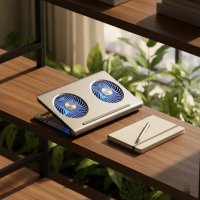
As a thermal engineer with over a decade of experience safeguarding laptops from the relentless siege of heat, I’ve seen firsthand how critical effective cooling is for your device’s longevity and performance. In the world of laptop cooling solutions, KLIM has emerged as a prominent player, consistently pushing the boundaries of what’s possible. If you’re grappling with an overheating laptop, a KLIM laptop cooler might just be the upgrade your setup desperately needs.
Why Cooling Matters: The KLIM Philosophy
Think of your laptop’s internal components—the CPU and GPU—as high-performance athletes. When they work hard, they generate heat. Too much heat, and these athletes start to fatigue, slowing down to protect themselves from damage. This thermal throttling is your laptop’s way of crying for help, manifesting as slower frame rates, longer rendering times, and even unexpected crashes.
KLIM understands this fundamental challenge. Their philosophy isn’t just about blowing air; it’s about intelligent thermal management. By actively dissipating heat from the underside of your laptop, KLIM coolers aim to maintain optimal operating temperatures, ensuring your components run at their peak clock speeds for longer, significantly boosting performance and extending the overall lifespan of your cherished machine.
The KLIM Range: Finding Your Perfect Match
KLIM offers a diverse array of cooling solutions, each designed with specific user needs in mind. From robust cooling pads to innovative vacuum coolers, there’s likely a KLIM device tailored for your laptop and usage habits.
Cooling Pads for Every Need
KLIM’s cooling pads are their bread and butter, often featuring multiple fans and ergonomic designs.
KLIM Wind: The Quiet Workhorse
The KLIM Wind is often lauded as a fantastic entry-level option, combining affordability with impressive quietness. Equipped with four fans spinning at up to 1200 RPM, it provides a gentle yet effective breeze, making it ideal for everyday tasks, light gaming, or casual browsing where noise is a major concern. It’s a solid choice for those seeking a noticeable temperature drop without breaking the bank or disturbing the peace.
KLIM Ultimate: The Gaming & Creative Powerhouse
For gamers and creative professionals who push their machines to the limit, the KLIM Ultimate steps up to the plate. This cooler typically features a single, massive 200mm fan, designed for maximum airflow at a surprisingly low noise level (around 750 RPM). This focused blast of air can dramatically reduce CPU and GPU temperatures by 10-15°C under heavy loads, transforming your gaming or rendering sessions. Its robust build and customizable RGB lighting also add a touch of flair to any serious setup.
KLIM Turbofrost: Precision Cooling & Quiet Efficiency
The KLIM Turbofrost represents a more advanced approach to cooling, often featuring four strategically positioned fans that can reach speeds of up to 4000 RPM. What makes it stand out is its integrated foam seal, which creates a high-pressure zone, directing air precisely where your laptop’s vents need it most – usually around the CPU and GPU. Users have reported significant temperature reductions, preventing internal laptop fans from overworking and thus maintaining quieter operation. It also boasts adjustable fan speeds and customizable RGB, powered conveniently via USB-C.
KLIM Everest: For the Demanding User
If raw cooling power is your absolute top priority, models like the KLIM Everest often feature two high-performance turbo fans, capable of exceptionally high RPMs (sometimes up to 4300 RPM). These are built for users who demand the absolute maximum temperature reduction, even if it means a slight increase in fan noise compared to quieter alternatives.
Beyond Pads: The KLIM Cool+ Vacuum Cooler
|
Our Picks for the Best Laptop Cooler in 2026
As an Amazon Associate I earn from qualifying purchases.
|
||
| Num | Product | Action |
|---|---|---|
| 1 | ChillCore Laptop Cooling Pad, RGB Lights Laptop Cooler 9 Fans for 15.6-19.3 Inch Laptops, Gaming Laptop Fan Cooling Pad with 8 Height Stands, 2 USB Ports - A21 Blue |

|
| 2 | llano V12 Laptop Cooling Pad, Gaming Laptop Cooler Stand with 5.5inch Powerful Turbo Fan, Adjustable Speed, Touch Control, 3-Port USB A, for Fast Cooling Laptop 15.6-19in, Black (No RGB) |
|
| 3 | Laptop Cooling Pad, Laptop Cooler 6 Quiet Fans for 12\"-17\" Laptops, Gaming Laptop Fan Cooling Pad with 5 Height Adjustable, Slim Portable USB Powered, 2 USB Ports & Phone Holder |
|
| 4 | AICHESON Laptop Cooling Pad 5 Fans Up to 17.3 Inch Heavy Notebook Cooler, Blue LED Lights, 2 USB Ports, S035, Blue-5fans |
|
| 5 | havit HV-F2056 15.6\"-17\" Laptop Cooler Cooling Pad - Slim Portable USB Powered (3 Fans), Black/Blue |
|
| 6 | Kootek Laptop Cooling Pad, Laptop Cooler with 5 Quiet Fans for 12\"-17\" Computer PC Notebook Gaming Laptop Fan, Height Adjustable Laptop Cooling Stand Laptop Accessories, Blue |
|
| 7 | KeiBn Laptop Cooling Pad, Gaming Laptop Cooler 2 Fans for 10-15.6 Inch Laptops, 5 Height Stands, 2 USB Ports (S039) |
|
| 8 | Laptop Cooling Pad, Gaming Laptop Cooler for 13-19 Inch Laptops, RGB Lights Laptop Fan Cooling Pad with 3 Height Adjustable and 3 USB Ports, 4.72 Inch Large Turbo Fan, Max 3500RPM |
|
| 9 | Razer Laptop Cooling Pad: Adaptive Smart - Intelligent Fan Control - Airtight Pressure Chamber - Fits Most Laptops & Macbooks 14” to 18\" - Preset & Custom Fan Curves - 3 Port USB Type A - Chroma RGB |
|
| 10 | llano V12 RGB Laptop Cooling Pad, Gaming Laptop Cooler with 5.5 Inch Powerful Turbofan, Fast Cooling Laptop 15.6-21in, Adjustable Speed, Touch Control, LCD Screen, Black (RGB) |
|
For a different cooling philosophy, KLIM also offers vacuum coolers like the KLIM Cool+. Unlike pads that push air, these compact devices attach directly to your laptop’s exhaust vent and actively draw hot air out. This direct extraction method can be incredibly efficient, sometimes reducing temperatures by 15-30°C. They are especially effective for laptops with specific side or rear vent placements and offer an intelligent auto-mode that adjusts suction power based on your laptop’s temperature.
Key Features That Set KLIM Laptop Coolers Apart
When considering a KLIM laptop cooler, several key features contribute to its overall effectiveness and user experience.
- Effective Airflow and Fan Design: KLIM employs various fan configurations, from multiple smaller fans for widespread cooling to a single large fan for concentrated airflow, and even centrifugal fans in their vacuum coolers. The RPM (rotations per minute) indicates fan speed, but the design and placement are equally crucial for directing air to critical heat zones.
- Ergonomics and Build Quality: Many KLIM coolers double as ergonomic stands, offering adjustable height settings to improve typing comfort and posture. They often feature durable constructions with metal mesh surfaces that enhance heat dissipation and provide a stable platform for your laptop.
- Connectivity and RGB Aesthetics: Practical features like integrated USB pass-through ports (allowing you to connect peripherals without losing a valuable port) are common. For gamers and enthusiasts, customizable RGB lighting adds a personalized touch to their battle station.
- Noise Levels: Performance vs. Quiet Operation: This is a vital balance. While high RPMs can deliver superior cooling, they often come with increased noise. KLIM strives to optimize fan design to minimize acoustic output, but it’s important to consider your personal tolerance and usage environment. For instance, the KLIM Wind is renowned for its quietness, while more powerful models might be louder at full throttle.
Choosing the Right KLIM Laptop Cooler for You
Selecting the perfect KLIM laptop cooler involves a bit of self-assessment:
- Laptop Size and Usage: Ensure compatibility with your laptop’s dimensions. If you’re a heavy gamer or video editor, prioritize models like the KLIM Ultimate or Turbofrost that offer robust cooling. For lighter use, the KLIM Wind might suffice.
- Budget vs. Performance: KLIM offers options across various price points. Define your budget, but remember that investing a little more in a higher-performance cooler can pay dividends in the long run through improved laptop health.
- Portability Needs: If you frequently travel with your laptop and cooler, consider the size and weight. Vacuum coolers like the KLIM Cool+ are exceptionally compact.
Maximizing Your KLIM Cooler’s Effectiveness
Even the best KLIM laptop cooler can underperform if not used correctly.
- Proper Placement and Vent Alignment: For cooling pads, ensure your laptop’s intake vents align with the cooler’s fans for optimal airflow. For vacuum coolers, a tight seal around your laptop’s exhaust vent is crucial.
- Regular Maintenance: Dust is the enemy of cooling. Periodically clean your KLIM cooler’s fans and vents to maintain peak efficiency.
- Pairing with Laptop’s Internal Cooling: A KLIM cooler is a fantastic supplement to your laptop’s built-in cooling system, not a replacement. Together, they create a formidable defense against heat.
Expert Insights on Laptop Cooling
“In my experience, many laptop users underestimate the silent killer that is heat,” says Dr. Elara Vance, a renowned expert in computer thermal dynamics. “A quality external cooler like those from KLIM provides a crucial secondary defense, allowing your laptop’s internal systems to breathe, perform better, and truly last longer than they otherwise would.”
Frequently Asked Questions about KLIM Laptop Coolers
How much temperature drop can I expect from a KLIM cooler?
Temperature drops vary by model and laptop, but users commonly report reductions of 5-15°C for cooling pads and potentially 15-30°C for vacuum coolers under load.
Are KLIM coolers noisy?
KLIM offers models with varying noise levels. The KLIM Wind is known for being exceptionally quiet, while higher-performance models like the Turbofrost or Everest might generate more noise at their maximum settings.
Can a KLIM cooler extend my laptop’s lifespan?
Absolutely. By preventing overheating, a KLIM cooler reduces thermal stress on your laptop’s components, which can significantly extend its lifespan and maintain its performance over time.
Are KLIM coolers compatible with all laptop sizes?
Most KLIM cooling pads are designed to accommodate a wide range of laptop sizes, typically from 11 to 19 inches. Vacuum coolers are more dependent on your laptop’s vent design. Always check the specific product’s compatibility.
How do KLIM vacuum coolers differ from cooling pads?
Cooling pads push cool air towards your laptop, while vacuum coolers actively extract hot air from a specific exhaust vent. Vacuum coolers can be more effective for direct heat removal, especially for laptops with well-defined side or rear vents.
Invest in Your Laptop’s Future with KLIM
In a world where our laptops are increasingly central to work, play, and creativity, safeguarding their health is paramount. An investment in a KLIM laptop cooler isn’t just about reducing temperatures; it’s about unlocking your laptop’s full potential, ensuring stable performance, and extending its life. By understanding the various KLIM models and their unique strengths, you can confidently choose the perfect thermal companion for your device. Keep your cool, and your laptop will thank you for it.
Get our weekly buyer guide
Practical specs, not advice. Unsubscribe anytime.