As a seasoned thermal engineer with a decade of experience, I’ve seen countless laptops succumb to the silent killer: heat. When your laptop overheats, it doesn’t just feel uncomfortable; it throttles performance, shortens component lifespan, and can lead to frustrating crashes. That’s why investing in a quality cooling solution isn’t just a luxury, it’s a necessity. Among the myriad options, the TopMate laptop cooler has carved out a respectable niche, offering a blend of robust design, effective cooling, and user-centric features.
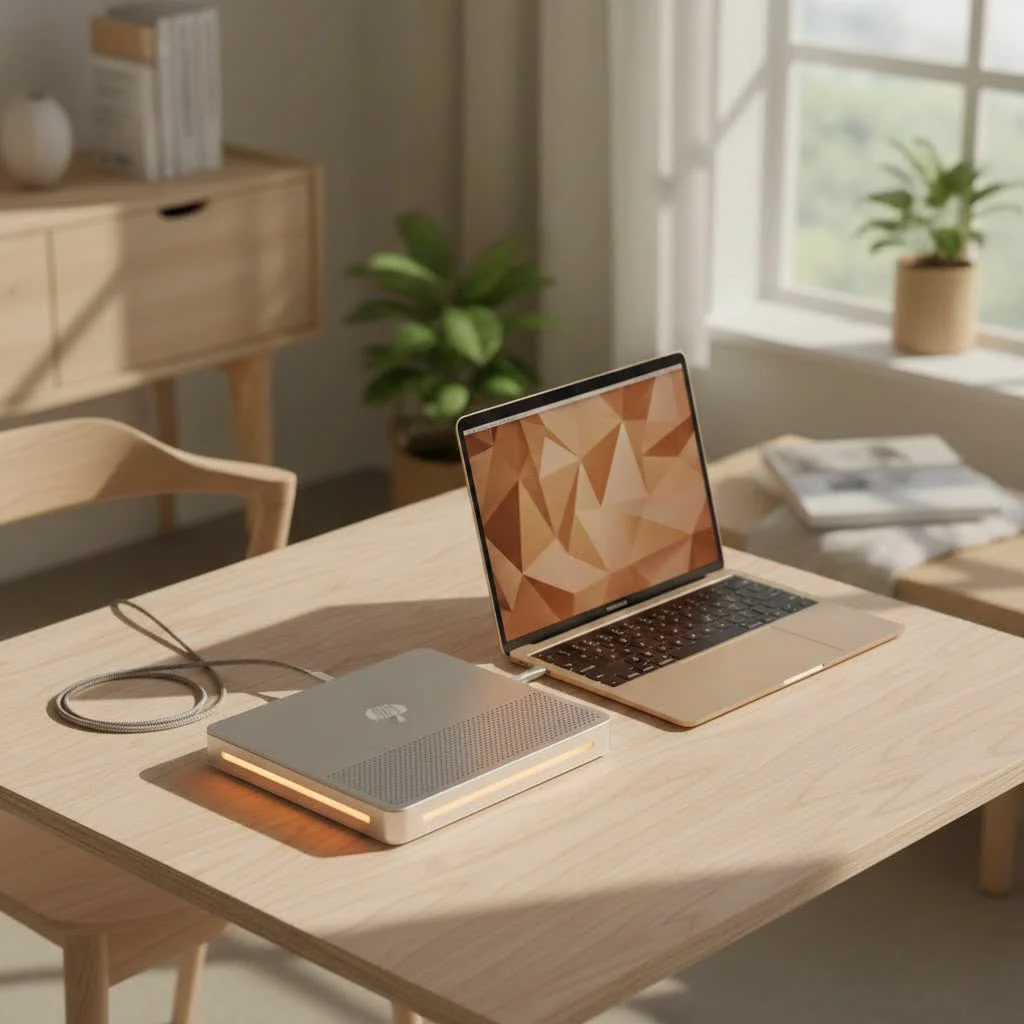
Why a TopMate Laptop Cooler is Essential for Your Setup
A laptop cooler, particularly a well-designed one like a TopMate laptop cooler, provides supplemental airflow to your machine, targeting critical heat zones. Modern laptops, especially powerful gaming rigs and workstations, generate significant heat under load. This heat, if not properly dissipated, can lead to CPU and GPU throttling, where your components intentionally slow down to prevent damage. A good cooling pad acts as a crucial barrier, preventing your laptop from resting directly on a flat surface and restricting its own airflow, while actively drawing heat away or pushing cool air in. This proactive approach ensures stable performance, extends battery life by reducing fan strain, and ultimately prolongs your laptop’s overall health. For see our laptop cooling recommendations on this site.
Unpacking the TopMate Advantage: Key Features and Technologies
TopMate has consistently focused on delivering cooling pads that blend functionality with user convenience. Their product lineup, featuring popular models like the C12, C11, and C5, showcases a thoughtful approach to thermal management.
Multi-Fan Configurations for Optimal Airflow
One of the standout characteristics of a TopMate laptop cooler is its multi-fan setup. Instead of relying on a single large fan, TopMate integrates an array of fans of varying sizes to create comprehensive airflow across your laptop’s underside. For instance, the C12 model often boasts six fans – typically three larger 110mm fans and three smaller 70mm fans – working in concert to cover a wider surface area. The C11 model frequently features a configuration of two large and four small fans, while the C5 commonly uses a central large fan surrounded by four smaller ones. These diverse fan layouts are designed to provide powerful, consistent airflow, efficiently pushing cool air into your laptop’s intake vents and drawing out hot air. The smaller fans on models like the C12 can spin up to 2400 RPM, indicating a strong capability to move air when needed.
Ergonomic Design and Adjustable Comfort
Beyond just cooling, TopMate understands that comfort is paramount for long computing sessions. Their coolers are built with ergonomics in mind, offering multiple adjustable height settings. The C12, for example, features eight different height adjustments, allowing users to angle their laptop from 6.5 to 50 degrees. The C11 provides six settings, and the C5 offers five. This adjustability is vital for achieving an optimal viewing and typing angle, which can significantly reduce strain on your neck, wrists, and back. Many models also include robust non-slip baffles or foldable flaps at the front to prevent your laptop from sliding, even at steeper angles. Some, like the C11 and C12, even integrate a retractable phone holder for added convenience.
Aesthetic Flair with Dynamic RGB/LED Lighting
For many users, especially gamers, aesthetics are an important part of their setup. TopMate doesn’t shy away from adding visual appeal, incorporating dynamic RGB or LED lighting into several of its models. The C12 can feature up to ten distinct RGB lighting modes, while the C11 offers seven. Even models like the C5 often include cool blue LED illumination. These lighting effects not only enhance the overall look of your workspace but can also create a more immersive atmosphere during intense gaming sessions or late-night work.
Quiet Operation and Intuitive Controls
No one wants a cooling pad that sounds like a jet engine. TopMate addresses this by incorporating capacitor components into their fans, which effectively reduce operational noise without sacrificing cooling efficiency. This means you can enjoy a cooler laptop and a more peaceful environment. Control over these features is often managed through a user-friendly LCD control panel, typically found on the front of the unit. This panel allows you to precisely adjust fan speeds – with many models offering up to six distinct speed settings – and switch between different fan operation modes (often three modes, for example, targeting specific fan groups). This level of control empowers you to customize the cooling intensity to match your laptop’s current workload and your preference for noise levels.
Enhanced Connectivity with USB Ports
Another practical feature often found on a TopMate laptop cooler is the inclusion of additional USB ports. Most models come equipped with two USB 2.0 ports. Since the cooler itself typically draws power from one of your laptop’s USB ports, these pass-through ports ensure you don’t lose connectivity for your peripherals like a mouse, keyboard, or external drive. TopMate reinforces these ports and often uses braided USB cables to enhance durability and prevent easy detachment or loosening.
Choosing the Right TopMate Laptop Cooler for Your Needs
|
Our Picks for the Best Laptop Cooler in 2026
As an Amazon Associate I earn from qualifying purchases.
|
||
| Num | Product | Action |
|---|---|---|
| 1 | havit HV-F2056 15.6\"-17\" Laptop Cooler Cooling Pad - Slim Portable USB Powered (3 Fans), Black/Blue |

|
| 2 | Razer Laptop Cooling Pad: Adaptive Smart - Intelligent Fan Control - Airtight Pressure Chamber - Fits Most Laptops & Macbooks 14” to 18\" - Preset & Custom Fan Curves - 3 Port USB Type A - Chroma RGB |
|
| 3 | Laptop Cooling Pad, Laptop Cooler 6 Quiet Fans for 12\"-17\" Laptops, Gaming Laptop Fan Cooling Pad with 5 Height Adjustable, Slim Portable USB Powered, 2 USB Ports & Phone Holder |
|
| 4 | KeiBn Laptop Cooling Pad, Gaming Laptop Cooler 2 Fans for 10-15.6 Inch Laptops, 5 Height Stands, 2 USB Ports (S039) |
|
| 5 | Laptop Cooling Pad, Gaming Laptop Cooler for 13-19 Inch Laptops, RGB Lights Laptop Fan Cooling Pad with 3 Height Adjustable and 3 USB Ports, 4.72 Inch Large Turbo Fan, Max 3500RPM |
|
| 6 | AICHESON Laptop Cooling Pad 5 Fans Up to 17.3 Inch Heavy Notebook Cooler, Blue LED Lights, 2 USB Ports, S035, Blue-5fans |
|
| 7 | llano V12 RGB Laptop Cooling Pad, Gaming Laptop Cooler with 5.5 Inch Powerful Turbofan, Fast Cooling Laptop 15.6-21in, Adjustable Speed, Touch Control, LCD Screen, Black (RGB) |
|
| 8 | llano V12 Laptop Cooling Pad, Gaming Laptop Cooler Stand with 5.5inch Powerful Turbo Fan, Adjustable Speed, Touch Control, 3-Port USB A, for Fast Cooling Laptop 15.6-19in, Black (No RGB) |
|
| 9 | ChillCore Laptop Cooling Pad, RGB Lights Laptop Cooler 9 Fans for 15.6-19.3 Inch Laptops, Gaming Laptop Fan Cooling Pad with 8 Height Stands, 2 USB Ports - A21 Blue |
|
| 10 | Kootek Laptop Cooling Pad, Laptop Cooler with 5 Quiet Fans for 12\"-17\" Computer PC Notebook Gaming Laptop Fan, Height Adjustable Laptop Cooling Stand Laptop Accessories, Blue |
|
Selecting the perfect TopMate laptop cooler involves a few considerations to ensure it optimally serves your specific requirements.
What Size Laptop Are You Cooling?
TopMate coolers are designed to accommodate a range of laptop sizes. Models like the C11 and C12 are generally compatible with laptops from 11 to 17.3 inches. The C5, while still versatile, is typically recommended for laptops up to 15.6 inches. Always check the cooler’s specifications to ensure it’s a good fit for your laptop’s dimensions, providing stable support and effective fan coverage.
Your Primary Use Case: Gaming, Work, or Creative Tasks?
The intensity of your laptop usage plays a big role. For demanding tasks like gaming, video editing, or 3D rendering, which generate significant heat, you’ll want a cooler with higher airflow and perhaps more fans, like the C12 or C11. If your usage is more casual, such as web browsing, document editing, or streaming, a model like the C5 might suffice, offering a balance of cooling and portability.
Prioritizing Features: RGB, USB Hubs, or Max Adjustability?
Consider which additional features are most important to you. Do you want vibrant RGB lighting to match your gaming setup? Then models with extensive lighting modes like the C12 or C11 would be ideal. Do you frequently need extra USB ports for peripherals? Most TopMate models offer this, but it’s worth double-checking. If ergonomic positioning is your top priority to combat neck and back strain, then a cooler with a greater number of adjustable height settings, such as the C12 with its eight options, would be a strong contender.
Getting the Most Out of Your TopMate Laptop Cooler
Even the best TopMate laptop cooler can only perform at its peak if used and maintained correctly.
Optimal Placement for Maximum Airflow
For maximum effectiveness, ensure your laptop is correctly positioned on the cooler. The cooler’s fans should align as much as possible with your laptop’s intake vents. Avoid placing the cooler on soft surfaces like beds or laps, as this can block the cooler’s own air intake, reducing its efficiency. A hard, flat surface is always best. The anti-slip baffles should be engaged to keep your laptop secure and maintain optimal spacing for airflow underneath.
Powering Your Cooler for Peak Performance
While TopMate coolers typically draw power from your laptop’s USB port, some models can achieve stronger fan speeds when connected to a dedicated 5V or 8V USB charging plug. If you’re looking for an extra boost in cooling performance, especially during intense sessions, consider using an external power source for your cooler if it supports it. This can ensure the fans operate at their maximum RPM, delivering the most robust airflow.
Maintenance Tips for Longevity
Like any fan-based device, your TopMate laptop cooler will accumulate dust over time. Regularly clean the fan grilles and blades using compressed air or a soft brush to prevent dust buildup, which can impede airflow and reduce cooling efficiency. Also, periodically check the USB connections to ensure they are secure and not loose, as this can affect power delivery and fan operation. Proper maintenance ensures your cooler continues to perform effectively for years to come.
Expert Insights: A Thermal Engineer’s Perspective
“In my experience designing and testing thermal solutions for laptops, the fundamental principle is effective heat transfer,” states Liam Reynolds, a Senior Thermal Engineer at Tselk.com. “A good TopMate laptop cooler doesn’t just look cool; it creates a positive pressure zone underneath your laptop, forcing hot air out and introducing cooler ambient air. This significantly lowers component temperatures, preventing thermal throttling and maintaining consistent performance during prolonged use. It’s a simple yet highly effective way to safeguard your investment.”
Frequently Asked Questions About TopMate Laptop Coolers
Q1: How much temperature reduction can I expect from a TopMate cooler?
A TopMate cooler can significantly reduce your laptop’s operating temperature, often leading to a drop of several degrees Celsius (e.g., the C12 reduced temperature rise by over 22°C in one test compared to an uncooled laptop). The exact reduction depends on your laptop’s specific thermal design, the intensity of your workload, and the environment.
Q2: Are TopMate coolers noisy?
TopMate designs its coolers with quiet operation in mind, often incorporating capacitor components into their fans to minimize noise. While you will hear some fan noise, especially at higher speeds, it’s generally comparable to or quieter than your laptop’s internal fans under heavy load.
Q3: Can I use a TopMate cooler with any laptop size?
TopMate coolers are generally versatile. For example, the C11 and C12 models typically support laptops ranging from 11 to 17.3 inches, while the C5 is suitable for up to 15.6 inches. Always refer to the specific model’s compatibility to ensure a perfect fit for your laptop.
Q4: Do TopMate coolers improve laptop performance?
Yes, indirectly. By keeping your laptop’s components (CPU, GPU) cooler, a TopMate laptop cooler helps prevent thermal throttling. When a laptop overheats, it intentionally slows down to protect itself. By maintaining lower temperatures, your laptop can sustain peak performance for longer periods without throttling.
Q5: How do I power my TopMate laptop cooler for best results?
Most TopMate coolers are powered via a USB connection to your laptop. For potentially stronger fan speeds and optimal cooling performance, especially under heavy load, it’s often recommended to use a 5V or 8V USB charging plug if your cooler model supports external power.
Elevate Your Laptop Experience with TopMate
In the realm of laptop accessories, a high-quality cooling pad isn’t just an add-on; it’s a foundational tool for maintaining your machine’s health and maximizing its potential. A TopMate laptop cooler offers a compelling package, combining thoughtful design, adjustable ergonomics, and multi-fan power to keep your laptop running cool and efficiently. Whether you’re a hardcore gamer, a diligent student, or a creative professional, integrating a TopMate cooler into your setup is a smart investment. It ensures your laptop remains a reliable workhorse, not a ticking time bomb of thermal inefficiency. Take control of your laptop’s temperature today and experience the tangible benefits of consistent, cool performance. Your laptop (and your lap!) will thank you.
Get our weekly buyer guide
Practical specs, not advice. Unsubscribe anytime.
