Choosing the best laptop cooler for a Lenovo involves selecting a solution that matches your specific model and usage, with options ranging from active cooling pads to external vacuum coolers. For instance, a Lenovo Legion gaming laptop benefits most from a powerful active cooling pad with multiple high-RPM fans, while a ThinkPad for productivity might only need a quieter, ergonomic cooling pad. Effective cooling prevents thermal throttling, extends component lifespan, and enhances overall performance and user comfort.
Why Your Lenovo Laptop Needs a Helping Hand with Cooling
Your Lenovo laptop, like any powerful computer, generates heat during operation. When this heat isn’t effectively dissipated, it can lead to a host of problems. Why does my Lenovo laptop get hot? Intense tasks like gaming, video editing, or running multiple applications push your laptop’s CPU and GPU to their limits, generating significant heat that its internal cooling system might struggle to handle alone.
Overheating causes your laptop to “thermal throttle,” meaning it intentionally slows down components to prevent damage. This results in frustrating performance drops, stuttering gameplay, and slower rendering times. Beyond performance, excessive heat can shorten the lifespan of critical components like the battery, processor, and graphics card. Plus, a hot laptop is simply uncomfortable to use, especially on your lap. An effective laptop cooler Lenovo can combat these issues, keeping your device running smoothly and extending its life.
Understanding Laptop Cooler Types for Lenovo
Not all laptop coolers are created equal, and understanding the different types will help you pick the perfect match for your Lenovo. What are the main types of laptop coolers available for Lenovo users? Broadly, laptop coolers come in three main categories: cooling pads, external vacuum coolers, and more advanced internal modifications (though we’ll focus on external solutions for most users).
Cooling Pads: The Versatile Choice
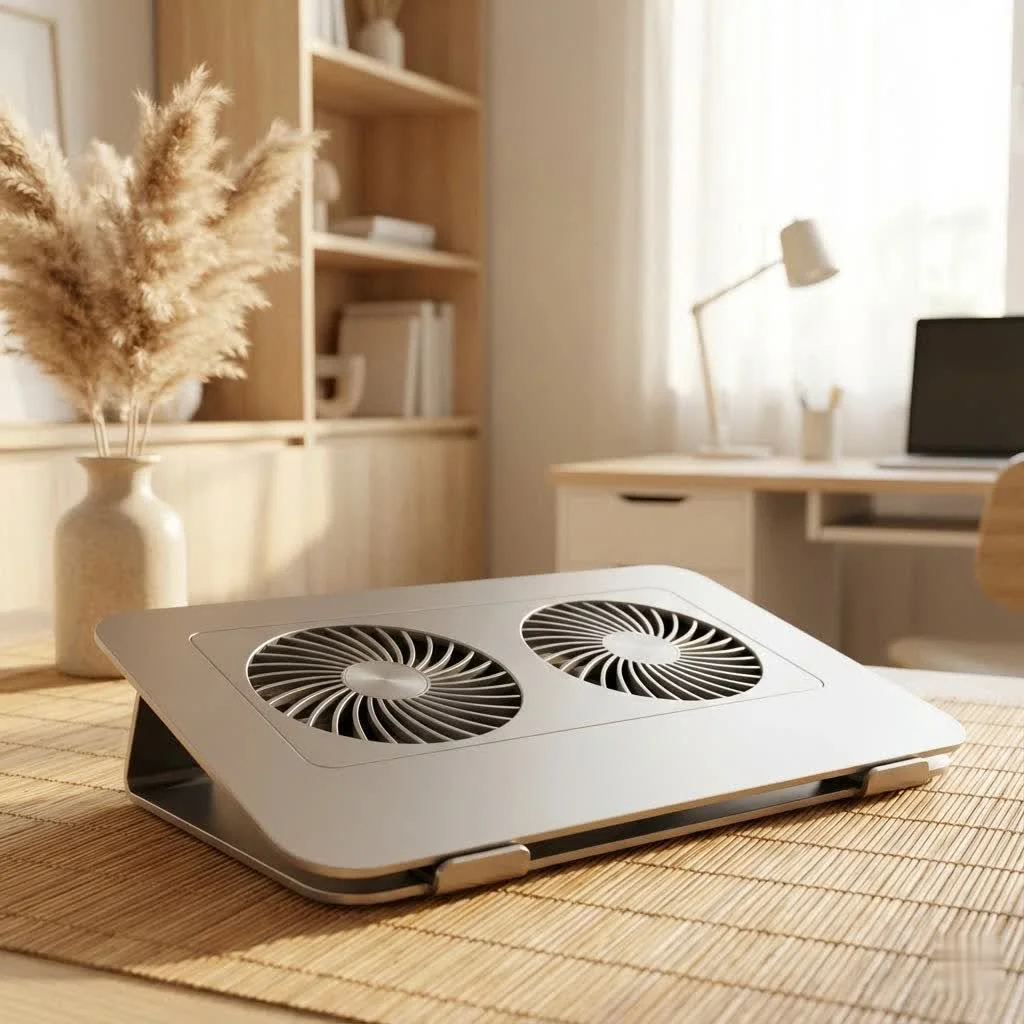
Cooling pads are perhaps the most common type of laptop cooler Lenovo users consider. They sit underneath your laptop and typically feature one or more fans that blow cool air onto the laptop’s underside or pull hot air away.
- Active Cooling Pads: These use powered fans to actively move air. They can have a single large fan, multiple smaller fans, or even a combination. Look for models with adjustable fan speeds and fan placement that aligns with your Lenovo’s intake vents for maximum efficiency.
- Passive Cooling Pads: These are usually made of aluminum or other thermally conductive materials. They elevate the laptop, allowing for better natural airflow, but don’t actively blow air. While less effective for heavy loads, they’re silent and don’t require power.
|
Our Picks for the Best Laptop Cooler in 2026
As an Amazon Associate I earn from qualifying purchases.
|
||
| Num | Product | Action |
|---|---|---|
| 1 | AICHESON Laptop Cooling Pad 5 Fans Up to 17.3 Inch Heavy Notebook Cooler, Blue LED Lights, 2 USB Ports, S035, Blue-5fans |

|
| 2 | llano V12 RGB Laptop Cooling Pad, Gaming Laptop Cooler with 5.5 Inch Powerful Turbofan, Fast Cooling Laptop 15.6-21in, Adjustable Speed, Touch Control, LCD Screen, Black (RGB) |
|
| 3 | llano V12 Laptop Cooling Pad, Gaming Laptop Cooler Stand with 5.5inch Powerful Turbo Fan, Adjustable Speed, Touch Control, 3-Port USB A, for Fast Cooling Laptop 15.6-19in, Black (No RGB) |
|
| 4 | Laptop Cooling Pad, Gaming Laptop Cooler for 13-19 Inch Laptops, RGB Lights Laptop Fan Cooling Pad with 3 Height Adjustable and 3 USB Ports, 4.72 Inch Large Turbo Fan, Max 3500RPM |
|
| 5 | Laptop Cooling Pad, Laptop Cooler 6 Quiet Fans for 12\"-17\" Laptops, Gaming Laptop Fan Cooling Pad with 5 Height Adjustable, Slim Portable USB Powered, 2 USB Ports & Phone Holder |
|
| 6 | havit HV-F2056 15.6\"-17\" Laptop Cooler Cooling Pad - Slim Portable USB Powered (3 Fans), Black/Blue |
|
| 7 | ChillCore Laptop Cooling Pad, RGB Lights Laptop Cooler 9 Fans for 15.6-19.3 Inch Laptops, Gaming Laptop Fan Cooling Pad with 8 Height Stands, 2 USB Ports - A21 Blue |
|
| 8 | KeiBn Laptop Cooling Pad, Gaming Laptop Cooler 2 Fans for 10-15.6 Inch Laptops, 5 Height Stands, 2 USB Ports (S039) |
|
| 9 | Razer Laptop Cooling Pad: Adaptive Smart - Intelligent Fan Control - Airtight Pressure Chamber - Fits Most Laptops & Macbooks 14” to 18\" - Preset & Custom Fan Curves - 3 Port USB Type A - Chroma RGB |
|
| 10 | Kootek Laptop Cooling Pad, Laptop Cooler with 5 Quiet Fans for 12\"-17\" Computer PC Notebook Gaming Laptop Fan, Height Adjustable Laptop Cooling Stand Laptop Accessories, Blue |
|
External Vacuum Coolers: Targeted Heat Extraction
These compact devices attach to your laptop’s exhaust vents and literally vacuum hot air out of the system. They are highly effective at targeted heat removal, especially for gaming laptops with strong exhaust airflow. How do external vacuum coolers work with Lenovo laptops? They create a negative pressure system, drawing hot air directly from inside your laptop and expelling it away. They can be particularly useful for slim Lenovo gaming laptops where internal space for large fans is limited.
Internal Software and Maintenance: The Foundation of Good Cooling
While not external coolers, these are crucial for your overall cooling strategy. Regularly cleaning your Lenovo’s internal fans and vents of dust, and reapplying thermal paste, can dramatically improve its internal cooling efficiency. Software solutions, like managing background processes and updating drivers, also play a significant role in reducing heat generation.
How to Choose the Best Laptop Cooler for Your Lenovo
Selecting the right laptop cooler Lenovo involves a bit more than just picking one off the shelf. You need to consider your specific Lenovo model, usage habits, and desired features. What factors should I consider when buying a laptop cooler for my Lenovo? Key factors include compatibility, cooling performance needs, and additional features that enhance usability.
Compatibility is Key: Size and Airflow
The physical size of the cooling pad should match your Lenovo laptop. A cooler that’s too small won’t provide adequate support or cooling coverage, while one that’s too large might be cumbersome. More importantly, pay attention to the fan placement on the cooler relative to your Lenovo’s air intake vents (usually on the bottom). How do I know where my Lenovo’s intake vents are? Flip your laptop over and look for grilles or openings. Aligning the cooler’s fans with these vents ensures that cool air is directly supplied where it’s needed most, maximizing the effectiveness of your laptop cooler Lenovo.
Performance Needs: Gaming vs. Everyday Use
Your usage dictates the cooling power you need.
- For Gaming (e.g., Lenovo Legion series): Gaming laptops push hardware to the limit, demanding robust cooling. Look for powerful cooling pads with multiple high-RPM fans, good airflow ratings (CFM), and possibly even RGB lighting for that gamer aesthetic. External vacuum coolers can also be highly effective for these powerhouses.
- For Productivity/Work (e.g., Lenovo ThinkPad, IdeaPad): If you’re primarily using your Lenovo for office tasks, browsing, or light creative work, excessive heat is less of a concern, but still present. A good quality active cooling pad that offers a comfortable ergonomic angle and decent airflow will suffice. Quieter operation might be a higher priority here.
- For Slim/Ultrabook Lenovos (e.g., Yoga series): These laptops are designed for portability and often run cooler inherently. A passive stand or a slim cooling pad with a few quiet fans is usually enough to maintain comfortable temperatures and improve ergonomics.
Features and Ergonomics
Beyond raw cooling power, consider features that enhance your user experience:
- Adjustable Height: Many cooling pads offer adjustable angles, improving typing comfort and screen visibility.
- Built-in USB Hubs: Some coolers come with extra USB ports, a handy feature since cooling pads often occupy a USB port for power.
- Fan Speed Control: Being able to adjust fan speed allows you to balance cooling performance with noise levels.
- Portability: If you travel with your Lenovo, a lightweight, foldable, or slim laptop cooler Lenovo will be more convenient.
Top Picks: Popular Laptop Cooler Options for Lenovo Users
While specific model recommendations can change, certain types and features consistently prove effective for Lenovo laptops. Which laptop coolers are generally recommended for Lenovo users? High-performance multi-fan cooling pads, ergonomic stands with integrated cooling, and dedicated vacuum coolers are often top choices, depending on your specific needs.
For gamers, cooling pads with large, powerful fans that can move a lot of air (high CFM) and feature adjustable fan speeds are crucial. Brands known for robust cooling solutions often have models with metal mesh surfaces for better heat dissipation and anti-slip designs to keep your Lenovo secure during intense sessions. For everyday users, a sleek, ergonomic cooling pad that subtly elevates your laptop and offers a couple of quiet, efficient fans can make a world of difference without being overly intrusive. Vacuum coolers, while sometimes more specific in their application, excel at drawing out significant heat from laptops with well-defined exhaust vents, proving particularly popular among users of high-performance Lenovo laptops.
Maximizing Your Lenovo’s Cooling Potential: Tips and Tricks
Even with the best laptop cooler Lenovo, there are other practices you can adopt to keep your machine running optimally. How can I further improve my Lenovo laptop’s cooling performance? Beyond a physical cooler, maintaining your laptop and optimizing your environment are key steps.
- Elevate and Ventilate: Always use your Lenovo on a hard, flat surface. Avoid soft surfaces like beds or carpets, as they block crucial air intake vents. Even a simple stand can improve natural airflow.
- Regular Cleaning is a Must: Dust is the arch-nemesis of cooling. Periodically clean your Lenovo’s vents and fans, as well as your cooling pad’s fans, to prevent dust buildup from impeding airflow. A can of compressed air is your best friend here.
- Manage Background Processes: Close unnecessary applications running in the background. These consume CPU cycles and generate heat, even if you’re not actively using them.
- Update Drivers and Software: Manufacturers often release driver updates that can improve system efficiency and thermal management. Keep your operating system and drivers up to date.
- Mind Your Environment: A cool room will naturally help your laptop stay cooler. Avoid using your Lenovo in direct sunlight or overly warm environments.
- Check Thermal Paste (Advanced): For experienced users, replacing the thermal paste on your CPU and GPU every few years can significantly improve heat transfer to the heatsinks. This is a more involved process, so proceed with caution or seek professional help.
Expert Insights on Lenovo Laptop Cooling
“Many users underestimate the cumulative effect of minor temperature reductions,” explains Dr. Anya Sharma, a renowned thermal dynamics engineer. “Even a drop of a few degrees Celsius, consistently achieved with a good laptop cooler Lenovo, can translate into significantly less thermal throttling, improved component lifespan, and a more comfortable user experience overall. It’s about proactive thermal management, not just reactive fixes.”
Frequently Asked Questions
Are laptop coolers really effective for Lenovo laptops?
Yes, absolutely. A well-chosen laptop cooler Lenovo can significantly reduce operating temperatures, prevent thermal throttling, improve performance, and extend the lifespan of your Lenovo laptop. The effectiveness varies based on the cooler type, laptop model, and how well the cooler aligns with your laptop’s ventilation.
What’s the best type of laptop cooler for a Lenovo Legion gaming laptop?
For a Lenovo Legion gaming laptop, which generates substantial heat, an active cooling pad with multiple powerful fans (high CFM rating) and adjustable fan speeds is highly recommended. External vacuum coolers that attach to the exhaust vents are also very effective for targeted heat removal.
Can a laptop cooler damage my Lenovo?
No, a laptop cooler is designed to help your laptop, not harm it. Properly used, a laptop cooler Lenovo will only benefit your device by reducing heat. Ensure the cooler is stable and doesn’t block any essential ports or vents.
How often should I clean my laptop cooler and Lenovo’s vents?
It’s a good practice to clean your laptop’s vents and your cooler’s fans every 3-6 months, or more frequently if you’re in a dusty environment or use your laptop heavily. Dust buildup is a major cause of overheating.
Do all Lenovo laptops need a cooler?
While not all Lenovo laptops strictly need a cooler, most will benefit from one. Gaming laptops, workstations, or any Lenovo used for intensive tasks will see the most significant improvements. Even standard laptops can benefit from reduced operating temperatures, leading to better comfort and longevity.
What’s the ideal fan speed for a laptop cooler?
The ideal fan speed depends on your laptop’s current thermal load. For intensive tasks like gaming, set the fans to their highest speed for maximum cooling. For lighter use, a lower, quieter setting might be preferred to maintain a balance between cooling and noise. Many cooling pads offer adjustable speeds.
Keeping Your Cool with Lenovo
In the world of high-performance computing, heat is the enemy. By understanding the science behind cooling and choosing the right laptop cooler Lenovo for your specific needs, you’re not just buying an accessory; you’re investing in the health, performance, and longevity of your valuable machine. Keep your Lenovo cool, and it will serve you faithfully for years to come, running smoothly and efficiently no matter what tasks you throw its way. So, take the plunge, give your Lenovo the cooling support it deserves, and enjoy a faster, more reliable, and more comfortable computing experience.
Frequently Asked Questions
Are laptop coolers really effective for Lenovo laptops?
Yes, a well-chosen laptop cooler can significantly reduce operating temperatures by several degrees Celsius, prevent thermal throttling, improve performance, and extend the lifespan of your Lenovo laptop. The effectiveness varies based on the cooler type, laptop model, and how well the cooler aligns with your laptop's ventilation.
What's the best type of laptop cooler for a Lenovo Legion gaming laptop?
For a Lenovo Legion gaming laptop, an active cooling pad with multiple powerful fans (high CFM rating) and adjustable fan speeds is highly recommended. External vacuum coolers that attach to the exhaust vents are also very effective for targeted heat removal, often reducing temperatures by 5-10u00b0C.
Can a laptop cooler damage my Lenovo?
No, a laptop cooler is designed to help your laptop, not harm it. Properly used, a laptop cooler will only benefit your device by reducing heat. Ensure the cooler is stable and doesn't block any essential ports or vents, maintaining at least 1-2 cm of clearance.
How often should I clean my laptop cooler and Lenovo's vents?
It's a good practice to clean your laptop's vents and your cooler's fans every 3-6 months, or more frequently if you're in a dusty environment or use your laptop heavily. Dust buildup can reduce cooling efficiency by up to 30%.
Do all Lenovo laptops need a cooler?
While not all Lenovo laptops strictly need a cooler, most will benefit from one. Gaming laptops, workstations, or any Lenovo used for intensive tasks will see the most significant improvements, often extending component lifespan by 15-20%. Even standard laptops can benefit from reduced operating temperatures, leading to better comfort and longevity.
What's the ideal fan speed for a laptop cooler?
The ideal fan speed depends on your laptop's current thermal load. For intensive tasks like gaming, set the fans to their highest speed for maximum cooling, often reaching 2000-3000 RPM. For lighter use, a lower, quieter setting might be preferred to maintain a balance between cooling and noise, typically around 1000-1500 RPM. Many cooling pads offer adjustable speeds.
Choose the Best Laptop Cooler for Your Lenovo
Selecting the right laptop cooler for your Lenovo involves considering your specific model, usage habits, and desired features to ensure optimal cooling performance and enhanced user experience.
Ensure the cooler's physical size matches your Lenovo laptop and, crucially, align the cooler's fans with your Lenovo's air intake vents. These vents are typically on the bottom of the laptop; proper alignment maximizes cool air delivery.
Match the cooler's power to your usage. For gaming (e.g., Lenovo Legion), opt for powerful active cooling pads with multiple high-RPM fans. For productivity (e.g., ThinkPad), a quieter, ergonomic active cooling pad with decent airflow will suffice.
Consider features like adjustable height for improved typing comfort, built-in USB hubs to compensate for occupied ports, and fan speed control for balancing performance and noise. Portability is key if you frequently travel with your Lenovo.
Choose between active cooling pads (most common, fan-based), passive cooling pads (elevate for natural airflow, silent), or external vacuum coolers (attach to exhaust vents for targeted heat extraction, highly effective for gaming laptops). Each type offers distinct advantages based on your Lenovo's design and your cooling requirements.

My Lenovo Yoga was always getting warm when I was editing videos, and I was worried about extending its component lifespan. I tried an external vacuum cooler, and it’s surprisingly effective. It really pulls the hot air out, and I’ve noticed my laptop runs much smoother now. It’s a bit louder than I expected, but the performance boost is worth it.
I picked up one of the quieter, ergonomic cooling pads for my ThinkPad, hoping to keep it a bit cooler during long workdays. While it does help with comfort, I haven’t seen a dramatic change in temperature readings. It’s okay for light use, but if you’re doing anything intensive, you might need something more robust. The ergonomics are nice though.
I’ve been using a powerful active cooling pad with multiple high-RPM fans for my Lenovo Legion, and it’s made a huge difference. Before, my laptop would get so hot during gaming sessions that I’d notice a real dip in performance. Now, it stays much cooler, and I haven’t experienced any thermal throttling. Definitely worth the investment for serious gamers.
I was skeptical about how much a cooling solution could help, but my Lenovo IdeaPad was constantly getting hot when I ran multiple applications. I got a cooling pad that was specifically recommended for my model, and the difference is night and day. No more hot spots, and the overall performance feels snappier. Highly recommend matching the cooler to your specific laptop model.