An aluminium laptop cooler significantly reduces laptop temperatures, often by 5-15°C for active models, preventing performance slowdowns and extending device lifespan. This is achieved through aluminium’s superior thermal conductivity, which rapidly absorbs and dissipates heat, combined with designs that enhance airflow and elevate the laptop. Even simple fanless stands act as passive heat sinks, drawing warmth away from critical components like the CPU and GPU.
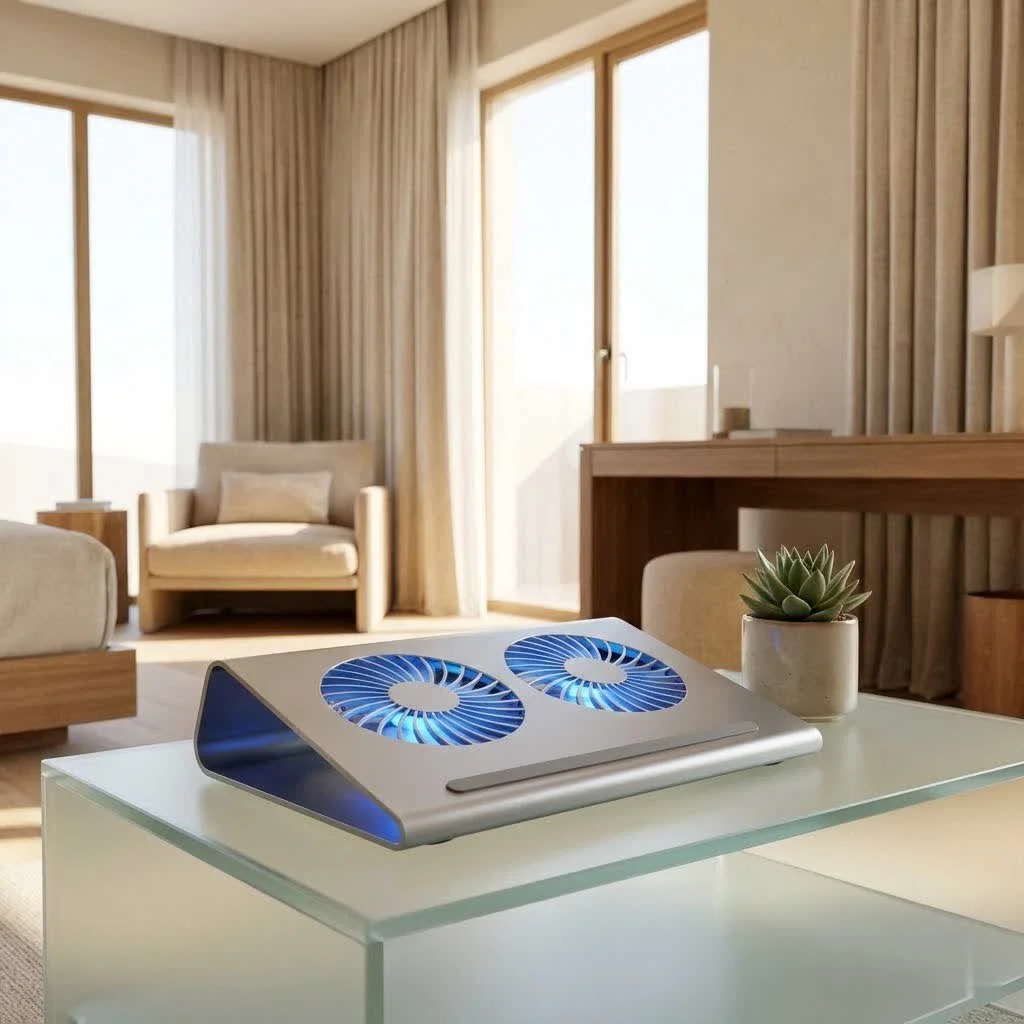
Aluminium coolers offer a sleek, efficient, and powerful solution to keep your laptop running smoothly and comfortably. Let’s explore why this metal is the material of choice for optimal thermal management and how to select the perfect one for your setup.
Why Aluminium? The Undeniable Advantages of Metal for Laptop Cooling
The material of a cooling solution matters immensely. Aluminium is popular not just for its modern aesthetic, but because its inherent physical properties make it a star player in heat dissipation.
Superior Thermal Conductivity: The Natural Heat Sink
The primary reason aluminium excels in cooling solutions is its exceptional thermal conductivity. Unlike plastic, which insulates and traps heat, aluminium is a fantastic conductor. This means it can rapidly absorb heat from your laptop’s chassis and disperse it into the surrounding air. An aluminium laptop cooler, even a simple, fanless stand, acts as a giant passive heat sink, drawing warmth away from critical components like your CPU and GPU. This natural heat transfer significantly reduces the overall operating temperature of your device.
Durability and Aesthetics: Built to Last and Look Good
Beyond its thermal prowess, aluminium offers robust durability. These coolers are designed to withstand daily use, resisting bends, scratches, and general wear and tear far better than plastic alternatives. This longevity means your investment will protect your laptop for years to come. Aluminium coolers often boast a professional, minimalist design that complements modern laptops, particularly models like MacBooks and high-end ultrabooks. They add a touch of sophistication to any workspace, blending seamlessly with your tech setup.
Optimal Airflow Design: More Than Just Elevation
Many aluminium coolers feature an open, perforated, or elevated design. This isn’t just for looks; it’s a critical aspect of thermal engineering. By lifting your laptop, these stands ensure that the bottom vents are not blocked, allowing your laptop’s internal fans to draw in cool air and exhaust hot air more efficiently. The open structure minimizes contact points, maximizing the surface area exposed to ambient air and enhancing convection cooling. Even without active fans, this improved airflow helps prevent heat from accumulating beneath your machine.
Unpacking the Types: Passive Stands vs. Active Cooling Pads
When considering an aluminium laptop cooler, you’ll primarily encounter two main categories, each with its own approach to heat management.
Passive Aluminium Stands: Simple Elevation, Effective Airflow
|
Our Picks for the Best Laptop Cooler in 2026
As an Amazon Associate I earn from qualifying purchases.
|
||
| Num | Product | Action |
|---|---|---|
| 1 | KeiBn Laptop Cooling Pad, Gaming Laptop Cooler 2 Fans for 10-15.6 Inch Laptops, 5 Height Stands, 2 USB Ports (S039) |

|
| 2 | ChillCore Laptop Cooling Pad, RGB Lights Laptop Cooler 9 Fans for 15.6-19.3 Inch Laptops, Gaming Laptop Fan Cooling Pad with 8 Height Stands, 2 USB Ports - A21 Blue |
|
| 3 | AICHESON Laptop Cooling Pad 5 Fans Up to 17.3 Inch Heavy Notebook Cooler, Blue LED Lights, 2 USB Ports, S035, Blue-5fans |
|
| 4 | llano V12 RGB Laptop Cooling Pad, Gaming Laptop Cooler with 5.5 Inch Powerful Turbofan, Fast Cooling Laptop 15.6-21in, Adjustable Speed, Touch Control, LCD Screen, Black (RGB) |
|
| 5 | Razer Laptop Cooling Pad: Adaptive Smart - Intelligent Fan Control - Airtight Pressure Chamber - Fits Most Laptops & Macbooks 14” to 18\" - Preset & Custom Fan Curves - 3 Port USB Type A - Chroma RGB |
|
| 6 | havit HV-F2056 15.6\"-17\" Laptop Cooler Cooling Pad - Slim Portable USB Powered (3 Fans), Black/Blue |
|
| 7 | Laptop Cooling Pad, Gaming Laptop Cooler for 13-19 Inch Laptops, RGB Lights Laptop Fan Cooling Pad with 3 Height Adjustable and 3 USB Ports, 4.72 Inch Large Turbo Fan, Max 3500RPM |
|
| 8 | Laptop Cooling Pad, Laptop Cooler 6 Quiet Fans for 12\"-17\" Laptops, Gaming Laptop Fan Cooling Pad with 5 Height Adjustable, Slim Portable USB Powered, 2 USB Ports & Phone Holder |
|
| 9 | Kootek Laptop Cooling Pad, Laptop Cooler with 5 Quiet Fans for 12\"-17\" Computer PC Notebook Gaming Laptop Fan, Height Adjustable Laptop Cooling Stand Laptop Accessories, Blue |
|
| 10 | llano V12 Laptop Cooling Pad, Gaming Laptop Cooler Stand with 5.5inch Powerful Turbo Fan, Adjustable Speed, Touch Control, 3-Port USB A, for Fast Cooling Laptop 15.6-19in, Black (No RGB) |
|
Passive aluminium stands are often the simplest form of cooling. They consist of a solid or perforated aluminium frame designed to improve your laptop off the desk. There are no moving parts, no fans, and no power required. Their cooling ability comes entirely from:
- Elevation: Providing unobstructed airflow to your laptop’s intake vents.
- Natural Convection: Hot air rises, so lifting the laptop allows accumulated heat to escape more easily.
- Aluminium as a Heat Sink: The metal itself absorbs and radiates some heat away.
These are excellent for users who need a quieter solution, prioritize portability, or whose laptops only experience moderate heating during general use. They also offer ergonomic benefits by raising the screen to a more comfortable viewing height.
Active Aluminium Cooling Pads: Fans for the Faint-Hearted Heat
Active cooling pads take cooling a step further by integrating one or more electric fans, typically powered via USB. These fans actively blow cool air onto your laptop’s underside, directly targeting hot spots and forcing heated air away. Many high-performance active coolers feature an aluminium top plate or frame to combine both passive and active cooling benefits.
- Single Large Fan: Often used for broad coverage and quieter operation.
- Multiple Smaller Fans: Can target specific areas, sometimes with adjustable positioning.
- Turbofans/Sealed Chambers: High-end models for gaming or intensive tasks, designed to create significant air pressure and airflow, often achieving substantial temperature drops.
Active cooling pads are ideal for gamers, video editors, designers, or anyone running demanding software that pushes their laptop’s hardware to its limits. They offer the most significant temperature reductions, directly combating thermal throttling.
The Hybrid Approach: Best of Both Worlds
Some advanced designs blend passive and active cooling, offering an aluminium structure that elevates the laptop while also incorporating powerful, often adjustable, fans. These solutions provide the ergonomic benefits and passive heat dissipation of aluminium with the added brute force of active airflow, ensuring comprehensive cooling for even the most intense workloads.
Choosing Your Perfect Match: Key Factors for an Aluminium Laptop Cooler
Selecting the right aluminium laptop cooler isn’t a one-size-fits-all decision. Consider these factors to find the ideal companion for your device and workflow.
Laptop Size and Compatibility: A Snug Fit Matters
The first rule of choosing any laptop accessory is compatibility. Ensure the cooler is designed to accommodate your laptop’s screen size (e.g., 12-inch, 15.6-inch, 17-inch, or even larger gaming rigs). A pad that’s too small won’t provide adequate support or cooling coverage, while one that’s excessively large might hinder portability or aesthetics. Many coolers feature adjustable anti-slip baffles or silicone pads to secure laptops of various dimensions.
Fan Power and Noise: Balancing Performance with Serenity (for active)
For active cooling pads, fan specifications are critical.
- RPM (Revolutions Per Minute): Higher RPM generally means more airflow and better cooling, but often comes with increased noise. Look for models with adjustable fan speeds to balance performance and acoustics.
- Number and Size of Fans: More fans can provide broader coverage, but quality often trumps quantity. A single large, well-designed fan can sometimes outperform several smaller, weaker ones.
- Noise Level: Measured in decibels (dB), aim for models below 30-35 dB if you work in quiet environments. User reviews are invaluable here, as manufacturer claims can sometimes be optimistic.
“From my experience, a good cooling pad will provide granular control over fan speed, allowing you to dial it back for quiet office work and crank it up for intense gaming sessions,” advises Dr. Anya Sharma, Lead Thermal Architect at Tselk.com.
Ergonomics and Adjustability: Comfort for Long Sessions
An excellent cooler does more than just cool; it improves your posture and comfort. Look for an aluminium laptop cooler with:
- Adjustable Height and Tilt: Multiple height settings or a wide range of tilt angles can improve your screen to eye level, reducing neck and back strain during long work or gaming sessions.
- Stable Design: The adjustable mechanism should feel sturdy and secure, preventing your laptop from wobbling or sliding.
Portability and Extra Features: On-the-Go Cooling and Connectivity
If you travel frequently or move your laptop between different workspaces, portability is key.
- Lightweight and Foldable: Many aluminium stands and some cooling pads are designed to be lightweight and fold flat, easily fitting into a backpack.
- USB Hubs: Some cooling pads integrate additional USB ports (2.0 or 3.0), effectively expanding your laptop’s connectivity and making up for the port used to power the cooler’s fans.
- RGB Lighting: For gamers, customizable RGB lighting can add a personalized flair to their setup.
- Dust Filters: High-end active coolers may include removable, washable dust filters to keep your laptop’s internals cleaner, a significant plus.
Beyond the Buy: Using and Maintaining Your Aluminium Cooler for Peak Performance
Even the best aluminium laptop cooler needs a little care and thoughtful placement to deliver its full potential.
Optimal Placement: Where Your Cooler Works Best
Always place your laptop centrally on the cooler, ensuring that its intake vents align with the cooler’s fans (if active). Avoid using your laptop on soft surfaces like beds or couches, as these can block airflow even with a cooler. A hard, flat surface ensures maximum benefit from your cooler’s design.
Cleaning and Care: Keeping the Airflow Pristine
Dust is the enemy of cooling. For active coolers, regularly clean the fan blades and mesh surfaces to prevent dust buildup, which can impede airflow and reduce efficiency. A can of compressed air works wonders. For passive stands, a simple wipe-down will keep them looking new and ensure their heat-dissipating surface remains clear.
Software Side: Complementing Hardware with Settings
While your aluminium laptop cooler handles the physical aspect of heat, the software. Adjusting power settings in your operating system, monitoring temperatures with third-party software, and ensuring drivers are updated can all contribute to a cooler, more stable system. For gaming laptops, optimizing in-game graphics settings can also reduce the load on your hardware, leading to lower temperatures.
Are Aluminium Laptop Coolers Really Worth It? Addressing Common Concerns
The question of “Are they worth it?” often arises. My answer, based on years of thermal analysis, is a resounding yes, with a caveat.
For most modern laptops, especially those used for demanding tasks like gaming, video editing, or prolonged heavy workloads, an aluminium laptop cooler is a wise investment. It can demonstrably reduce CPU and GPU temperatures by significant margins (often 5-15°C or more for active coolers), preventing thermal throttling that slows down performance. This not only makes your laptop feel snappier but also extends the lifespan of internal components by shielding them from constant high heat stress.
For lighter users or those with already well-ventilated laptops, a simple passive aluminium stand might suffice. It provides ergonomic benefits and some passive cooling without the need for power or added noise. The “worth” truly depends on your specific laptop, its usage patterns, and your sensitivity to heat and performance.
Frequently Asked Questions (FAQ)
Q: How much do aluminium laptop coolers reduce temperature?
A: For active aluminium laptop coolers, temperature reductions can typically range from 5°C to 15°C for the CPU and GPU, depending on the laptop model, the cooler’s design (fan power, airflow), and the intensity of the workload. Passive stands offer more modest, but still beneficial, reductions primarily by improving ambient airflow.
Q: Can an aluminium stand alone cool my laptop effectively?
A: Yes, for many users, an aluminium laptop stand without fans can be surprisingly effective. Its primary function is to elevate the laptop, allowing for better air circulation and preventing the bottom vents from being blocked. The aluminium material also acts as a passive heat sink, further aiding dissipation. This is often sufficient for general productivity and light use.
Q: Do aluminium cooling pads drain laptop battery?
A: Active aluminium laptop coolers that run on USB power will draw a small amount of energy from your laptop’s battery. However, the power consumption is usually minimal (typically 0.5A to 1A at 5V, depending on the number and size of fans) and is generally outweighed by the benefits of reduced heat and improved performance, which can otherwise lead to your laptop working harder and consuming more power in the long run.
Q: What’s the difference between an aluminium cooling pad and a regular plastic one?
A: The main difference lies in thermal conductivity and durability. Aluminium laptop coolers excel at absorbing and dissipating heat due to aluminium’s high thermal conductivity, making them more effective as passive heat sinks. They are also significantly more durable and often have a more premium aesthetic. Plastic coolers, while sometimes lighter or cheaper, do not conduct heat as well and may degrade faster.
Q: How often should I clean my aluminium laptop cooler?
A: For active aluminium laptop coolers with fans, cleaning is recommended every 1-3 months, or more frequently if you use your laptop in dusty environments or have pets. This prevents dust buildup on fan blades and grilles, ensuring optimal airflow and efficiency. Passive stands require less frequent cleaning, usually just a wipe-down as needed to keep them presentable.
Conclusion
A well-chosen aluminium laptop cooler is far more than just an accessory; it’s a vital component in your laptop’s ecosystem, designed to protect your investment and enhance your computing experience. By leveraging aluminium’s exceptional thermal properties and smart design, these coolers provide robust defense against overheating, unlocking consistent performance and extending the life of your device. Whether you opt for a silent, ergonomic stand or a powerful, fan-equipped pad, embracing an aluminium cooling solution is a smart step towards a cooler, more reliable, and ultimately, more enjoyable laptop experience. Don’t let heat hold you back; equip your laptop with the cooling it deserves and feel the difference!
Frequently Asked Questions
How much temperature reduction can an aluminium laptop cooler provide?
Active aluminium laptop coolers typically reduce CPU and GPU temperatures by 5u00b0C to 15u00b0C. This reduction depends on factors like the laptop model, the cooler's fan power, and the intensity of the workload. Passive stands offer more modest, yet beneficial, temperature improvements primarily by enhancing ambient airflow.
Can a fanless aluminium laptop stand effectively cool a laptop?
Yes, a fanless aluminium laptop stand can be surprisingly effective for many users. Its main function is to elevate the laptop, which allows for better air circulation and prevents bottom vents from being blocked. The aluminium material also acts as a passive heat sink, aiding in heat dissipation, which is often sufficient for general productivity and light use.
Do active aluminium cooling pads consume a lot of laptop battery power?
Active aluminium laptop coolers powered via USB draw a minimal amount of energy from your laptop's battery, typically 0.5A to 1A at 5V. This power consumption is generally outweighed by the benefits of reduced heat and improved performance, as an overheated laptop works harder and consumes more power in the long run.
What are the key differences between aluminium and plastic cooling pads?
The primary differences between aluminium and plastic cooling pads are thermal conductivity and durability. Aluminium coolers excel at absorbing and dissipating heat due to their high thermal conductivity, making them more effective passive heat sinks. They are also significantly more durable and often feature a premium aesthetic, whereas plastic coolers do not conduct heat as well and may degrade faster.
How frequently should I clean my aluminium laptop cooling device?
For active aluminium laptop coolers with fans, cleaning is recommended every 1-3 months, or more often if the laptop is used in dusty environments or around pets. This prevents dust buildup on fan blades and grilles, ensuring optimal airflow and efficiency. Passive stands require less frequent cleaning, usually just a wipe-down as needed to maintain appearance.
Choosing Your Perfect Aluminium Laptop Cooler
Select the ideal aluminium laptop cooler by considering compatibility, fan specifications, ergonomic features, and portability to enhance your laptop's performance and comfort.
Ensure the cooler is designed to fit your laptop's screen size, such as 12-inch, 15.6-inch, or 17-inch models. A compatible cooler provides adequate support and cooling coverage, preventing issues with stability or aesthetics. Look for adjustable anti-slip baffles or silicone pads for a secure fit.
For active cooling pads, assess RPM for airflow and noise levels (aim for below 30-35 dB for quiet environments). Consider the number and size of fans, noting that a single large, well-designed fan can be more effective than several smaller, weaker ones. Models with adjustable fan speeds offer a balance between performance and acoustics.
Choose an aluminium laptop cooler with adjustable height and tilt settings to elevate your screen to eye level, reducing neck and back strain. The adjustable mechanism should be sturdy and secure to prevent wobbling. An ergonomic design improves posture and comfort during long work or gaming sessions.
If you travel, look for lightweight and foldable designs that fit easily into a backpack. Evaluate additional features like integrated USB hubs (2.0 or 3.0) to expand connectivity, RGB lighting for aesthetic appeal, or removable dust filters for easier maintenance. These features enhance convenience and functionality.
Get our weekly buyer guide
Practical specs, not advice. Unsubscribe anytime.
I picked up an active aluminium cooler after reading about the 5-15°C temperature reduction. While I haven’t measured it precisely, my CPU and GPU temps are definitely lower during heavy video editing sessions. The only minor downside is the fan noise, which is a bit more noticeable than I expected, but it’s a small trade-off for the improved performance.
I was skeptical about how much a passive cooler could really do, but this guide convinced me to try an aluminium stand. My old laptop used to get so hot it was uncomfortable to touch, especially when I was gaming. Now, even without fans, the temperature drop is noticeable, and it feels much more stable. Definitely worth it for extending my laptop’s life.
This was super helpful in understanding why aluminium is the material of choice for cooling. I always just assumed any stand would do, but the explanation about thermal conductivity made so much sense. My laptop used to throttle constantly, but with my new aluminium cooler, it’s running smoothly and comfortably, even during long workdays. Highly recommend!
I got a sleek, fanless aluminium stand, hoping it would solve my overheating issues. It does help a bit with general airflow and elevating the laptop, which is nice. However, for intense tasks, I still find my laptop getting pretty warm. I think I might need to invest in one of the more robust active models mentioned to get the significant heat dissipation I’m looking for.