A laptop cooler typically costs between $15 and $150+, depending on its type, features, and cooling performance. Basic cooling pads range from $15 to $30, mid-range options are $30 to $70, and high-performance or gaming coolers can cost $70 to $150 or more. Vacuum coolers, a specialty type, usually fall between $20 and $50.
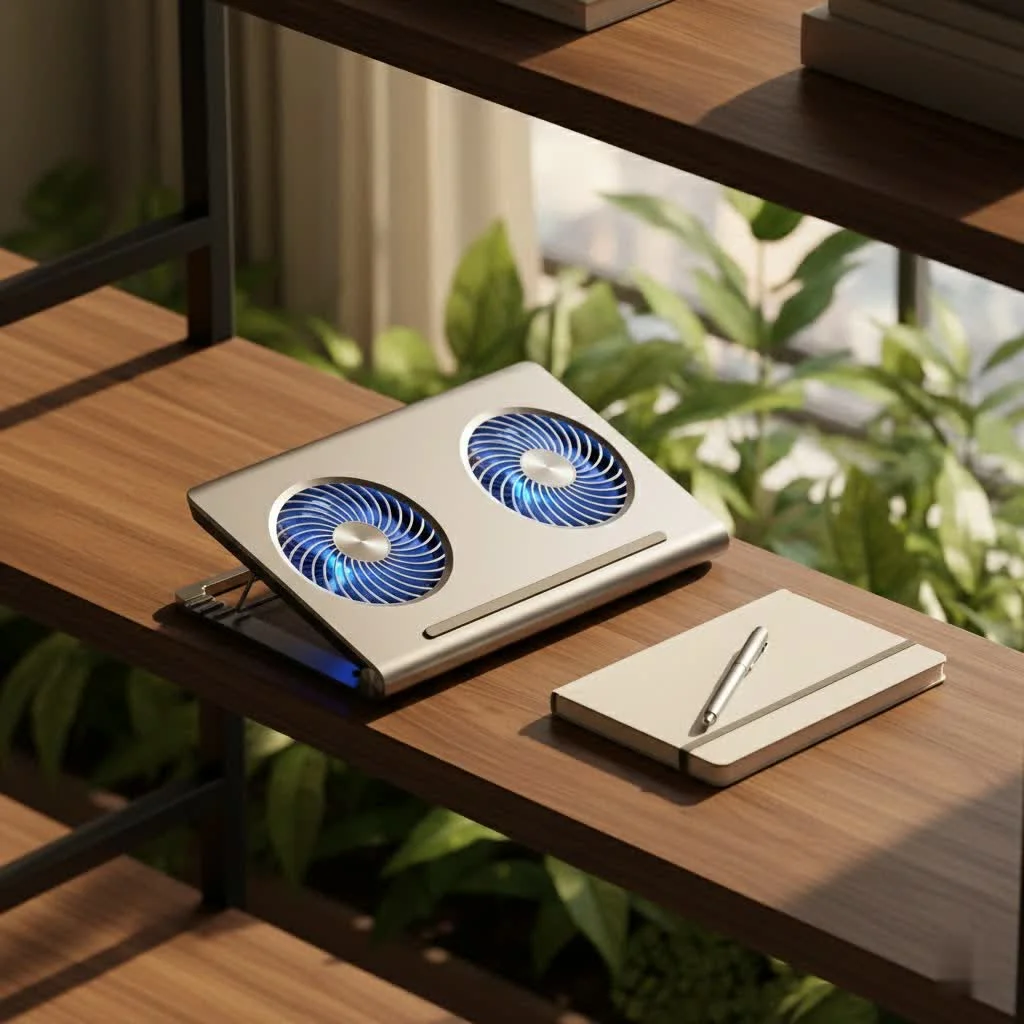
Beyond simply reducing surface temperature for comfort, a good cooler actively helps prevent thermal throttling, which occurs when your laptop intentionally slows down to avoid overheating. This means smoother performance, especially when pushing your machine to its limits. By maintaining lower internal temperatures, you extend the lifespan of your valuable hardware, safeguarding your investment. For browse all laptop cooling articles on this site.
Understanding Laptop Cooler Types and Their Price Tags
The cooler for laptop price primarily depends on the type of cooling solution and the features it offers. Here’s a breakdown of what you can expect across different price points:
Basic Cooling Pads: Your Budget-Friendly Entry
If you’re looking for simple, effective cooling without breaking the bank, basic cooling pads are your go-to. These typically range from $15 to $30.
What you get:
- One to six fans, usually smaller in size, that blow air upwards to improve circulation under your laptop.
- Often made from lightweight plastic, making them easy to carry.
- Minimal extra features, perhaps just an on/off switch and one or two fixed height settings.
- Powered via a USB cable from your laptop, which is convenient but uses up a port.
Ideal for: Casual users, students, or those with thin, light laptops like Chromebooks or MacBooks that need a little extra airflow during light to moderate tasks. The Havit HV-F2701, for example, is a popular budget choice with multiple fans and an affordable price tag around $25. Another option is the TeckNet Laptop Cooling Pad, which offers decent cooling with dual 1,800 RPM fans for a low cost, perfect for those who prioritize quiet operation and portability.
Mid-Range Cooling Pads: Value and Versatility
Stepping up a notch, mid-range cooling pads offer a better balance of performance, build quality, and features. These usually fall in the $30 to $70 price range.
What you get:
- More robust construction, often incorporating metal mesh or aluminum for better heat dissipation and durability.
- Larger fans (e.g., a single 200mm fan or multiple 120mm fans) or more efficient multi-fan setups.
- Adjustable fan speeds, sometimes with a dial or simple button controls, allowing you to balance noise and cooling.
- Improved ergonomics with multiple height adjustment levels for better typing and viewing angles.
- Often include a built-in USB hub (2-4 ports) to compensate for the one used to power the cooler.
Ideal for: Regular users, professionals, or light gamers who need consistent cooling and some ergonomic benefits. The Kootek Cooler Pad Chill Mat 5, with its five fans and versatile height settings, is a great example in this category. The Cooler Master NotePal U3 Plus is another excellent mid-range option, known for its powerful yet quiet single large fan and angled ergonomic design.
High-Performance & Gaming Coolers: The Premium Investment
For those who demand serious cooling power, especially for high-end gaming laptops or intensive creative workloads, premium coolers are a worthy investment. Expect to pay anywhere from $70 to $150+ for these sophisticated devices.
What you get:
- Powerful, high-RPM fans or unique airflow designs (like specialized foam seals or “blower” systems) that create a near-vacuum effect for maximum heat extraction.
- Superior build quality, often with sturdy aluminum frames designed to support larger, heavier gaming laptops (up to 19 inches or more).
- Advanced control options, including precise fan speed adjustments, sometimes via an LCD display or even dedicated software.
- Aesthetic enhancements like customizable RGB lighting to match your gaming setup.
- Multiple USB ports and sometimes external power adapters for consistent power delivery without draining your laptop’s battery.
Ideal for: Enthusiast gamers, video editors, 3D artists, or anyone running demanding software that pushes their laptop to its thermal limits. The Llano V12 Laptop Cooling Pad, for instance, offers dramatic temperature drops with a powerful 2,800 RPM fan and vibrant RGB, priced around $96 (often on sale). The IETS GT600 V2 RGB is renowned for its high-powered turbo fan and foam sealing system, supporting laptops up to 19.3 inches, making it a top choice for uncompromising airflow. For the ultimate in customizable, smart cooling, the Razer Laptop Cooling Pad, though at a higher price point of around $150, offers AI-driven fan curves and programmable buttons.
Specialty Coolers: Vacuum Fans
While less common than cooling pads, vacuum coolers (or side-mounted blowers) offer a different approach to cooling. These typically range from $20 to $50.
What you get:
- A compact device that attaches to your laptop’s exhaust vent and actively sucks hot air out.
- Highly portable and effective for targeted heat removal.
- Often include a built-in temperature sensor and adjustable fan speeds.
Ideal for:: Travelers or those who prefer a compact solution that focuses on directly extracting hot air from specific vents. The Klim Cool Vacuum Laptop Cooler is a good example, providing powerful cooling in a small package, ideal for thin laptops with side vents. However, they may not offer ergonomic support and require compatible vent placement.
What Factors Drive the Price of a Laptop Cooler?
|
Our Picks for the Best Laptop Cooler in 2026
As an Amazon Associate I earn from qualifying purchases.
|
||
| Num | Product | Action |
|---|---|---|
| 1 | Laptop Cooling Pad, Gaming Laptop Cooler for 13-19 Inch Laptops, RGB Lights Laptop Fan Cooling Pad with 3 Height Adjustable and 3 USB Ports, 4.72 Inch Large Turbo Fan, Max 3500RPM |

|
| 2 | AICHESON Laptop Cooling Pad 5 Fans Up to 17.3 Inch Heavy Notebook Cooler, Blue LED Lights, 2 USB Ports, S035, Blue-5fans |
|
| 3 | Razer Laptop Cooling Pad: Adaptive Smart - Intelligent Fan Control - Airtight Pressure Chamber - Fits Most Laptops & Macbooks 14” to 18\" - Preset & Custom Fan Curves - 3 Port USB Type A - Chroma RGB |
|
| 4 | llano V12 RGB Laptop Cooling Pad, Gaming Laptop Cooler with 5.5 Inch Powerful Turbofan, Fast Cooling Laptop 15.6-21in, Adjustable Speed, Touch Control, LCD Screen, Black (RGB) |
|
| 5 | ChillCore Laptop Cooling Pad, RGB Lights Laptop Cooler 9 Fans for 15.6-19.3 Inch Laptops, Gaming Laptop Fan Cooling Pad with 8 Height Stands, 2 USB Ports - A21 Blue |
|
| 6 | Laptop Cooling Pad, Laptop Cooler 6 Quiet Fans for 12\"-17\" Laptops, Gaming Laptop Fan Cooling Pad with 5 Height Adjustable, Slim Portable USB Powered, 2 USB Ports & Phone Holder |
|
| 7 | havit HV-F2056 15.6\"-17\" Laptop Cooler Cooling Pad - Slim Portable USB Powered (3 Fans), Black/Blue |
|
| 8 | Kootek Laptop Cooling Pad, Laptop Cooler with 5 Quiet Fans for 12\"-17\" Computer PC Notebook Gaming Laptop Fan, Height Adjustable Laptop Cooling Stand Laptop Accessories, Blue |
|
| 9 | llano V12 Laptop Cooling Pad, Gaming Laptop Cooler Stand with 5.5inch Powerful Turbo Fan, Adjustable Speed, Touch Control, 3-Port USB A, for Fast Cooling Laptop 15.6-19in, Black (No RGB) |
|
| 10 | KeiBn Laptop Cooling Pad, Gaming Laptop Cooler 2 Fans for 10-15.6 Inch Laptops, 5 Height Stands, 2 USB Ports (S039) |
|
When evaluating the cooler for laptop price, several key elements contribute to its overall cost:
- Cooling Power and Efficiency: This is paramount. More powerful fans (higher RPM), more numerous fans, larger fan sizes, and innovative airflow designs (like those with gasket seals that prevent air leakage) all contribute to better cooling and, consequently, a higher price. Simply put, better engineering for heat dissipation costs more.
- Build Material and Quality: Cheap plastic might get the job done, but metal constructions (aluminum, steel mesh) offer greater durability, better heat transfer, and a more premium feel. These materials increase manufacturing costs.
- Ergonomics and Adjustability: Coolers with multiple adjustable height settings, sturdy stands, and ergonomic designs that improve user comfort and posture tend to be pricier.
- Additional Features: USB hubs (especially USB 3.0), integrated RGB lighting, LCD displays for fan speed, phone stands, and effective cable management systems add convenience and aesthetic appeal, pushing up the price.
- Brand Reputation and Warranty: Established brands known for quality and customer support, like Razer or Cooler Master, often command a higher price. A longer warranty can also be factored into the cost.
- Laptop Size Compatibility: Coolers designed to accommodate larger laptops (17-inch to 19-inch+) are often larger themselves, requiring more material and potentially more powerful fans, thus impacting their price.
- Noise Levels: Achieving powerful cooling while keeping noise levels low often requires advanced fan designs and materials, which can also influence the price.
Expert Insight: Dr. Evelyn Thorne, Lead Thermal Systems Architect at Tselk.com, shares her perspective: “From my decade in thermal engineering, I’ve seen that the ‘cooler for laptop price’ isn’t just about the initial outlay. It’s an investment in extending your laptop’s life, preventing frustrating performance drops, and enhancing your comfort. Skimping too much can cost you more in the long run with repairs or a premature laptop replacement.”
Choosing the Right Laptop Cooler for Your Budget (and Needs)
So, how do you decide which cooler is right for you? It’s all about balancing your specific needs with your budget.
-
Assess Your Laptop Usage:
- Casual Browsing/Office Work: If your laptop rarely gets hot, a basic cooling pad (under $30) might be sufficient. It’ll provide basic elevation and a gentle breeze.
- Intensive Work/Light Gaming: For tasks like graphic design, video calls, or occasional gaming, a mid-range cooler ($30-$70) offers a good performance-to-price ratio with better features and build quality.
- Heavy Gaming/Professional Workstations: If you push your laptop to its limits daily, a high-performance cooler ($70-$150+) is a wise investment to maintain peak performance and protect your hardware.
-
Consider Your Laptop’s Size and Vent Placement: Ensure the cooler is compatible with your laptop’s dimensions. For cooling pads, aligning the cooler’s fans with your laptop’s intake vents is crucial for maximum effectiveness. If your laptop primarily exhausts heat from the sides, a vacuum cooler might be a targeted solution, though it won’t offer ergonomic support like a pad.
-
Prioritize Features:
- Cooling Power: If heat is a major issue, prioritize high RPM and efficient airflow designs.
- Noise: If you work in quiet environments, look for models advertised as “whisper-quiet” or with adjustable fan speeds so you can lower them when noise matters.
- Portability: For on-the-go users, a slim pad or a compact vacuum cooler makes more sense.
- Connectivity: If you need extra USB ports, opt for a cooler with an integrated USB hub.
By carefully considering these factors, you can make an informed decision and find a laptop cooler that delivers the performance you need without overspending.
Maintenance Tips to Maximize Your Cooler’s Lifespan (and Value)
To ensure your laptop cooler continues to perform optimally and provides the best value for its price, proper maintenance is key:
- Regular Cleaning: Dust is the enemy of airflow. Periodically clean the fans and mesh of your cooler with compressed air or a soft brush. This prevents dust buildup from reducing cooling efficiency and causing undue strain on the fans.
- Proper Placement: Always use your laptop cooler on a hard, flat surface to ensure unrestricted airflow to its intake fans. Avoid soft surfaces like beds or couches, which can block vents and defeat the purpose of the cooler.
- Cable Management: Keep power cables and USB connections tidy to prevent accidental damage to ports or the cooler itself.
- Handle with Care: While some coolers are robust, avoid dropping or applying excessive pressure to them, especially the fan blades.
Frequently Asked Questions (FAQ)
Q: Are expensive laptop coolers always better?
A: Not always, but they generally offer superior cooling performance, more features, better build quality, and enhanced ergonomics. A $150 Razer cooler might be overkill for light use, but a $25 basic pad won’t cut it for a high-end gaming laptop. The “best” cooler depends on your specific needs and usage.
Q: Can a cheap laptop cooler still be effective?
A: Yes, absolutely! For basic needs like elevating your laptop and providing some ambient airflow, many budget-friendly options (under $30) can make a noticeable difference in comfort and slightly lower temperatures. They are particularly effective for laptops that don’t generate extreme heat.
Q: Do cooling pads drain laptop battery?
A: Most cooling pads are powered via a USB port on your laptop, which does draw a small amount of power. However, the drain is generally minimal and outweighed by the benefits of preventing performance throttling and potentially extending your battery’s overall lifespan by keeping it cooler. Some high-performance models use external power adapters, eliminating battery drain concerns.
Q: What’s the difference between a cooling pad and a vacuum cooler?
A: A cooling pad typically sits underneath your laptop and uses fans to push cool air towards the intake vents, or simply elevates the laptop for better passive airflow. A vacuum cooler, on the other hand, attaches to a laptop’s exhaust vent and actively sucks hot air out of the system. Each has its strengths and ideal use cases.
Q: When is the best time to buy a laptop cooler?
A: Anytime your laptop is consistently running hot, slowing down, or becoming uncomfortable to touch. Many people also buy them proactively during sales events like Black Friday, Cyber Monday, or Amazon Prime Day to find the best cooler for laptop price deals.
Final Thoughts on Your Investment
Understanding the cooler for laptop price is crucial for making a smart purchase. From budget-friendly options starting around $15 to high-performance beasts exceeding $150, there’s a laptop cooler for every need and wallet. The real value isn’t just in the initial cost, but in the performance boost, extended longevity, and improved user comfort it brings to your daily computing experience.
Don’t let overheating compromise your laptop’s potential. Take the time to assess your needs, consider the features that matter most to you, and choose a cooler that will keep your machine running cool, quiet, and stable for years to come. Your laptop—and your lap—will thank you for it!
Frequently Asked Questions
How much should I expect to pay for a good laptop cooler?
You should expect to pay between $15 and $150+ for a laptop cooler, depending on its type and features. Basic models start around $15-$30, while high-performance gaming coolers can exceed $70, offering advanced cooling and build quality.
Are expensive laptop coolers always better than cheaper ones?
Not always, but more expensive laptop coolers generally offer superior cooling performance, more features, better build quality, and enhanced ergonomics. For example, a $150 Razer cooler provides advanced features, while a $25 basic pad is sufficient for light use.
Can a budget-friendly laptop cooler still effectively cool my device?
Yes, a budget-friendly laptop cooler can still be effective for basic needs. Options under $30 can provide elevation and ambient airflow, making a noticeable difference in comfort and slightly lowering temperatures, especially for laptops that don't generate extreme heat.
Do laptop cooling pads significantly drain a laptop's battery life?
Most cooling pads draw a small amount of power from your laptop's USB port, but the drain is generally minimal. This power usage is often outweighed by the benefits of preventing performance throttling and potentially extending the battery's overall lifespan by keeping it cooler. Some high-performance models use external power adapters to avoid battery drain.
What is the main difference between a cooling pad and a vacuum cooler?
A cooling pad typically sits underneath your laptop, using fans to push cool air towards intake vents or simply elevating the laptop for better passive airflow. In contrast, a vacuum cooler attaches to a laptop's exhaust vent and actively sucks hot air out of the system, offering targeted heat removal.
Choosing the Right Laptop Cooler for Your Budget
This guide helps you select the ideal laptop cooler by assessing your usage, considering laptop specifications, and prioritizing essential features to match your budget.
Determine how you primarily use your laptop. For casual browsing, a basic cooler under $30 is sufficient. For intensive work or light gaming, a mid-range cooler ($30-$70) offers better performance, while heavy gaming or professional workstations require a high-performance cooler ($70-$150+).
Ensure the cooler is compatible with your laptop's dimensions. For cooling pads, align the fans with your laptop's intake vents for maximum effectiveness. If your laptop exhausts heat from the sides, a vacuum cooler might be a more targeted solution.
Identify which features are most important to you. If heat is a major issue, prioritize high RPM and efficient airflow. For quiet environments, look for models with adjustable fan speeds. If you need extra USB ports, choose a cooler with an integrated hub.
Get our weekly buyer guide
Practical specs, not advice. Unsubscribe anytime.

My laptop was constantly slowing down when I was editing videos, and I suspected overheating was the cause. After reading about how coolers prevent thermal throttling, I decided to get a high-performance gaming cooler, even though I don’t game much. It was on the higher end of the price scale, around $100, but my laptop runs so much better now. It’s a solid upgrade for anyone doing intensive tasks.
I tried a vacuum cooler, which was in the $30 range, hoping it would be a game-changer. While it does pull some heat out, it’s a bit noisy for my taste, especially when I’m on video calls. It helps, but I might look into a different type next time for a quieter experience. It’s okay for the price, just not perfect.
I’ve always struggled with my gaming laptop getting super hot, even with its internal fans. I finally invested in one of the $150+ coolers mentioned, and wow, what a difference! My CPU and GPU temps are consistently lower, and I can game for hours without any performance drops. It really does extend the lifespan of your hardware, which is crucial for expensive gaming rigs.
I picked up one of the mid-range cooling pads, around the $50 mark, and it’s made a huge difference. My old laptop used to get so hot it was uncomfortable to touch, and I noticed it would lag during long gaming sessions. Now, it stays cool, and I haven’t experienced any thermal throttling since. Definitely worth the investment for smoother performance.