Is your gaming laptop turning into a personal space heater during intense sessions? You’re not alone. The thrill of high-stakes gaming can quickly turn into a frustrating lag-fest when your powerful machine starts to overheat. It’s a tale as old as time in the gaming world: awesome graphics, blazing-fast processors, and then… thermal throttling. But what if there was a simple yet effective way to tame the heat beast and keep your frame rates soaring? Enter the Gaming Laptop Cooler Stand, your unsung hero in the quest for optimal performance.
Why Your Gaming Laptop is a Hot Potato (and Why That’s Bad)
Modern gaming laptops pack an incredible punch into increasingly slim profiles. High-performance CPUs and GPUs generate a significant amount of heat, and while manufacturers design intricate internal cooling systems, these can often struggle to keep up under sustained heavy loads, like those found in graphically demanding games.
When your laptop gets too hot, it’s not just uncomfortable; it’s detrimental. The system’s built-in safeguards kick in, reducing component speeds to prevent damage – a process known as thermal throttling. This means your expensive gaming rig isn’t performing at its best, leading to frustrating frame rate drops, stuttering gameplay, and slower response times. Beyond performance, excessive heat can shorten the lifespan of vital components, turning your cutting-edge machine into an antique before its time. It can even make using your laptop physically uncomfortable, especially if it’s sitting directly on your lap or a desk that retains heat.
The Unsung Hero: What Exactly is a Gaming Laptop Cooler Stand?
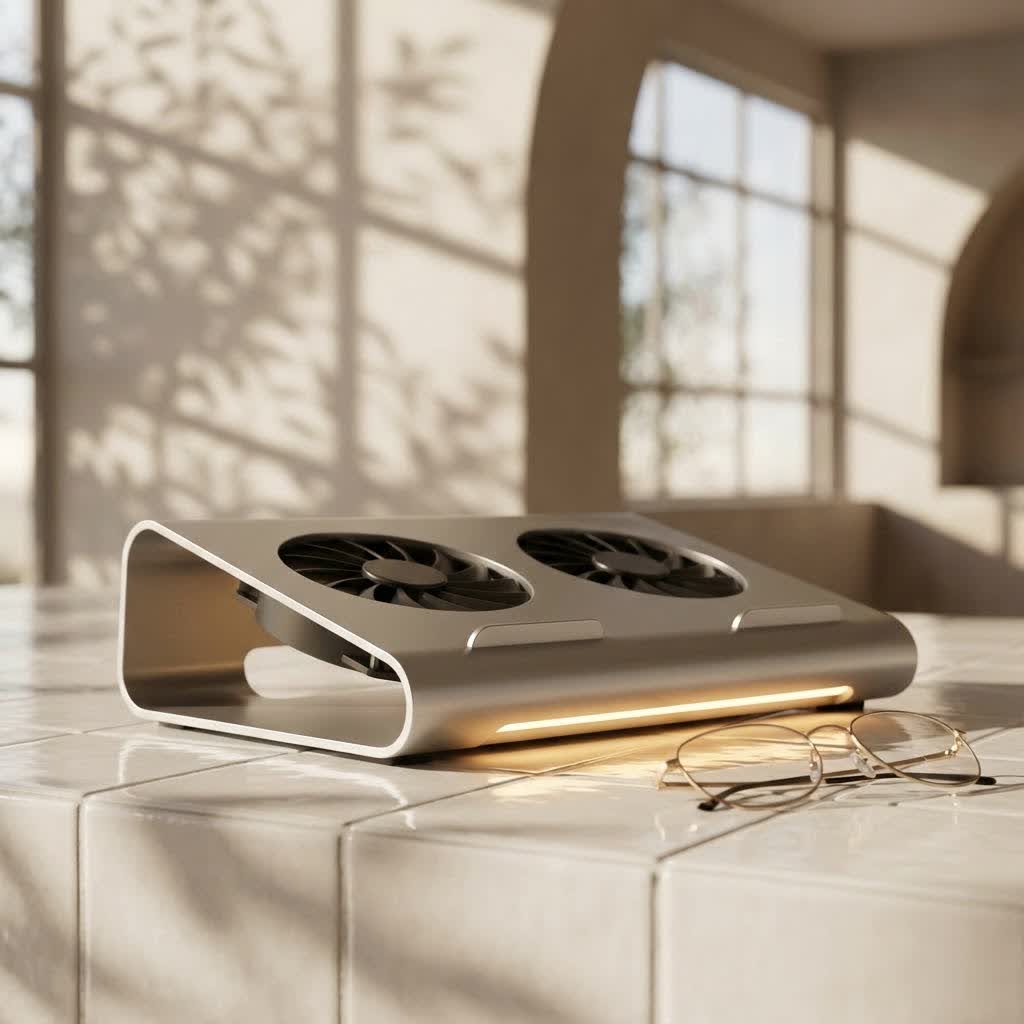
At its core, a gaming laptop cooler stand is a platform designed to elevate your laptop, creating space underneath for improved airflow. But for gaming, most go a step further, incorporating active cooling elements. We typically categorize these into two main types:
- Active Cooling Stands: These are the workhorses of the cooling world. They feature one or more built-in fans that actively blow cool air towards your laptop’s underside intake vents, or pull hot air away. This forced air circulation significantly enhances the natural convection process. Many high-performance models even include seals or targeted airflow designs to ensure the cool air is directed precisely where your laptop needs it most, maximizing efficiency.
- Passive Cooling Stands: These stands rely purely on elevation and an open-grid design. By lifting the laptop off a flat surface, they allow stagnant hot air to dissipate more easily and fresh, cooler air to naturally circulate. While beneficial, passive stands offer a more modest temperature reduction compared to their active counterparts. For serious gaming, active cooling is almost always the preferred choice.
“Think of a gaming laptop cooler stand as giving your laptop’s lungs a clear path to breathe,” explains Dr. Aris Thorne, a renowned thermal dynamics specialist and a voice behind Tselk.com. “It’s not just about adding more fans; it’s about optimizing the entire thermal pathway to prevent performance degradation and extend hardware longevity.”
Decoding the Specs: Key Features of an Effective Gaming Laptop Cooler Stand
Choosing the right gaming laptop cooler stand can feel like navigating a maze of technical jargon. However, focusing on a few key features will help you pinpoint a model that truly makes a difference.
Fans: Quantity, Size, RPM, and Adjustability
- Quantity and Size: More isn’t always better, but it often helps. Stands with multiple smaller fans or one very large central fan can provide excellent coverage. Some designs combine both, using a large central fan for general airflow and smaller fans for targeted cooling of specific hotspots like the CPU or GPU areas.
- RPM (Revolutions Per Minute): This indicates how fast the fans spin. Higher RPM generally means more airflow and better cooling, but it often comes with increased noise. Look for stands with variable fan speeds, allowing you to dial down the noise for less demanding tasks or crank up the cooling when gaming intensifies.
- Adjustability: Being able to control individual fan speeds or choose different fan modes can be a game-changer. This allows for a customized cooling profile based on your laptop’s specific needs and the intensity of your gaming session.
|
Our Picks for the Best Laptop Cooler in 2026
As an Amazon Associate I earn from qualifying purchases.
|
||
| Num | Product | Action |
|---|---|---|
| 1 | llano V12 RGB Laptop Cooling Pad, Gaming Laptop Cooler with 5.5 Inch Powerful Turbofan, Fast Cooling Laptop 15.6-21in, Adjustable Speed, Touch Control, LCD Screen, Black (RGB) |

|
| 2 | ChillCore Laptop Cooling Pad, RGB Lights Laptop Cooler 9 Fans for 15.6-19.3 Inch Laptops, Gaming Laptop Fan Cooling Pad with 8 Height Stands, 2 USB Ports - A21 Blue |
|
| 3 | KeiBn Laptop Cooling Pad, Gaming Laptop Cooler 2 Fans for 10-15.6 Inch Laptops, 5 Height Stands, 2 USB Ports (S039) |
|
| 4 | AICHESON Laptop Cooling Pad 5 Fans Up to 17.3 Inch Heavy Notebook Cooler, Blue LED Lights, 2 USB Ports, S035, Blue-5fans |
|
| 5 | llano V12 Laptop Cooling Pad, Gaming Laptop Cooler Stand with 5.5inch Powerful Turbo Fan, Adjustable Speed, Touch Control, 3-Port USB A, for Fast Cooling Laptop 15.6-19in, Black (No RGB) |
|
| 6 | havit HV-F2056 15.6\"-17\" Laptop Cooler Cooling Pad - Slim Portable USB Powered (3 Fans), Black/Blue |
|
| 7 | Razer Laptop Cooling Pad: Adaptive Smart - Intelligent Fan Control - Airtight Pressure Chamber - Fits Most Laptops & Macbooks 14” to 18\" - Preset & Custom Fan Curves - 3 Port USB Type A - Chroma RGB |
|
| 8 | Kootek Laptop Cooling Pad, Laptop Cooler with 5 Quiet Fans for 12\"-17\" Computer PC Notebook Gaming Laptop Fan, Height Adjustable Laptop Cooling Stand Laptop Accessories, Blue |
|
| 9 | Laptop Cooling Pad, Gaming Laptop Cooler for 13-19 Inch Laptops, RGB Lights Laptop Fan Cooling Pad with 3 Height Adjustable and 3 USB Ports, 4.72 Inch Large Turbo Fan, Max 3500RPM |
|
| 10 | Laptop Cooling Pad, Laptop Cooler 6 Quiet Fans for 12\"-17\" Laptops, Gaming Laptop Fan Cooling Pad with 5 Height Adjustable, Slim Portable USB Powered, 2 USB Ports & Phone Holder |
|
Airflow Design: More Than Just Blowing Air
An effective cooler stand doesn’t just blast air randomly. High-performance models often feature:
- Targeted Airflow: Some stands have specific fan layouts that align with common laptop intake vent locations, ensuring air is pushed directly into your system.
- Foam Seals: Advanced cooler stands, like some “blower-style” designs, create a sealed chamber around your laptop’s intake vents. This prevents air from escaping out the sides, forcing it directly into your laptop’s internal cooling system and dramatically improving efficiency. This is a crucial feature for maximizing cooling potential.
- Directional Flow: Depending on your laptop’s vent design (bottom intake, side exhaust), some coolers are designed to either push cool air in or assist in pulling hot air out. For most gaming laptops with bottom intake vents, pushing cool air in is the most common and effective approach.
Ergonomics: Comfort Meets Cooling
A good gaming laptop cooler stand isn’t just about thermals; it’s about your comfort.
- Adjustable Height and Angle: Many stands offer multiple height settings, allowing you to elevate your screen to a more eye-level position and angle your keyboard for a comfortable typing or gaming posture. This can significantly reduce neck, shoulder, and wrist strain during long gaming marathons. Improved ergonomics also often translates to better laptop airflow clearance.
- Stability: Ensure the stand is sturdy enough to hold your gaming laptop securely at various angles without wobbling, especially during intense gaming.
Build Quality & Materials: Durability and Dissipation
- Materials: Stands made from metal (like aluminum) are excellent heat conductors, actively helping to draw heat away from your laptop’s chassis. Durable plastics are also common, offering a lighter design. A combination of sturdy metal mesh for the top surface and robust plastic for the frame often provides a good balance.
- Construction: A well-built stand will feel solid, with reinforced joints and non-slip pads to keep both the stand and your laptop firmly in place.
Noise Levels: Balancing Power and Peace
Powerful fans can be noisy. While some gamers wear headphones and might not mind, others prioritize a quieter setup.
- Decibel Ratings: Reputable manufacturers often provide decibel (dB) ratings. Aim for models under 30-35 dB for a quieter experience, though high-performance coolers might naturally be louder.
- Adjustable Fan Speeds: This feature is key to managing noise. You can run fans at full throttle during intense gaming and then lower them for casual browsing or watching movies.
Connectivity & Extras: The Small Touches
- USB Ports: Most cooler stands are USB-powered. Look for models with “USB pass-through” ports or additional USB hubs. This means the cooler stand uses one of your laptop’s USB ports for power but then provides several new ports, so you don’t lose connectivity.
- RGB Lighting: For many gamers, aesthetics matter. RGB lighting allows you to match your cooler stand to your existing gaming setup’s color scheme, adding a touch of personalized flair.
- Smartphone Stand: Some stands even include a detachable or integrated smartphone holder, which can be surprisingly convenient for keeping an eye on messages or game guides.
- Dust Filters: A notable feature in some premium cooling pads, dust filters help prevent external dust from being blown directly into your laptop’s vents, reducing internal dust buildup over time.
Size Compatibility: The Perfect Fit
Always double-check the maximum laptop size a cooler stand supports. While many are designed for 15-17 inch laptops, some cater to smaller or larger machines (up to 19 inches). A stand that’s too small won’t provide adequate support or cooling coverage, and one that’s too large might look awkward.
Choosing Your Perfect Co-Pilot: A Buying Guide for Gaming Laptop Cooler Stands
With so many options, how do you pick the right gaming laptop cooler stand for you? It boils down to understanding your specific needs and priorities.
Your Laptop’s Size and Vent Placement
Before anything else, measure your laptop. Ensure the stand can comfortably accommodate its dimensions. Also, take a quick peek at your laptop’s underside:
- Where are the air intake vents? This will help you choose a stand with fans that align well with these critical areas for maximum effect. Some laptops have centralized intakes, others are more spread out.
- Where are the exhaust vents? While the stand primarily focuses on intake, knowing where hot air exits can help ensure the stand doesn’t inadvertently obstruct it.
Your Gaming Habits: Casual Player or Marathon Gamer?
- Casual Gaming/Light Use: If you mostly play less demanding games or use your laptop for productivity, a basic active cooler stand with moderate fan power and good ergonomics might suffice.
- Intense Gaming/Competitive Player: For those who push their systems to the limit for hours on end, invest in a high-performance active cooler stand. Look for multiple powerful fans, targeted airflow (like foam seals), and robust build quality to handle the heat.
Budget Considerations
Gaming laptop cooler stands range widely in price.
- Entry-Level (Budget-Friendly): You can find decent basic models that provide elevation and some airflow. They might have fewer features or be made with lighter plastic.
- Mid-Range: This is often the sweet spot, offering a good balance of features, cooling performance, and build quality without breaking the bank. You’ll likely find adjustable fan speeds, better materials, and some ergonomic adjustments here.
- Premium/High-End: These are for serious enthusiasts who want maximum cooling, advanced features like foam seals, high-quality materials, advanced RGB, and potentially more robust USB hubs. Expect superior performance and durability.
Noise Tolerance
This is a personal preference. If you game with a headset, fan noise might not be an issue. If you prefer quiet environments, prioritize models with lower dB ratings or those with excellent fan speed control to minimize noise when not gaming intensely.
Beyond the Stand: Holistic Cooling Strategies for Gamers
While a gaming laptop cooler stand is a fantastic addition, it’s part of a larger thermal management ecosystem. Here are some complementary tips to keep your system frosty:
- Regular Cleaning: Dust is the enemy of cooling. Over time, dust and debris accumulate in your laptop’s internal fans and heatsinks, acting as an insulating layer and blocking airflow. Periodically clean your laptop’s vents with compressed air, and consider a professional internal cleaning if you’re comfortable or if performance significantly drops.
- Thermal Paste Refresh: The thermal paste between your CPU/GPU and their heatsinks can dry out and lose effectiveness over several years. Replacing it with high-quality thermal paste can drastically improve heat transfer. This is a more advanced task, usually best left to experienced users or professionals.
- Optimize Game Settings: Sometimes, simply lowering a few non-essential graphics settings (like shadow quality or anti-aliasing) can significantly reduce the load on your GPU and, consequently, the heat it generates, with minimal impact on visual fidelity.
- Ensure Proper Room Ventilation: A cooler stand can only work with the air available. Make sure your gaming area itself isn’t excessively hot or stuffy. Good room ventilation helps keep the ambient air temperature lower, giving your cooler stand cooler air to work with. Avoid placing your laptop near heat sources or in direct sunlight.
Maintaining Your Cooling Companion: Tips for Longevity
To ensure your gaming laptop cooler stand continues to perform its best, a little maintenance goes a long way.
- Keep it Clean: Just like your laptop, your cooler stand can accumulate dust on its fans and mesh surface. Use compressed air and a soft cloth to regularly clean the fan blades and the entire surface to maintain optimal airflow.
- Cable Management: Keep its USB power cable tidy and free from kinks or sharp bends to prevent damage over time.
- Proper Storage: If you transport your cooler stand, ensure it’s protected from impacts that could damage the fans or frame.
Frequently Asked Questions
Do gaming laptop cooler stands really work?
Yes, absolutely! While opinions can vary, well-designed gaming laptop cooler stands, especially those with powerful fans and targeted airflow, have been proven to reduce laptop temperatures, often by 5-15°C. This reduction helps prevent thermal throttling, leading to more stable performance and extending the lifespan of your gaming laptop.
Can a cooling pad damage my laptop?
No, a properly used gaming laptop cooler stand will not damage your laptop. Concerns about blowing dust into the laptop are generally mitigated by regular cleaning of both the laptop and the cooler. Some advanced coolers even come with dust filters to prevent this.
How much temperature drop can I expect from a gaming laptop cooler stand?
The temperature drop varies significantly based on the cooler stand’s design, fan power, and your laptop’s existing thermal efficiency. Generally, you can expect anywhere from a 5°C to 15°C reduction in CPU and GPU temperatures under load. High-end models with effective sealing mechanisms tend to offer the most significant improvements.
Are vacuum coolers better than traditional fan stands?
Vacuum coolers, which attach to your laptop’s exhaust vents and pull hot air out, can be very effective for targeted cooling, especially for specific hotspots. However, they are often less versatile and might not fit all laptop designs. Traditional fan-based cooler stands are generally more common and provide a broader cooling benefit for the entire underside of the laptop.
What’s the best fan configuration for a gaming laptop cooler stand?
The “best” configuration depends on your laptop’s intake vents. However, stands with multiple fans (e.g., 2 large, 4-6 smaller) or one very large central fan often provide excellent coverage. The key is that the fans align well with your laptop’s intake vents to maximize airflow. Adjustable fan speeds are also highly desirable for flexibility.
How do I know if I need a gaming laptop cooler stand?
If your gaming laptop consistently runs hot, experiences performance drops (thermal throttling) during gaming, or feels uncomfortably warm to the touch, a gaming laptop cooler stand is a worthwhile investment. Monitoring your laptop’s temperatures with software can provide concrete data to help you decide.
Conclusion
A gaming laptop cooler stand isn’t just another accessory; it’s an essential component for any serious gamer looking to protect their investment and unlock their laptop’s full potential. By actively managing heat, these stands ensure your CPU and GPU can perform at their peak, delivering smoother frame rates, preventing frustrating lag, and ultimately extending the life of your valuable hardware. Don’t let overheating stand in the way of your next epic victory. Take charge of your thermal management today, embrace the cool, and enjoy a gaming experience that’s always stable, responsive, and exhilarating. Your gaming laptop (and your lap) will thank you.
