The quest for a cooler laptop is a universal struggle for many users, especially those pushing their machines with demanding tasks like gaming or video editing. Dive into any online forum, and you’ll quickly discover a lively, opinionated discussion about cooling solutions. Reddit, in particular, stands out as a vibrant hub where users share their real-world experiences, frustrations, and triumphs with laptop cooler pads. As a veteran thermal engineer, I’ve seen countless cooling solutions come and go, but the collective wisdom of communities like Reddit offers invaluable insights into what truly works.
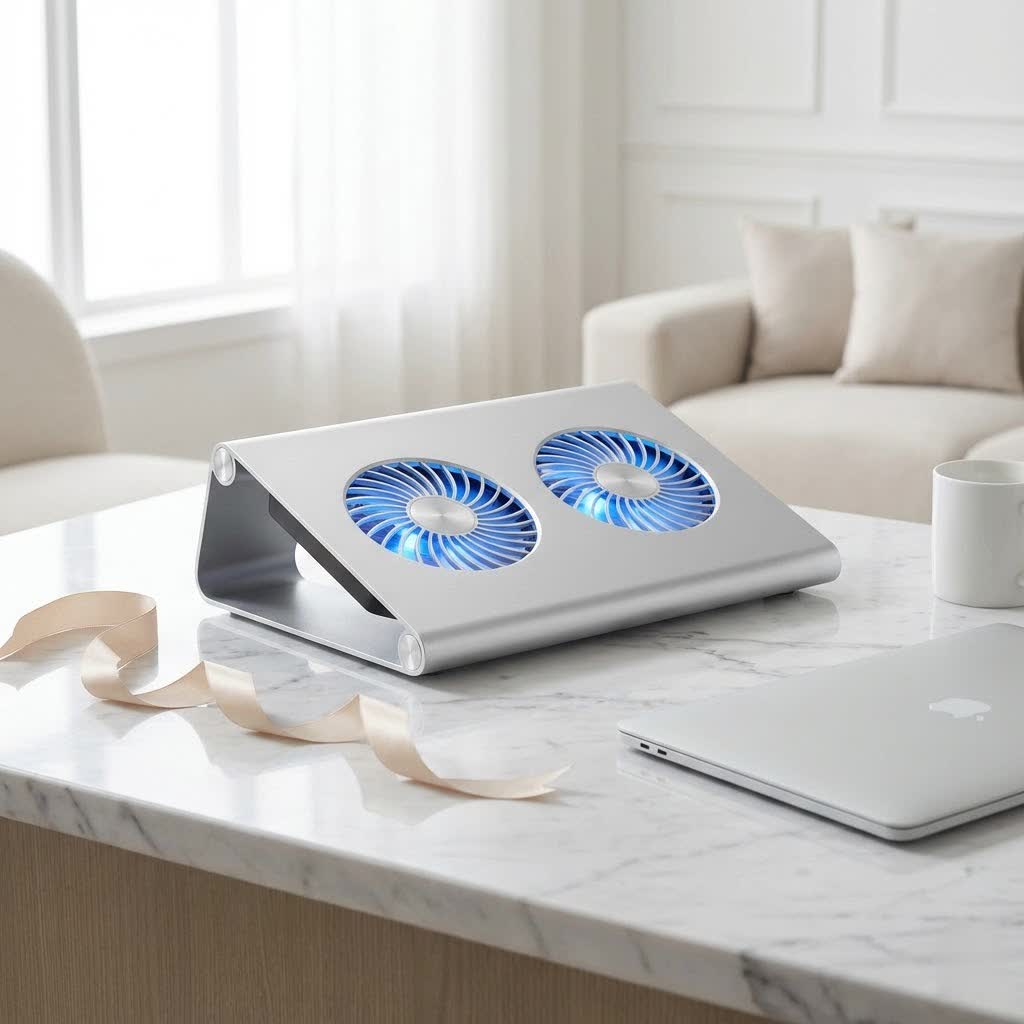
This article aims to cut through the noise, providing a comprehensive guide to laptop cooler pads based on the candid discussions and recommendations found across various Reddit communities. We’ll explore the types of pads, dissect their effectiveness, and uncover the holistic cooling strategies that Reddit users swear by.
Understanding Laptop Cooling Pads: More Than Just Fans
Before we dive into specific recommendations, let’s establish why effective cooling is paramount. Overheating can lead to thermal throttling, where your laptop intentionally slows down its components (CPU and GPU) to prevent damage. This results in reduced performance, choppy gameplay, slower rendering, and an overall sluggish experience. Beyond performance, prolonged exposure to high temperatures can potentially shorten the lifespan of your laptop’s internal components and even cause discomfort if you’re using it on your lap.
Generally, laptop cooling solutions fall into a few categories:
- Passive Stands: These simply elevate your laptop, allowing for better natural airflow underneath. While beneficial, they don’t actively cool.
- Multi-Fan Pads: The most common type, featuring several smaller fans designed to push air towards the laptop’s underside. These vary widely in quality and effectiveness.
- “Blower-Style” Pads: These are gaining significant traction, particularly on Reddit, due to their more aggressive and targeted approach to cooling. They often feature one large, powerful fan and a sealing mechanism (like foam or rubber) to create a direct airflow path into your laptop’s intake vents.
On Reddit, you’ll frequently encounter skepticism regarding generic multi-fan pads, with many users reporting minimal or no significant temperature drops. The consensus leans heavily towards the idea that not all cooling pads are created equal, and many inexpensive options are simply “making noise” rather than effective cooling.
The Reddit Consensus: What Actually Works?
When it comes to effective laptop cooler pads, Reddit’s collective voice highlights a specific type of design that consistently delivers measurable results: the “blower-style” cooling pad.
The “Blower-Style” Revolution
|
Our Picks for the Best Laptop Cooler in 2026
As an Amazon Associate I earn from qualifying purchases.
|
||
| Num | Product | Action |
|---|---|---|
| 1 | havit HV-F2056 15.6\"-17\" Laptop Cooler Cooling Pad - Slim Portable USB Powered (3 Fans), Black/Blue |

|
| 2 | AICHESON Laptop Cooling Pad 5 Fans Up to 17.3 Inch Heavy Notebook Cooler, Blue LED Lights, 2 USB Ports, S035, Blue-5fans |
|
| 3 | llano V12 Laptop Cooling Pad, Gaming Laptop Cooler Stand with 5.5inch Powerful Turbo Fan, Adjustable Speed, Touch Control, 3-Port USB A, for Fast Cooling Laptop 15.6-19in, Black (No RGB) |
|
| 4 | Laptop Cooling Pad, Gaming Laptop Cooler for 13-19 Inch Laptops, RGB Lights Laptop Fan Cooling Pad with 3 Height Adjustable and 3 USB Ports, 4.72 Inch Large Turbo Fan, Max 3500RPM |
|
| 5 | Razer Laptop Cooling Pad: Adaptive Smart - Intelligent Fan Control - Airtight Pressure Chamber - Fits Most Laptops & Macbooks 14” to 18\" - Preset & Custom Fan Curves - 3 Port USB Type A - Chroma RGB |
|
| 6 | Kootek Laptop Cooling Pad, Laptop Cooler with 5 Quiet Fans for 12\"-17\" Computer PC Notebook Gaming Laptop Fan, Height Adjustable Laptop Cooling Stand Laptop Accessories, Blue |
|
| 7 | ChillCore Laptop Cooling Pad, RGB Lights Laptop Cooler 9 Fans for 15.6-19.3 Inch Laptops, Gaming Laptop Fan Cooling Pad with 8 Height Stands, 2 USB Ports - A21 Blue |
|
| 8 | Laptop Cooling Pad, Laptop Cooler 6 Quiet Fans for 12\"-17\" Laptops, Gaming Laptop Fan Cooling Pad with 5 Height Adjustable, Slim Portable USB Powered, 2 USB Ports & Phone Holder |
|
| 9 | KeiBn Laptop Cooling Pad, Gaming Laptop Cooler 2 Fans for 10-15.6 Inch Laptops, 5 Height Stands, 2 USB Ports (S039) |
|
| 10 | llano V12 RGB Laptop Cooling Pad, Gaming Laptop Cooler with 5.5 Inch Powerful Turbofan, Fast Cooling Laptop 15.6-21in, Adjustable Speed, Touch Control, LCD Screen, Black (RGB) |
|
Unlike traditional multi-fan pads that simply blow air generally at the laptop’s underside, blower-style pads are engineered to create a seal around your laptop’s intake vents. This design forces a concentrated stream of air directly into the laptop’s cooling system, effectively supercharging its internal fans. This focused approach is far more efficient at dissipating heat.
Leading the pack in Reddit discussions are models like the IETS GT500/GT600, Llano V12, and Flydigi BS1. Users consistently report significant temperature drops, often in the range of 10-15°C (18-27°F) for both CPU and GPU during intense workloads like gaming. This level of performance makes a tangible difference in preventing thermal throttling and maintaining peak performance.
“As thermal engineers, we understand that direct, focused airflow is key. The ‘blower-style’ pads, as frequently praised on Reddit, leverage this principle effectively by directly assisting the laptop’s internal cooling system, rather than just passively fanning the chassis.” – Dr. Evelyn Reed, Thermal Systems Architect.
Another contender in this category is the Razer Laptop Cooling Pad. While often described as a more premium, branded version of the IETS/Llano design, it offers similar blower-style cooling with added features like RGB lighting and integration with Razer’s Synapse software for dynamic fan speed control based on actual temperatures. However, be prepared for a higher price tag.
The Trade-offs: Noise and Cost
While highly effective, these top-tier cooling pads come with notable trade-offs that are widely discussed on Reddit:
- Noise Levels: At their highest settings, blower-style pads can be quite loud. Users frequently compare the sound to a “jet engine” or emphasize the necessity of noise-canceling headphones, especially during gaming sessions.
- Cost: These aren’t your average $20 cooling pads. The IETS GT500/GT600 and Llano V12 typically fall into a higher price bracket, which is a significant consideration for many users. The Razer option, predictably, sits at the top end of the spectrum.
Despite these drawbacks, the overwhelming sentiment on Reddit is that the performance gains from these specific models make the investment worthwhile for serious users battling overheating.
Beyond the Pad: Holistic Laptop Cooling Strategies from Reddit
While a powerful cooling pad can be a game-changer, Reddit communities often emphasize that it’s just one piece of a larger thermal management puzzle. Many users advocate for a multi-pronged approach to keep your laptop running optimally.
Internal Maintenance is King
One of the most impactful cooling strategies, frequently highlighted on Reddit, involves maintaining the laptop’s internal cooling system.
- Cleaning Fans and Heatsinks: Over time, dust and debris accumulate on fan blades and heatsink fins, creating a thermal barrier and reducing airflow. Regularly cleaning these components with compressed air can dramatically improve cooling efficiency. For those comfortable with opening their laptop, a deeper clean can be even more effective.
- Repasting Thermal Paste: The thermal paste between your CPU/GPU and their heatsinks can degrade over time, losing its heat transfer properties. Replacing old paste with a high-quality alternative (such as Gelid GC Extreme, Kryonaut, or MasterGel Maker, frequently mentioned on Reddit) can lead to significant temperature drops.
Software Optimization
Beyond physical hardware, software adjustments can play a crucial role in temperature management.
- Undervolting CPU/GPU: This process involves reducing the voltage supplied to your processor and graphics card without sacrificing performance. Many modern CPUs and GPUs can operate stably at lower voltages, resulting in less heat generation. Tools like Throttlestop for Intel CPUs are popular among Reddit users for this purpose.
- Setting Power Limits: For Intel processors, setting power limits through software can help control heat output, especially in games that are less CPU-intensive. This allows for thermal gains without a noticeable performance loss in many scenarios.
Simple Elevation
Even without an active cooling pad, simply elevating your laptop can make a noticeable difference. Placing your laptop on a stand, or even improvised objects like books, ensures that the intake vents on the bottom have unobstructed access to fresh air. This fundamental step alone can often improve temperatures by a few degrees.
Choosing the Right Laptop Cooler Pad (Reddit-Style)
Based on the extensive discussions across Reddit, here’s a practical checklist for selecting a laptop cooler pad:
- Identify Your Laptop’s Intake Vents: This is critical. For blower-style pads to be effective, their fan needs to align with your laptop’s primary air intake. Most gaming laptops draw air from the bottom.
- Assess Your Budget vs. Performance Needs: If you’re looking for significant temperature drops for intense gaming or demanding workloads, be prepared to invest in a high-performance blower-style pad like the IETS GT series or Llano V12. Cheaper, generic pads will offer minimal gains.
- Consider Your Noise Tolerance: The most effective pads can be loud at full power. If noise is a deal-breaker, you might need to run them at lower RPMs (sacrificing some cooling) or invest in good noise-canceling headphones.
- Look for Connectivity and Features: Some pads offer USB passthrough, which is handy if the pad occupies a USB port on your laptop. RGB lighting is a cosmetic feature found on some premium models like Razer’s.
- Don’t Overlook Holistic Solutions: Remember that a cooling pad works best in conjunction with a clean laptop and optimized software settings.
Laptop Cooler Pads & Longevity: A Reddit Perspective
A common question on Reddit is whether cooling pads contribute to a laptop’s longevity. While there isn’t a universally agreed-upon answer with definitive long-term studies cited in the discussions, the general consensus leans towards the idea that lower operating temperatures are always beneficial for electronic components.
Many users believe that by reducing heat stress, especially during heavy use, a good cooling pad can help maintain the integrity of internal components over time. Although laptops are designed with thermal throttling mechanisms to prevent immediate damage from overheating, consistently running at lower temperatures can certainly contribute to the overall health and potentially extend the useful life of your device. Think of it like a car engine; keeping it from redlining constantly is always a good idea.
Frequently Asked Questions (FAQ)
Do cheap laptop cooling pads really work?
Many Reddit users report that inexpensive, generic laptop cooling pads with multiple small fans offer minimal temperature improvements, often just a few degrees Celsius, if any. They are generally considered less effective than higher-end, blower-style pads.
How much can a good laptop cooling pad lower temperatures?
High-quality, blower-style laptop cooling pads, such as the IETS GT series or Llano V12, can typically lower CPU and GPU temperatures by 10-15°C (18-27°F) during heavy loads, according to numerous Reddit accounts.
Are laptop cooling pads noisy?
The most effective laptop cooling pads, particularly the blower-style models, can be quite noisy at their maximum fan speeds. Many Reddit users compare the sound to a “jet engine” and recommend using noise-canceling headphones during operation.
Is repasting thermal paste better than a cooling pad for laptop cooling?
Repasting thermal paste can often provide more significant and consistent temperature improvements than a cooling pad, especially if your existing paste is old and degraded. Reddit users frequently recommend it as a highly effective internal cooling solution, often in conjunction with a good cooling pad for optimal results.
Should I undervolt my laptop’s CPU or GPU?
Undervolting your CPU or GPU can significantly reduce heat generation without sacrificing performance, making it a highly recommended optimization by Reddit communities. It’s an advanced technique that requires careful research, but it’s very effective.
Will a laptop cooling pad extend my laptop’s life?
While there’s no definitive scientific proof directly from Reddit discussions, the general belief is that consistently operating at lower temperatures reduces stress on electronic components, which can contribute to a longer overall lifespan for your laptop.
Stay Cool, Perform Better
The world of laptop cooling can seem daunting, but the candid discussions on Reddit offer a refreshing, real-world perspective. We’ve learned that not all laptop cooler pads are created equal, with specific blower-style designs proving to be far more effective than generic multi-fan units. While these powerful pads might come with increased noise and a higher price tag, the performance benefits are clear.
Remember, a truly optimized cooling setup often combines a potent cooling pad with diligent internal maintenance, such as cleaning fans and heatsinks, and smart software tweaks like undervolting. By leveraging these strategies, you’re not just buying an accessory; you’re investing in the longevity and peak performance of your laptop.
Keep your machine cool, and it will keep you performing at your best. Share your own laptop cooling experiences and discoveries—the community is always eager to learn!
