A laptop stand and cooler significantly enhances laptop performance and extends its lifespan by preventing overheating and improving ergonomics. It achieves this by elevating the laptop to create crucial airflow and using built-in fans to actively dissipate heat, which can reduce internal temperatures by 5-15°C during demanding tasks. This dual functionality ensures components operate at optimal speeds, preventing thermal throttling and reducing strain on the user.
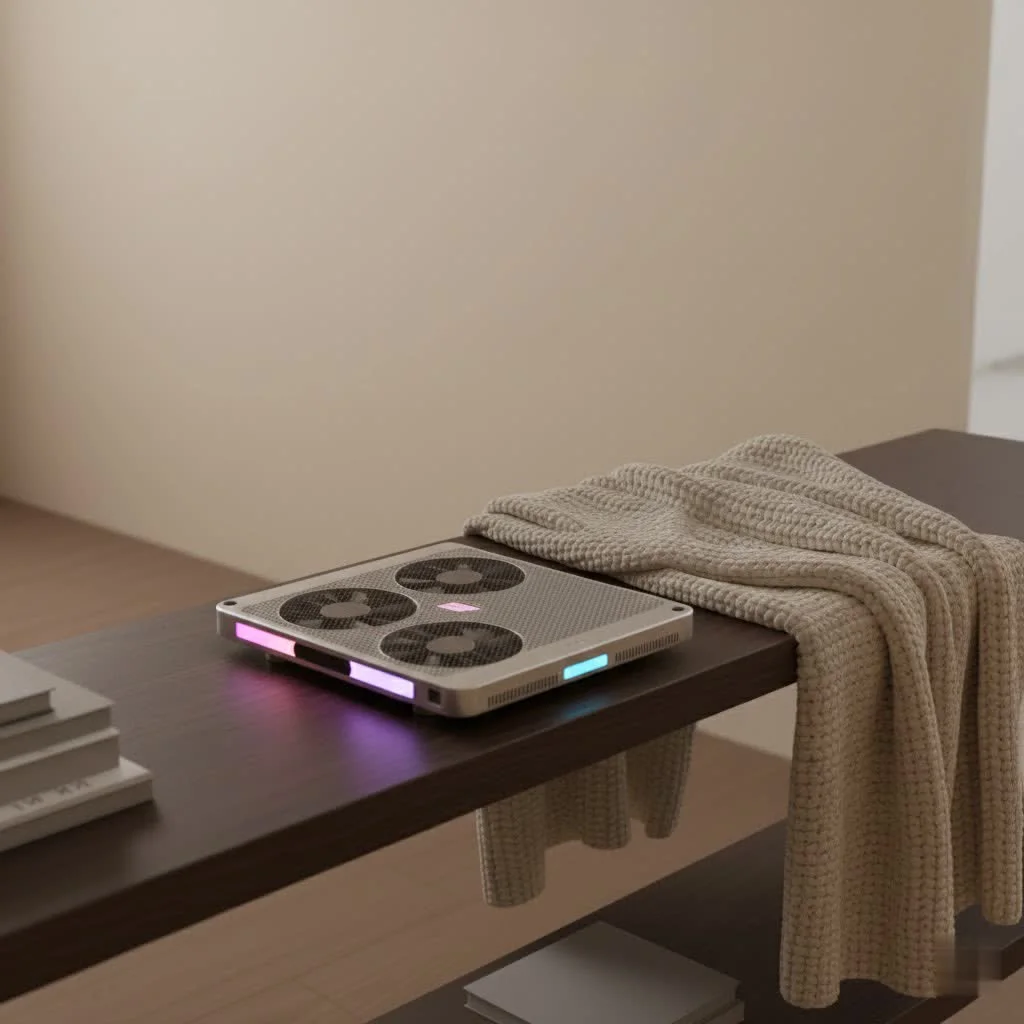
As someone who’s spent over a decade deep in the trenches of laptop thermal engineering, I’ve seen firsthand the difference proper cooling and ergonomics can make. At Tselk, we believe in empowering you with the knowledge to keep your machine running at its best, and a high-quality laptop stand and cooler is one of the smartest investments you can make. It’s not just an accessory; it’s an upgrade to your entire digital ecosystem. For expert laptop cooling reviews on this site.
Understanding the Silent Threat: Why Laptops Overheat
Modern laptops pack incredible power into increasingly slim designs. While this portability is fantastic, it leaves limited internal space for sophisticated cooling mechanisms. When you push your laptop with demanding tasks – think rendering a 4K video, battling foes in the latest AAA game, or juggling dozens of browser tabs and applications – its CPU and GPU generate significant heat.
Without adequate airflow, this heat gets trapped. This leads to what we engineers call “thermal throttling,” where your laptop deliberately slows down its components to prevent permanent damage. Imagine your laptop literally hitting the brakes to cool off, impacting everything from frame rates in games to rendering times in professional software. Beyond performance, sustained high temperatures accelerate the degradation of internal components, literally shortening the life of your beloved machine. Plus, the constant whirring of overworked internal fans can be a real headache, and resting a scorching laptop on your lap is anything but pleasant.
The Dual Powerhouse: How a Laptop Stand and Cooler Works its Magic
A laptop stand and cooler is more than just a simple accessory; it’s a meticulously designed solution that tackles both thermal and ergonomic challenges head-on. At its core, it combines two crucial functions: elevation and active cooling.
First, the “stand” component elevates your laptop. This simple act creates a vital air gap between the laptop’s underside and your desk or lap. This space allows for natural, passive airflow, preventing heat from getting trapped. It’s like giving your laptop room to breathe!
Second, the “cooler” aspect introduces active cooling. Most units feature one or more built-in fans, typically powered by a USB port on your laptop. These fans strategically push cooler ambient air towards your laptop’s intake vents or pull hot air away from its exhaust, dramatically improving heat dissipation. Some advanced models even feature large turbo fans or multiple smaller fans to create a powerful, directed airflow precisely where your laptop needs it most. This combination of elevation and active cooling ensures your laptop stays significantly cooler than it would on a flat surface, even during the most strenuous tasks.
Unlocking the Benefits: More Than Just Cool Air
The advantages of integrating a laptop stand and cooler into your setup extend far beyond simply lowering temperatures.
Boosted Performance: Say Goodbye to Lag
|
Our Picks for the Best Laptop Cooler in 2026
As an Amazon Associate I earn from qualifying purchases.
|
||
| Num | Product | Action |
|---|---|---|
| 1 | Laptop Cooling Pad, Laptop Cooler 6 Quiet Fans for 12\"-17\" Laptops, Gaming Laptop Fan Cooling Pad with 5 Height Adjustable, Slim Portable USB Powered, 2 USB Ports & Phone Holder |

|
| 2 | havit HV-F2056 15.6\"-17\" Laptop Cooler Cooling Pad - Slim Portable USB Powered (3 Fans), Black/Blue |
|
| 3 | Laptop Cooling Pad, Gaming Laptop Cooler for 13-19 Inch Laptops, RGB Lights Laptop Fan Cooling Pad with 3 Height Adjustable and 3 USB Ports, 4.72 Inch Large Turbo Fan, Max 3500RPM |
|
| 4 | llano V12 Laptop Cooling Pad, Gaming Laptop Cooler Stand with 5.5inch Powerful Turbo Fan, Adjustable Speed, Touch Control, 3-Port USB A, for Fast Cooling Laptop 15.6-19in, Black (No RGB) |
|
| 5 | ChillCore Laptop Cooling Pad, RGB Lights Laptop Cooler 9 Fans for 15.6-19.3 Inch Laptops, Gaming Laptop Fan Cooling Pad with 8 Height Stands, 2 USB Ports - A21 Blue |
|
| 6 | Kootek Laptop Cooling Pad, Laptop Cooler with 5 Quiet Fans for 12\"-17\" Computer PC Notebook Gaming Laptop Fan, Height Adjustable Laptop Cooling Stand Laptop Accessories, Blue |
|
| 7 | llano V12 RGB Laptop Cooling Pad, Gaming Laptop Cooler with 5.5 Inch Powerful Turbofan, Fast Cooling Laptop 15.6-21in, Adjustable Speed, Touch Control, LCD Screen, Black (RGB) |
|
| 8 | KeiBn Laptop Cooling Pad, Gaming Laptop Cooler 2 Fans for 10-15.6 Inch Laptops, 5 Height Stands, 2 USB Ports (S039) |
|
| 9 | AICHESON Laptop Cooling Pad 5 Fans Up to 17.3 Inch Heavy Notebook Cooler, Blue LED Lights, 2 USB Ports, S035, Blue-5fans |
|
| 10 | Razer Laptop Cooling Pad: Adaptive Smart - Intelligent Fan Control - Airtight Pressure Chamber - Fits Most Laptops & Macbooks 14” to 18\" - Preset & Custom Fan Curves - 3 Port USB Type A - Chroma RGB |
|
When your laptop’s internal components run cooler, they don’t have to slow down. This means your CPU and GPU can operate at their intended clock speeds for longer, preventing thermal throttling. For gamers, this translates to smoother gameplay and higher, more consistent frame rates. For content creators and professionals, it means faster rendering times, seamless multitasking, and a more responsive system overall. You’re effectively unlocking your laptop’s full potential.
Extended Laptop Lifespan: A Smart Investment
Heat is the enemy of electronics. Prolonged exposure to high temperatures accelerates the wear and tear of sensitive internal components like your processor, graphics card, and battery. By consistently keeping your laptop cool, a stand and cooler acts as a protective shield, significantly extending the operational lifespan of your device. This isn’t just about performance; it’s about protecting a significant investment.
Superior Ergonomics: Comfort for the Long Haul
Beyond cooling, the stand component of these devices offers immense ergonomic benefits. By elevating your laptop screen to eye level, it helps you maintain better posture, reducing the strain on your neck, shoulders, and back that often comes from hunching over a low-lying screen. Many stands also offer adjustable height and angle settings, allowing you to customize your setup for optimal comfort, whether you’re typing, gaming, or just browsing. Pair it with an external keyboard and mouse, and you’ve got a setup that rivals a desktop in terms of ergonomic comfort.
Reduced Noise: A Quieter Workspace
When your laptop gets hot, its internal fans kick into overdrive, often producing a distracting, high-pitched whine. By providing external airflow, a laptop stand and cooler takes some of the burden off your laptop’s internal cooling system. This means your laptop’s fans don’t have to work as hard or spin as fast, resulting in a noticeably quieter operation. It’s a small detail that makes a big difference in creating a more peaceful and productive environment.
Enhanced Productivity and Comfort: The Overall Upgrade
A cooler, more comfortable, and higher-performing laptop leads to a better user experience. Reduced eye strain, less physical discomfort, and a responsive machine all contribute to increased focus and productivity. Whether you’re pulling an all-nighter for a deadline or diving deep into an immersive game, a reliable laptop stand and cooler ensures your machine keeps up with you, comfortably and efficiently.
Choosing Your Perfect Match: A Buyer’s Guide to Laptop Stands and Coolers
With so many options on the market, selecting the right laptop stand and cooler might seem daunting. But don’t worry, my years of experience have distilled it down to a few key factors to consider.
Compatibility is Key: Size Matters
First and foremost, ensure the stand can physically accommodate your laptop. Most cooling pads and stands support laptops between 12 and 17 inches, but if you have a larger gaming laptop or a smaller ultrabook, double-check the specifications. You’ll also want to consider the weight capacity, especially for heavier machines, to ensure stability. A good stand should feel robust and secure.
Fan Power & Configuration: The Heart of the Cooler
The cooling performance largely hinges on the fans.
- Number of Fans: More fans generally mean better airflow distribution, though quality often trump quantity.
- Fan Size and RPM: Larger fans tend to move more air at lower, quieter RPMs, while smaller fans might need higher RPMs, potentially increasing noise. Look for fan speeds (RPM – revolutions per minute), typically ranging from 800-2000 RPM.
- Adjustable Fan Speed: This is a fantastic feature, allowing you to balance cooling intensity with noise levels based on your workload.
- Fan Placement: Pay attention to where your laptop’s intake vents are located (usually on the bottom) and try to find a stand where the fans align to push air directly into these areas.
Material Matters: Build Quality and Heat Dissipation
The construction material plays a crucial role in both durability and cooling effectiveness.
- Metal (Aluminum): Often preferred for its sturdy build and excellent heat-conductive properties. An aluminum surface can passively help dissipate heat from your laptop’s underside even when the fans aren’t on.
- High-Quality Plastic: Can also be durable and lightweight, making it ideal for portability, but may not offer the same passive cooling benefits as metal. Avoid flimsy plastics that might wobble or break under your laptop’s weight.
Ergonomic Adjustments: Your Comfort Zone
Since ergonomics is a major benefit, look for a stand that offers adjustable height and angle settings. This flexibility allows you to customize your viewing angle and typing position, crucial for maintaining good posture during long work or play sessions. Some stands offer fixed angles, while others provide a wide range of adjustment points.
Noise Levels: Find Your Zen
While active cooling is great, you don’t want your workspace to sound like a wind tunnel. Check reviews for mentions of noise levels. Many manufacturers will provide a decibel (dB) rating; aim for models under 30 dB for quiet environments. Variable fan speed controls can help you dial down the noise when maximum cooling isn’t necessary.
Connectivity & Features: The Added Conveniences
Many modern laptop stands and coolers come with extra perks:
- USB Hubs: Some include additional USB ports, which are incredibly handy since the cooler itself typically uses one of your laptop’s ports.
- RGB Lighting: For gamers, RGB lighting can add aesthetic flair to your setup.
- Smartphone Stands: A small, integrated stand for your phone can help declutter your workspace.
- Portability: If you travel frequently, consider foldable, lightweight designs that are easy to pack.
Maintenance Tips for Optimal Cooling Performance
Even the best laptop stand and cooler needs a little love to perform at its peak. Here are a few quick tips:
- Regular Cleaning: Dust is the enemy of airflow. Periodically clean the fans and vents of your cooler, as well as your laptop’s own vents, using compressed air. This prevents dust buildup that can impede cooling efficiency.
- Proper Placement: Always place your laptop securely on the stand, ensuring its intake and exhaust vents aren’t blocked by the stand’s frame or any other objects.
- Check Connections: Make sure the USB power cable is securely connected to both the cooler and your laptop.
Expert Insight: What the Pros Say
“In my ten years studying laptop thermal dynamics, one of the most consistent truths I’ve found is the sheer effectiveness of good external cooling,” shares Dr. Anya Sharma, lead thermal architect at Tselk Labs. “A well-designed laptop stand and cooler isn’t just a gadget; it’s a critical component for maintaining your laptop’s health and performance, especially in today’s demanding computing environment. It buys you peace of mind and, crucially, preserves the longevity of your hardware.”
Upgrade Your Setup, Enhance Your Experience
Investing in a high-quality laptop stand and cooler is a smart move for any laptop user. It’s a versatile solution that addresses the core challenges of overheating and poor ergonomics, delivering a multitude of benefits including enhanced performance, an extended device lifespan, and a more comfortable, productive workspace. By carefully considering compatibility, fan features, material, and adjustability, you can choose the perfect stand and cooler to suit your specific needs.
Don’t let overheating slow you down or shorten the life of your precious laptop. Take control of your thermal environment, improve your ergonomic comfort, and unlock the full potential of your machine. It’s time to upgrade your setup and experience the cool, calm, and collected performance you deserve. Your laptop (and your neck!) will thank you.
Frequently Asked Questions
How does a laptop stand and cooler improve performance?
A laptop stand and cooler improves performance by preventing thermal throttling. By actively dissipating heat and increasing airflow, it allows the CPU and GPU to operate at their intended clock speeds for longer periods, leading to smoother gameplay and faster rendering times.
What are the ergonomic benefits of using a laptop stand?
Using a laptop stand offers significant ergonomic benefits by elevating the screen to eye level. This helps users maintain better posture, reducing strain on the neck, shoulders, and back. Many stands also offer adjustable height and angle settings for customized comfort.
How do I choose the right laptop stand and cooler for my device?
To choose the right laptop stand and cooler, consider compatibility with your laptop's size (most support 12-17 inches), fan configuration (RPMs between 800-2000 are common), material (aluminum for better heat dissipation), and adjustable ergonomic features. Also, check for noise levels, aiming for models under 30 dB for quiet environments.
Can a laptop cooler really extend my laptop's lifespan?
Yes, a laptop cooler can significantly extend your laptop's lifespan. Prolonged exposure to high temperatures accelerates the wear and tear of internal components like the processor, graphics card, and battery. By consistently keeping the laptop cool, the cooler acts as a protective shield against heat-induced degradation.
What maintenance is required for a laptop stand and cooler?
Optimal performance of a laptop stand and cooler requires regular maintenance. Periodically clean the fans and vents using compressed air to prevent dust buildup. Ensure proper placement of the laptop on the stand so vents are not blocked, and always check that the USB power cable is securely connected.
Choosing Your Perfect Laptop Stand and Cooler
Selecting the ideal laptop stand and cooler involves evaluating several key factors to ensure optimal compatibility, cooling performance, and ergonomic comfort for your specific needs.
Ensure the stand physically accommodates your laptop, typically supporting devices between 12 and 17 inches. Verify the weight capacity, especially for heavier gaming laptops, to guarantee stability and a secure fit.
Assess the number, size, and RPM of the fans; larger fans often move more air quietly at lower RPMs (800-2000 RPM is common). Look for adjustable fan speeds to balance cooling intensity with noise, and ensure fan placement aligns with your laptop's intake vents for maximum efficiency.
Prioritize materials like aluminum for its sturdy build and excellent heat-conductive properties, which aid passive heat dissipation. High-quality plastic can be durable and lightweight, but avoid flimsy options that may compromise stability or break under your laptop's weight.
Choose a stand with adjustable height and angle settings to customize your viewing and typing positions. This flexibility is crucial for maintaining good posture and reducing strain during long work or gaming sessions, enhancing overall comfort.
Check reviews for noise levels, aiming for models under 30 dB for a quiet workspace; variable fan speed controls can help manage this. Consider additional conveniences like USB hubs, RGB lighting, smartphone stands, or portable, foldable designs if you travel frequently.
Get our weekly buyer guide
Practical specs, not advice. Unsubscribe anytime.

I got a stand with a built-in cooler, and while it definitely helps with the heat, I found the USB cable for the fans to be a bit short. It limits where I can place my laptop on my desk, which is a minor inconvenience. The ergonomic benefits are great though, and my neck feels much better after using it for a few weeks.
I was skeptical about how much a stand could really help, but after reading about the 5-15°C temperature drop, I decided to try one of the recommended models. My gaming laptop used to get so hot it was uncomfortable to touch, and now it stays remarkably cool even during long sessions. The improved airflow from elevating it really makes a difference, and the fans are surprisingly quiet.
As a software developer, my laptop is always under heavy load. I’ve tried various cooling pads before, but the combination of elevation and active cooling from a proper stand and cooler is a game-changer. It’s truly an investment in extending the lifespan of my machine, just like it said. My components are definitely operating at optimal speeds now.
My old laptop was constantly thermal throttling, making everything slow and frustrating. I picked up one of the mid-range laptop stand and cooler combos mentioned, and it’s made a noticeable improvement in performance. It’s not a miracle worker, but my CPU isn’t constantly hitting its max temps anymore, which means smoother multitasking and faster load times.