A laptop cooler effectively prevents overheating by providing additional airflow, which dissipates heat from critical components like the CPU and GPU, thereby improving performance and extending the laptop’s lifespan. When a laptop overheats, its internal components automatically reduce performance to prevent damage, leading to frustrating slowdowns. A quality laptop cooler provides crucial extra airflow, helping the laptop maintain optimal temperatures and preventing thermal throttling.
Why Does Your Laptop Get So Hot Anyway?
Modern laptops pack incredible processing power into increasingly thin chassis. While manufacturers do their best with internal cooling systems, intensive tasks like gaming, video editing, or even just running multiple applications simultaneously can push these systems to their limits. When your laptop overheats, its internal components—like the CPU and GPU—automatically “throttle” their performance to prevent damage. This means your blazing-fast machine suddenly becomes sluggish, leading to frustrating slowdowns and potentially shortening its lifespan. A quality laptop cooler steps in to provide that crucial extra airflow, helping your laptop breathe easier and maintain optimal temperatures.
Demystifying Laptop Cooler Types
Not all laptop coolers are created equal. Understanding the different types available is your first step toward finding the right solution for your specific needs.
Active Cooling Pads
These are the most common and generally most effective laptop coolers. They feature built-in fans that actively push or pull air to dissipate heat.
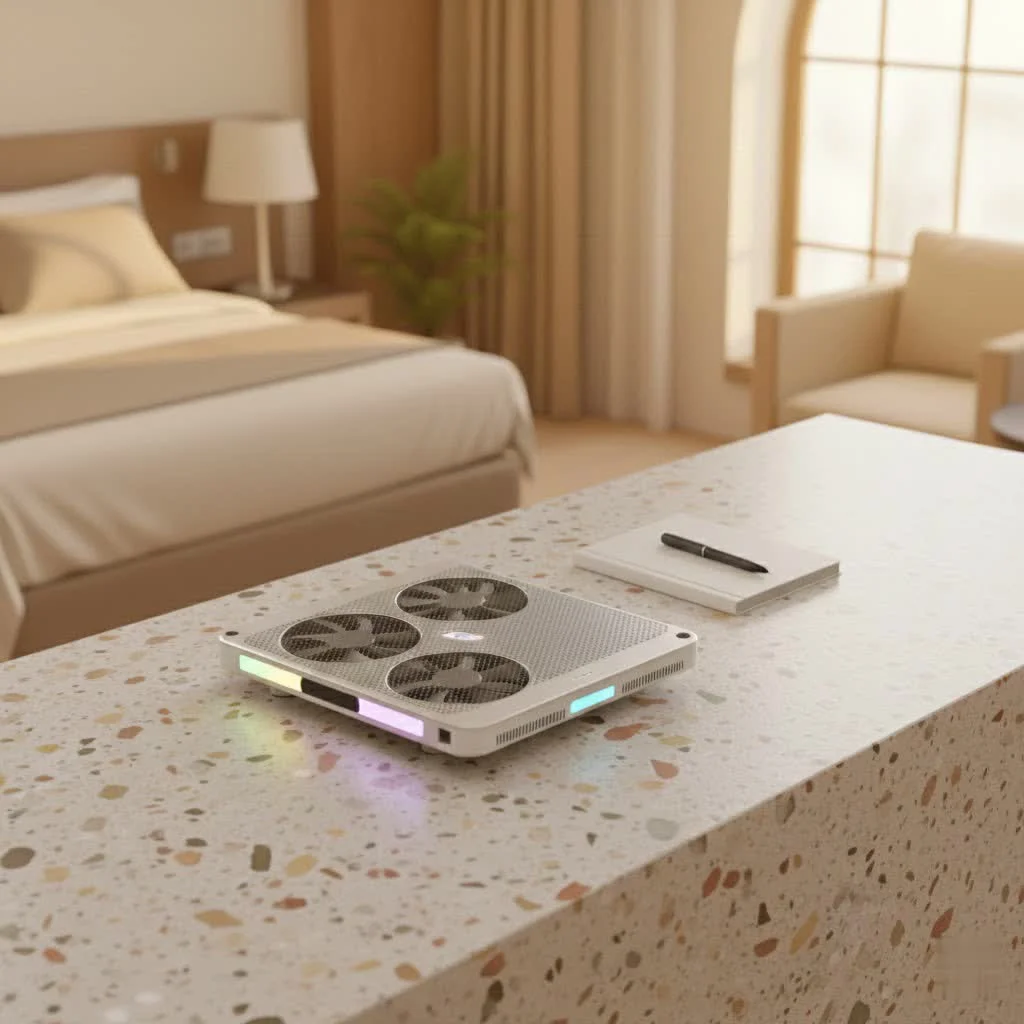
- Multi-Fan Designs: Many active cooling pads come with an array of smaller fans distributed across the surface. These are great for providing even airflow across a larger area, often leading to quieter operation compared to a single, high-speed fan. They’re versatile and suitable for most laptops.
- Turbo or Blower Designs: Some high-performance cooling pads, especially those aimed at gaming laptops, utilize one or two powerful, large fans. These are designed to generate a strong, focused airflow, often creating a “sealed chamber” effect around your laptop’s intake vents for maximum efficiency. They can be louder but are highly effective.
- Vacuum Coolers (Side-Mounted): These compact devices attach to your laptop’s exhaust vents and literally suck hot air out of the system. They are highly targeted and can be very effective for specific laptops, especially those with clearly defined exhaust ports. They are also usually quite portable.
Passive Cooling Stands
Passive coolers don’t have fans or active components. Instead, they rely on elevation and thermally conductive materials to improve airflow.
- Elevation Stands: The simplest form, these just lift your laptop off the desk or your lap, creating space for air to circulate naturally around the chassis. While not as powerful as active coolers, simply elevating your laptop can significantly improve baseline temperatures.
- Heat-Conductive Materials: Some passive pads incorporate materials like aluminum, which helps to draw heat away from the laptop’s underside. They can be effective for reducing overall warmth, particularly when the laptop is used on soft surfaces that might otherwise block vents.
“Choosing the right cooling method depends heavily on your usage habits and your laptop’s design,” advises Dr. Elena Petrova, a Senior Thermal Design Specialist at Tselk Labs. “A dedicated gamer will need a more aggressive active solution, while a casual user might benefit simply from an ergonomic stand that promotes better airflow.”
How to Choose the Perfect Laptop Cooler for You
With so many options, how do you pick the right laptop cooler? Here’s a breakdown of the critical factors I consider in my own work:
Size and Compatibility
|
Our Picks for the Best Laptop Cooler in 2026
As an Amazon Associate I earn from qualifying purchases.
|
||
| Num | Product | Action |
|---|---|---|
| 1 | ChillCore Laptop Cooling Pad, RGB Lights Laptop Cooler 9 Fans for 15.6-19.3 Inch Laptops, Gaming Laptop Fan Cooling Pad with 8 Height Stands, 2 USB Ports - A21 Blue |

|
| 2 | llano V12 Laptop Cooling Pad, Gaming Laptop Cooler Stand with 5.5inch Powerful Turbo Fan, Adjustable Speed, Touch Control, 3-Port USB A, for Fast Cooling Laptop 15.6-19in, Black (No RGB) |
|
| 3 | Kootek Laptop Cooling Pad, Laptop Cooler with 5 Quiet Fans for 12\"-17\" Computer PC Notebook Gaming Laptop Fan, Height Adjustable Laptop Cooling Stand Laptop Accessories, Blue |
|
| 4 | havit HV-F2056 15.6\"-17\" Laptop Cooler Cooling Pad - Slim Portable USB Powered (3 Fans), Black/Blue |
|
| 5 | Laptop Cooling Pad, Laptop Cooler 6 Quiet Fans for 12\"-17\" Laptops, Gaming Laptop Fan Cooling Pad with 5 Height Adjustable, Slim Portable USB Powered, 2 USB Ports & Phone Holder |
|
| 6 | AICHESON Laptop Cooling Pad 5 Fans Up to 17.3 Inch Heavy Notebook Cooler, Blue LED Lights, 2 USB Ports, S035, Blue-5fans |
|
| 7 | llano V12 RGB Laptop Cooling Pad, Gaming Laptop Cooler with 5.5 Inch Powerful Turbofan, Fast Cooling Laptop 15.6-21in, Adjustable Speed, Touch Control, LCD Screen, Black (RGB) |
|
| 8 | Laptop Cooling Pad, Gaming Laptop Cooler for 13-19 Inch Laptops, RGB Lights Laptop Fan Cooling Pad with 3 Height Adjustable and 3 USB Ports, 4.72 Inch Large Turbo Fan, Max 3500RPM |
|
| 9 | KeiBn Laptop Cooling Pad, Gaming Laptop Cooler 2 Fans for 10-15.6 Inch Laptops, 5 Height Stands, 2 USB Ports (S039) |
|
| 10 | Razer Laptop Cooling Pad: Adaptive Smart - Intelligent Fan Control - Airtight Pressure Chamber - Fits Most Laptops & Macbooks 14” to 18\" - Preset & Custom Fan Curves - 3 Port USB Type A - Chroma RGB |
|
This might seem obvious, but it’s crucial. Ensure the laptop cooler is compatible with your laptop’s screen size. A cooler that’s too small won’t provide adequate support or cooling coverage, while one that’s too large can be cumbersome. Also, consider the placement of your laptop’s intake vents. The cooler’s fans should ideally align with these vents to maximize airflow.
Cooling Performance
This is the heart of any laptop cooler.
- Fan Count and Size: More fans can provide more even cooling, but larger individual fans often move more air (measured in CFM – cubic feet per minute) and can be quieter than many small, high-RPM fans.
- Fan Speed: Look for adjustable fan speeds. This allows you to balance cooling power with noise levels, ramping up performance when needed and reducing it for quiet work.
- Airflow Design: Some advanced laptop coolers use sealed chambers or specific designs that force air directly into your laptop’s intake vents, creating higher air pressure and more effective cooling. This is a hallmark of truly effective cooling.
Ergonomics and Adjustability
A good laptop cooler does more than just cool; it improves your comfort.
- Height Settings: Many models offer multiple height adjustments, allowing you to raise your laptop screen to a more comfortable eye level, reducing neck and back strain. This is a huge win for long work or gaming sessions.
- Typing Angle: Adjustable angles can also provide a more comfortable typing experience.
Portability
If you’re constantly on the move, consider the cooler’s weight and bulk. Some are slim and lightweight, designed for easy transport in a backpack, while others are more robust desktop solutions. If you travel frequently, a compact or even a vacuum-style cooler might be more practical.
Noise Levels
High-powered fans can get noisy. If you work in quiet environments, check reviews for decibel ratings or opt for models with larger, slower-spinning fans, or those with adjustable fan speeds. You want effective cooling without turning your workspace into an airplane hangar.
Extra Features
Modern laptop coolers often come with thoughtful additions:
- USB Hubs: Since coolers typically use one of your laptop’s USB ports for power, many include pass-through USB ports to compensate, often adding extra connectivity.
- RGB Lighting: For gamers, customizable RGB lighting can add a cool aesthetic to their setup.
- Temperature Sensors: Some high-end models offer built-in temperature sensors that can automatically adjust fan speeds based on your laptop’s heat.
Maximizing Your Laptop Cooler’s Effectiveness
Buying a laptop cooler is just the first step. To truly get the most out of it, consider these practical tips:
Proper Placement is Key
Always ensure your laptop is correctly positioned on the cooler, with its intake vents aligning as much as possible with the cooler’s fans. Avoid blocking any vents on either the laptop or the cooler itself. If you’re using a passive stand, make sure it provides ample space underneath for natural airflow.
Regular Maintenance
Just like your laptop’s internal fans, your laptop cooler can accumulate dust. Dust is an insulator, trapping heat and reducing cooling efficiency.
- External Cleaning: Periodically wipe down your laptop cooler with a microfiber cloth to remove surface dust.
- Fan Cleaning: If your cooler’s fans are accessible, use compressed air to gently blow out any dust buildup. Always ensure the cooler is unplugged before cleaning.
- Laptop Internal Cleaning: And your laptop! Every 3-6 months, consider cleaning your laptop’s internal fans and vents. You can often do this with compressed air through the external vents, but for a deeper clean, carefully opening the laptop (if you’re comfortable) to access the fans directly can make a significant difference. Tools like precision screwdrivers, compressed air, a soft brush, and isopropyl alcohol can be helpful here.
Optimize Your Laptop’s Settings
Keeping your laptop’s software and drivers updated can help optimize its power consumption and reduce unnecessary heat generation, further supporting your laptop cooler’s efforts.
The Unseen Benefits of a Good Laptop Cooler
Beyond just seeing lower temperature readings, a good laptop cooler delivers a cascade of benefits that improve your overall computing experience and protect your investment.
Extending Your Laptop’s Lifespan
Excessive heat is the enemy of electronics. It accelerates the degradation of critical components like the CPU, GPU, and motherboard, leading to instability and, eventually, hardware failure. By maintaining cooler operating temperatures, a laptop cooler significantly reduces thermal stress, effectively prolonging the life of your device and saving you from costly repairs or premature replacements.
Boosting Performance
When components stay cool, they can operate at their intended speeds without being forced to throttle down. This means faster processing, smoother gaming, quicker rendering for creative tasks, and overall more responsive performance. You’ll notice less lag and more consistent operation, especially during demanding sessions.
Enhancing Comfort and Reducing Noise
A cooler laptop is simply more pleasant to use. You won’t have to worry about a scorching chassis on your lap, and a comfortable ergonomic setup can reduce physical strain. By assisting your laptop’s internal cooling, a quality laptop cooler can reduce the need for your laptop’s built-in fans to spin at maximum speed, leading to quieter operation and a more peaceful environment. It also helps prevent dust from acting as an insulator, ensuring your system runs clean and cool.
Frequently Asked Questions
Q: Are laptop cooling pads really effective?
A: Yes, laptop cooling pads are effective. They work by increasing airflow around your laptop, helping to dissipate heat and prevent thermal throttling, which can significantly improve performance and extend the lifespan of your device.
Q: Do gaming laptops need a laptop cooler?
A: Gaming laptops often generate significantly more heat due to their powerful components. A laptop cooler, especially one designed for gaming, can be highly beneficial to maintain stable frame rates, prevent throttling, and protect internal hardware during long gaming sessions.
Q: How much temperature drop can I expect from a laptop cooler?
A: The temperature drop varies greatly depending on the cooler’s design, the laptop model, and the ambient conditions. However, many users report drops of 5-15°C (9-27°F) in CPU and GPU temperatures, which is substantial enough to prevent throttling and improve stability.
Q: Do laptop coolers drain laptop battery life?
A: Most active laptop coolers draw power via a USB port. While this does use a small amount of power from your laptop’s battery, the energy savings from preventing your laptop’s internal fans from running at maximum speed often outweigh this minor draw, leading to a net positive effect on overall efficiency.
Q: Can a laptop cooler damage my laptop?
A: A properly used laptop cooler will not damage your laptop. In fact, it helps protect it from heat-related damage. Ensure the cooler’s fans align with your laptop’s vents and that it provides stable support. Avoid coolers that blow air directly into exhaust vents, as this can impede airflow.
Q: What is thermal throttling?
A: Thermal throttling is a protective mechanism where your laptop’s CPU or GPU automatically reduces its clock speed and performance when it detects excessive heat. This prevents permanent hardware damage but results in noticeable slowdowns and decreased performance.
Keep Your Cool, Compute with Confidence
Investing in a quality laptop cooler is more than just buying an accessory; it’s an investment in your laptop’s health, performance, and longevity. As someone who lives and breathes thermal management, I can tell you that keeping your laptop cool isn’t just a nicety—it’s a necessity. By choosing the right laptop cooler and maintaining it properly, you’re not just preventing overheating; you’re unlocking your laptop’s full potential and ensuring it serves you reliably for years to come. So, don’t let heat hold you back. Explore the options, pick your perfect match, and experience the difference a cool machine makes. Your laptop, and your productivity, will thank you for it!
Frequently Asked Questions
Are laptop cooling pads really effective at reducing heat?
Yes, laptop cooling pads are effective. They work by increasing airflow around your laptop, helping to dissipate heat and prevent thermal throttling, which can significantly improve performance and extend the lifespan of your device by reducing thermal stress.
Do gaming laptops specifically need a dedicated laptop cooler?
Gaming laptops often generate significantly more heat due to their powerful components like high-end CPUs and GPUs. A laptop cooler, especially one designed for gaming, can be highly beneficial to maintain stable frame rates, prevent throttling, and protect internal hardware during long gaming sessions, potentially extending the laptop's life by several years.
What kind of temperature drop can I expect from using a laptop cooler?
The temperature drop varies greatly depending on the cooler's design, the laptop model, and ambient conditions. However, many users report drops of 5-15u00b0C (9-27u00b0F) in CPU and GPU temperatures, which is substantial enough to prevent throttling and improve system stability during intensive tasks.
Do laptop coolers negatively impact laptop battery life?
Most active laptop coolers draw power via a USB port, which uses a small amount of your laptop's battery. However, the energy savings from preventing your laptop's internal fans from running at maximum speed often outweigh this minor draw, leading to a net positive effect on overall efficiency and battery longevity.
Can a laptop cooler cause damage to my laptop?
A properly used laptop cooler will not damage your laptop; in fact, it helps protect it from heat-related damage. Ensure the cooler's fans align with your laptop's intake vents and that it provides stable support. Avoid coolers that blow air directly into exhaust vents, as this can impede airflow and reduce efficiency.
What exactly is thermal throttling and why is it bad for laptops?
Thermal throttling is a protective mechanism where your laptop's CPU or GPU automatically reduces its clock speed and performance when it detects excessive heat. This prevents permanent hardware damage but results in noticeable slowdowns, decreased performance, and can shorten the lifespan of components if it occurs frequently.
Choose the Perfect Laptop Cooler
Selecting the right laptop cooler involves evaluating several key factors to ensure optimal cooling performance, comfort, and compatibility with your specific laptop and usage habits.
First, ensure the cooler is compatible with your laptop's screen size to provide adequate support and cooling coverage. Crucially, check the placement of your laptop's intake vents and align them with the cooler's fans for maximum airflow efficiency.
Consider the fan count, size, and speed. More fans can offer even cooling, but larger individual fans often move more air (CFM) and can be quieter. Look for adjustable fan speeds to balance cooling power with noise levels, and advanced airflow designs that force air directly into intake vents.
A good cooler enhances comfort. Look for models with multiple height adjustments to raise your screen to eye level, reducing neck and back strain. Adjustable typing angles also contribute to a more comfortable user experience during long sessions.
If you travel frequently, choose a slim, lightweight cooler or a compact vacuum-style model. For quiet environments, check reviews for decibel ratings or opt for models with larger, slower-spinning fans or adjustable fan speeds to avoid excessive noise.
Many modern coolers offer additional benefits. USB hubs can compensate for the port used by the cooler, while RGB lighting adds aesthetic appeal for gamers. High-end models may even include temperature sensors that automatically adjust fan speeds for optimal cooling.
Get our weekly buyer guide
Practical specs, not advice. Unsubscribe anytime.

This was a super informative breakdown on why laptops overheat and the different types of cooling solutions. I always thought internal cooling was enough, but after reading about how intensive tasks push systems to their limits, I realized I needed extra help. My laptop’s lifespan is definitely going to be extended thanks to the external cooler I invested in.
I’ve been struggling with my gaming laptop overheating during long sessions, especially when playing demanding titles. This guide really helped me understand why my CPU and GPU were throttling. I ended up getting one of the recommended active coolers with multiple fans, and it’s made a huge difference. My frame rates are much more stable now, and the laptop isn’t burning hot to the touch anymore.
I was hoping a cooler would completely solve my video editing laptop’s heat issues. I bought a more expensive model that was supposed to be super quiet, but it still makes a noticeable hum, which is a bit distracting when I’m trying to focus. It does help with the heat, but I wish it was truly silent as advertised. Maybe my expectations were too high.
My old laptop used to get so hot it was uncomfortable to use on my lap, even for just browsing. I appreciated the explanation about thermal throttling and how it impacts performance. I picked up a basic passive cooling stand mentioned here, and while it’s not a miracle worker for heavy tasks, it definitely keeps things cooler for everyday use. Good value for the price.