A Llano laptop cooler significantly reduces laptop temperatures by 15-20°C (27-36°F) during heavy loads, preventing thermal throttling and boosting performance by up to 10% FPS in gaming. These coolers achieve this through powerful turbofans, often 5.5 inches (140mm) and spinning up to 2,800 RPM, combined with an innovative gasket or foam seal system that directs airflow precisely to the laptop’s intake vents.
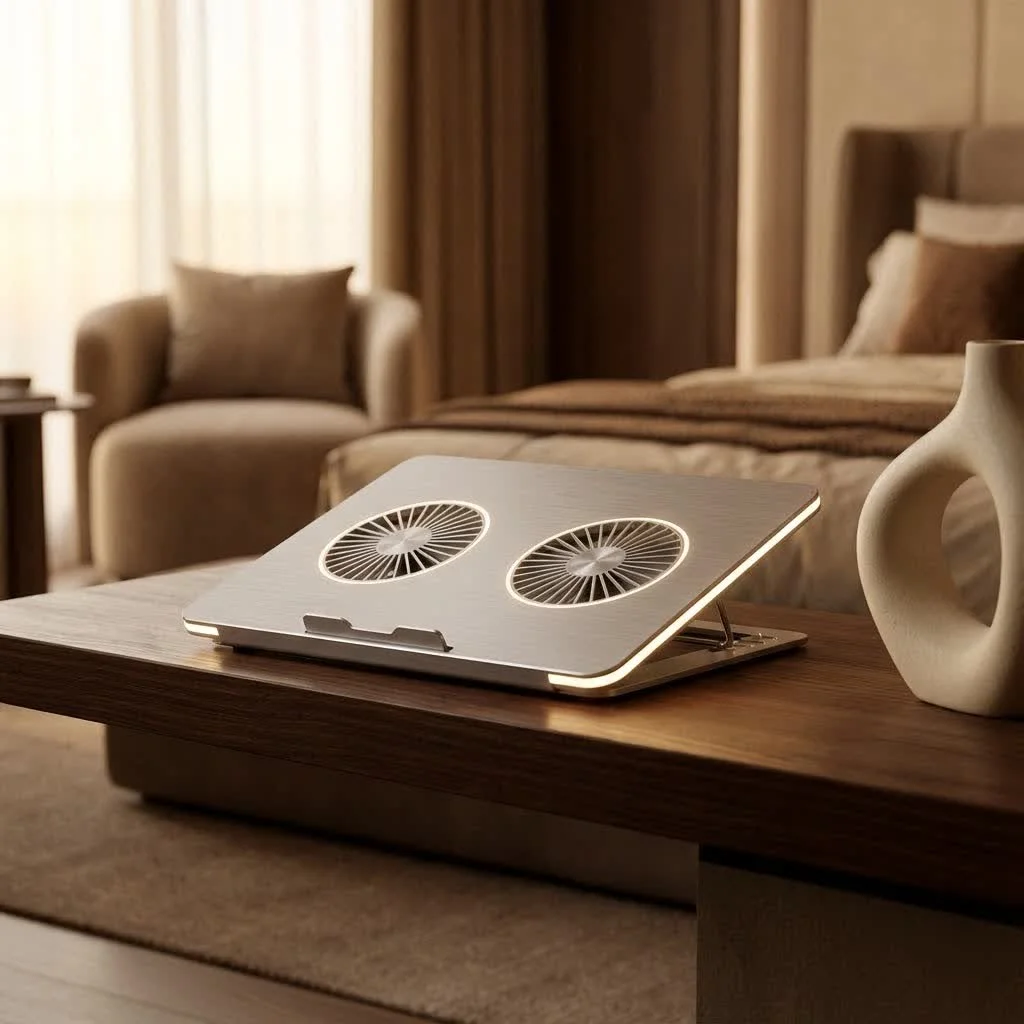
At Tselk.com, we understand the intricate dance between performance and temperature. With over a decade of experience designing and testing thermal solutions, I’ve seen countless cooling pads come and go. But Llano has consistently delivered products that stand out, especially for users who demand serious cooling power for intense gaming, demanding creative work, or everyday tasks that push their systems. This comprehensive guide will dive deep into the world of the Llano laptop cooler, helping you navigate its features, understand its performance, and ultimately choose the perfect model to keep your laptop running cool and stable.
What Makes Llano Laptop Coolers Stand Out?
When it comes to keeping your laptop chilled, not all cooling pads are created equal. Llano laptop coolers differentiate themselves through a combination of powerful fan technology, thoughtful design, and, in some cases, intelligent software. They’re not just blowing air; they’re engineered for effective heat dissipation.
Powerful Fans & Airflow Design
At the heart of every effective cooling pad is its fan system, and Llano doesn’t shy away from powerful solutions. Many Llano laptop cooler models, like the Llano RGB and V12 Ultra, feature large, high-RPM turbofans, often measuring 5.5 inches (140mm) and capable of spinning up to 2,800 RPM. The V10 model pushes even further with a 4.72-inch fan reaching up to 3,500 RPM. This sheer force moves a substantial volume of air, directly targeting your laptop’s underside.
But it’s not just about raw power; it’s about directed airflow. Llano coolers often incorporate a crucial gasket or foam seal system. This innovative design creates a vacuum-sealed chamber around your laptop’s intake vents, ensuring that the powerful fan channels air directly where it’s needed most, rather than letting it escape uselessly around the sides. This direct and concentrated airflow is a major upgrade, dramatically improving cooling efficiency by creating a seal around the base of the laptop.
Intelligent Cooling with AI: The Llano V12 Ultra Advantage
One of the most compelling innovations in the Llano laptop cooler lineup, particularly with the V12 Ultra, is the integration of intelligent software and AI control. This isn’t just a fan you turn on or off; it’s a smart thermal management system.
The V12 Ultra’s software allows you to monitor critical metrics like CPU and GPU temperatures in real-time. More impressively, it offers three distinct AI modes (Low, Medium, High). These modes dynamically adjust the fan’s RPM based on your laptop’s actual thermal load, optimizing cooling without generating unnecessary noise. For instance, if you’re browsing the web, the fan speed might be low, but as soon as you launch a graphics-intensive game, the AI intelligently ramps up the cooling to maintain optimal temperatures. This means you get targeted cooling performance when you need it, and a quieter experience when you don’t. “The ability for a cooler to adapt to real-time thermal demands is a significant leap forward, offering users a truly optimized experience,” notes Dr. Elena Petrov, Head of Thermal Engineering at Tselk.com.
Ergonomics & Design
Beyond cooling, a Llano laptop cooler is designed with the user in mind. Many models feature adjustable stands with multiple height settings, improving ergonomics and allowing you to set your laptop at a more comfortable viewing and typing angle. This not only enhances user comfort but also often aids in cooling by further improving airflow underneath the device.
Aesthetically, Llano coolers often boast sleek, gamer-friendly designs with customizable RGB lighting. While RGB might seem like just a visual flourish, it adds to the overall premium feel and allows for personalization, which is always a bonus for any setup. The build quality, often featuring sturdy plastic bodies, ensures durability, even if some models can feel a bit bulky.
Connectivity
Many Llano laptop coolers also enhance your setup with practical connectivity options. Models often include a 3-port USB hub, which can be incredibly useful for connecting peripherals like a mouse, keyboard, or headset, especially if your laptop is limited on ports. The V12 Ultra even utilizes a Type-C port for its software input, streamlining the connection to your computer. This thoughtful inclusion transforms the cooling pad into a versatile hub for your desk.
Which Llano Laptop Cooler is Right for You?
|
Our Picks for the Best Laptop Cooler in 2026
As an Amazon Associate I earn from qualifying purchases.
|
||
| Num | Product | Action |
|---|---|---|
| 1 | ChillCore Laptop Cooling Pad, RGB Lights Laptop Cooler 9 Fans for 15.6-19.3 Inch Laptops, Gaming Laptop Fan Cooling Pad with 8 Height Stands, 2 USB Ports - A21 Blue |

|
| 2 | AICHESON Laptop Cooling Pad 5 Fans Up to 17.3 Inch Heavy Notebook Cooler, Blue LED Lights, 2 USB Ports, S035, Blue-5fans |
|
| 3 | KeiBn Laptop Cooling Pad, Gaming Laptop Cooler 2 Fans for 10-15.6 Inch Laptops, 5 Height Stands, 2 USB Ports (S039) |
|
| 4 | llano V12 Laptop Cooling Pad, Gaming Laptop Cooler Stand with 5.5inch Powerful Turbo Fan, Adjustable Speed, Touch Control, 3-Port USB A, for Fast Cooling Laptop 15.6-19in, Black (No RGB) |
|
| 5 | Razer Laptop Cooling Pad: Adaptive Smart - Intelligent Fan Control - Airtight Pressure Chamber - Fits Most Laptops & Macbooks 14” to 18\" - Preset & Custom Fan Curves - 3 Port USB Type A - Chroma RGB |
|
| 6 | havit HV-F2056 15.6\"-17\" Laptop Cooler Cooling Pad - Slim Portable USB Powered (3 Fans), Black/Blue |
|
| 7 | llano V12 RGB Laptop Cooling Pad, Gaming Laptop Cooler with 5.5 Inch Powerful Turbofan, Fast Cooling Laptop 15.6-21in, Adjustable Speed, Touch Control, LCD Screen, Black (RGB) |
|
| 8 | Laptop Cooling Pad, Laptop Cooler 6 Quiet Fans for 12\"-17\" Laptops, Gaming Laptop Fan Cooling Pad with 5 Height Adjustable, Slim Portable USB Powered, 2 USB Ports & Phone Holder |
|
| 9 | Kootek Laptop Cooling Pad, Laptop Cooler with 5 Quiet Fans for 12\"-17\" Computer PC Notebook Gaming Laptop Fan, Height Adjustable Laptop Cooling Stand Laptop Accessories, Blue |
|
| 10 | Laptop Cooling Pad, Gaming Laptop Cooler for 13-19 Inch Laptops, RGB Lights Laptop Fan Cooling Pad with 3 Height Adjustable and 3 USB Ports, 4.72 Inch Large Turbo Fan, Max 3500RPM |
|
Choosing the best Llano laptop cooler depends largely on your specific needs, your laptop, and your budget. Llano offers several popular models, each with its own strengths.
Key Considerations When Choosing Your Llano Laptop Cooler
- Laptop Size Compatibility: Llano coolers are often designed to accommodate a wide range of laptop sizes, typically from 15.6 inches up to a massive 21 inches, making them suitable for most gaming laptops. Always double-check the dimensions, especially the inner rectangle of the foam seal, to ensure a perfect fit for your specific model.
- Performance Needs: Are you a hardcore gamer pushing your GPU to its limits, or a creative professional rendering complex videos? If so, models like the Llano RGB or V12 Ultra with their high-RPM fans and potential for AI-driven optimization will be more beneficial. For lighter tasks, the excellent passive cooling aided by the sealed design might suffice even at lower fan speeds.
- Noise Tolerance: This is a crucial factor. While Llano coolers deliver exceptional cooling, they can be quite noisy at maximum fan speeds. The Llano RGB, for instance, can hit around 80dB at 2800 RPM, comparable to a dishwasher or garbage disposal. The V10 can reach about 69dB, similar to highway traffic. If noise is a major concern, you’ll appreciate the V12 Ultra’s AI modes, which strive to balance cooling and acoustics, or consider running the fan at lower, quieter RPMs.
- Budget: Llano laptop coolers tend to be on the premium side of the market. While there are cheaper alternatives, the investment in a Llano often translates to superior cooling performance. Consider how much you’re willing to spend for top-tier thermal management.
- Features: Do you want dynamic fan control via software, or are you happy with manual adjustments? Is RGB lighting a must-have for your setup? Prioritize the features that enhance your experience the most.
Real-World Performance: What to Expect from Your Llano Cooler
So, how much of a difference does a Llano laptop cooler actually make? The data speaks for itself. Users and reviewers consistently report significant temperature drops and, consequently, tangible performance improvements.
Remarkable Temperature Drops
Llano laptop coolers are renowned for their ability to drastically reduce CPU, GPU, and even surface temperatures. Tests have shown:
- CPU/GPU Temperature Drops: Reductions of 15-20°C (27-36°F) during heavy gaming or demanding tasks are not uncommon. Some tests even show CPU temperatures dropping from around 79°C down to 48°C with maximum fan speeds, or around 51-54°C using AI modes.
- Idle Temperatures: Even at idle, users have reported CPU temperature drops from 45°C to a much cooler 27°C with a Llano V12.
- Surface Temperatures: A Llano laptop cooler can achieve remarkable surface temperature drops, sometimes as much as 38°F (about 21°C) in minutes, ensuring your laptop isn’t just cooler internally but also more comfortable to touch.
These drops are crucial because they prevent thermal throttling, a mechanism where your laptop’s components intentionally slow down to prevent overheating.
Tangible Performance Boosts
By keeping temperatures in check, a Llano laptop cooler allows your CPU and GPU to maintain higher clock speeds, translating directly into better performance. Reviewers have observed up to a 10% increase in gaming FPS, even at moderate fan speeds (e.g., 600 RPM). This means smoother gameplay, faster rendering times, and a more responsive system overall. When your processor can maintain a consistent clock speed instead of downclocking due to heat, the difference in user experience is noticeable.
Managing Noise Levels
While the cooling benefits are undeniable, the noise level at high fan speeds is a consistent point of discussion. As mentioned, 80dB for the Llano RGB or 69dB for the V10 can be quite loud. For many gamers, headphones easily mitigate this. For others in shared spaces, finding the “sweet spot” fan speed—where cooling is effective but noise is tolerable—is key. The V12 Ultra’s AI-driven fan control is particularly useful here, as it aims to find that balance automatically.
Maximizing Your Llano Laptop Cooler’s Effectiveness
Owning a Llano laptop cooler is one thing; getting the absolute best out of it is another. Here are some tips to ensure you’re maximizing its cooling potential:
Proper Placement and Seal
The foam or gasket seal system on many Llano models is not just for show; it’s fundamental to its cooling efficiency. Ensure your laptop is placed correctly within this seal to create an airtight chamber. This directs the airflow directly into your laptop’s intake vents, preventing air from escaping and ensuring maximum thermal transfer. Do not discard the foam pad that comes with your Llano cooler, as it’s crucial for this proper sealing.
Regular Maintenance
Like any fan-based cooling system, your Llano laptop cooler will accumulate dust over time. Dust acts as an insulator and obstructs airflow, reducing efficiency.
- Cleaning Dust Filters: Some models, like the V12, come with removable dust filters, making cleaning a breeze. Llano even provides extra filters, emphasizing their importance. Regularly clean these filters to maintain optimal airflow.
- General Cleaning: Periodically use compressed air to clear dust from the fan blades and vents of the cooling pad itself.
Software Optimization (for V12 Ultra)
If you have a Llano V12 Ultra, leverage its intelligent software.
- Monitor Metrics: Keep an eye on the CPU and GPU temperature readouts provided by the software to understand your laptop’s thermal behavior.
- Experiment with AI Modes: Test the Low, Medium, and High AI modes to see which best suits your workload and noise preferences. High AI mode often yields near-maximum cooling without manually maxing out the fan, providing a good balance. This smart adjustment helps you avoid excessive noise when you don’t need maximum cooling, optimizing your experience.
Expert Insight: Why Thermal Management Matters
“Heat is the silent killer of electronics,” states Dr. Elena Petrov. “Prolonged exposure to high temperatures accelerates component degradation, leading to reduced lifespan and potential hardware failures. A dedicated cooling solution like the Llano laptop cooler isn’t just about boosting performance today; it’s an investment in your laptop’s longevity and stability for years to come.”
Frequently Asked Questions (FAQ)
Are Llano laptop coolers worth the investment?
Absolutely. For users engaged in demanding tasks like gaming, video editing, or intensive productivity, the significant temperature drops and performance boosts offered by a Llano laptop cooler make it a worthwhile investment, helping to protect your hardware and enhance your overall experience.
How much noise do Llano coolers make?
At lower fan speeds, Llano coolers are relatively quiet. However, at their maximum RPM, models like the Llano RGB and V10 can be quite noisy, comparable to everyday household appliances such as a dishwasher or even highway traffic (ranging from 69-80dB). Using headphones can mitigate this during intensive sessions.
Can a Llano laptop cooler improve gaming performance?
Yes, definitely. By preventing thermal throttling and allowing your CPU and GPU to maintain higher clock speeds, a Llano laptop cooler can lead to noticeable improvements in gaming performance, with users reporting FPS gains of up to 10%.
What size laptop does a Llano cooler support?
Most Llano laptop coolers, including popular models like the V12 Ultra and V13, are designed to accommodate a wide range of laptops, typically from 15.6 inches up to large 21-inch gaming machines. Always check the product specifications for exact compatibility.
How do I clean my Llano laptop cooler?
For models with removable dust filters (like the V12), simply unclip and clean them regularly. For other areas, use compressed air to dislodge dust from the fan blades and vents. Regular cleaning is essential to maintain optimal cooling performance.
Keeping Your Cool, The Llano Way
Investing in a Llano laptop cooler isn’t just about buying an accessory; it’s about making a commitment to your laptop’s health and performance. From its powerful, directed airflow and innovative sealing system to the intelligent AI control found in models like the V12 Ultra, the Llano laptop cooler offers a robust solution to one of the most persistent issues facing modern laptops: heat.
By choosing the right model for your needs and maintaining it properly, you can enjoy dramatically lower temperatures, sustained performance, and a longer lifespan for your valuable machine. Don’t let overheating dictate your experience. Take control, keep your system frosty with a Llano laptop cooler, and unleash your laptop’s true potential.
Frequently Asked Questions
Are Llano laptop coolers a worthwhile investment for demanding tasks?
Yes, Llano laptop coolers are a worthwhile investment for users engaged in demanding tasks like gaming or video editing. They provide significant temperature drops of 15-20u00b0C and performance boosts, protecting hardware and enhancing the overall user experience.
What are the typical noise levels of Llano laptop coolers at maximum speed?
At maximum fan speeds, Llano coolers can be quite noisy, with models like the Llano RGB reaching around 80dB and the V10 around 69dB. This is comparable to household appliances such as a dishwasher or highway traffic. Using headphones can help mitigate the noise during intensive sessions.
How much can a Llano laptop cooler improve gaming performance?
A Llano laptop cooler can significantly improve gaming performance by preventing thermal throttling, allowing the CPU and GPU to maintain higher clock speeds. Users have reported FPS gains of up to 10% in gaming, even at moderate fan speeds.
What range of laptop sizes do Llano coolers typically support?
Most Llano laptop coolers, including popular models like the V12 Ultra, are designed to accommodate a wide range of laptop sizes. They typically support laptops from 15.6 inches up to large 21-inch gaming machines. Always verify specific product specifications for exact compatibility.
What is the recommended method for cleaning a Llano laptop cooler?
For Llano models with removable dust filters, such as the V12, regularly unclip and clean these filters. For other areas, use compressed air to dislodge dust from the fan blades and vents. Regular cleaning is crucial to maintain optimal cooling performance and airflow.
Maximize Your Llano Laptop Cooler's Effectiveness
Follow these steps to ensure your Llano laptop cooler provides optimal cooling and extends your laptop's lifespan.
Correctly position your laptop within the cooler's foam or gasket seal system. This creates an airtight chamber, directing airflow directly into your laptop's intake vents for maximum thermal transfer. Do not discard the foam pad that comes with your cooler.
Periodically clean your cooler to prevent dust accumulation, which can obstruct airflow. For models with removable dust filters, like the V12, clean them regularly. Use compressed air to clear dust from fan blades and vents on all models.
If you own a Llano V12 Ultra, utilize its intelligent software. Monitor CPU and GPU temperatures and experiment with the Low, Medium, and High AI modes to find the best balance between cooling performance and noise for your specific workload. High AI mode often provides near-maximum cooling efficiently.
Get our weekly buyer guide
Practical specs, not advice. Unsubscribe anytime.
I got a Llano cooler hoping to fix my overheating issues during video editing. While it does help, I haven’t seen the dramatic temperature drop I was hoping for, maybe closer to 10°C. The 5.5-inch fans are strong, but I think my laptop’s vent placement might not be ideal for the seal system. It’s an improvement, but not a miracle worker for my specific setup.
Seriously impressed with my Llano. Before, my laptop would thermal throttle constantly when I was running demanding creative software. Now, with the fans spinning up to 2,800 RPM, it stays cool and stable. It’s made a huge difference in my workflow and I don’t have to worry about my system slowing down anymore.
I was skeptical about how much a cooling pad could really do, but my Llano cooler has been a game-changer. My laptop used to get so hot during long gaming sessions that it would start lagging, but now I’m seeing a solid 10% FPS boost. The turbofans are powerful and really make a difference, keeping everything frosty even when I’m pushing my system hard.
This Llano cooler is pretty solid. I appreciate the design with the gasket system; it really does seem to direct the airflow better than my old pad. My temps are definitely down, probably around 15-20°C like mentioned. My only minor gripe is that it’s a bit bulkier than I expected, but the performance makes up for it.