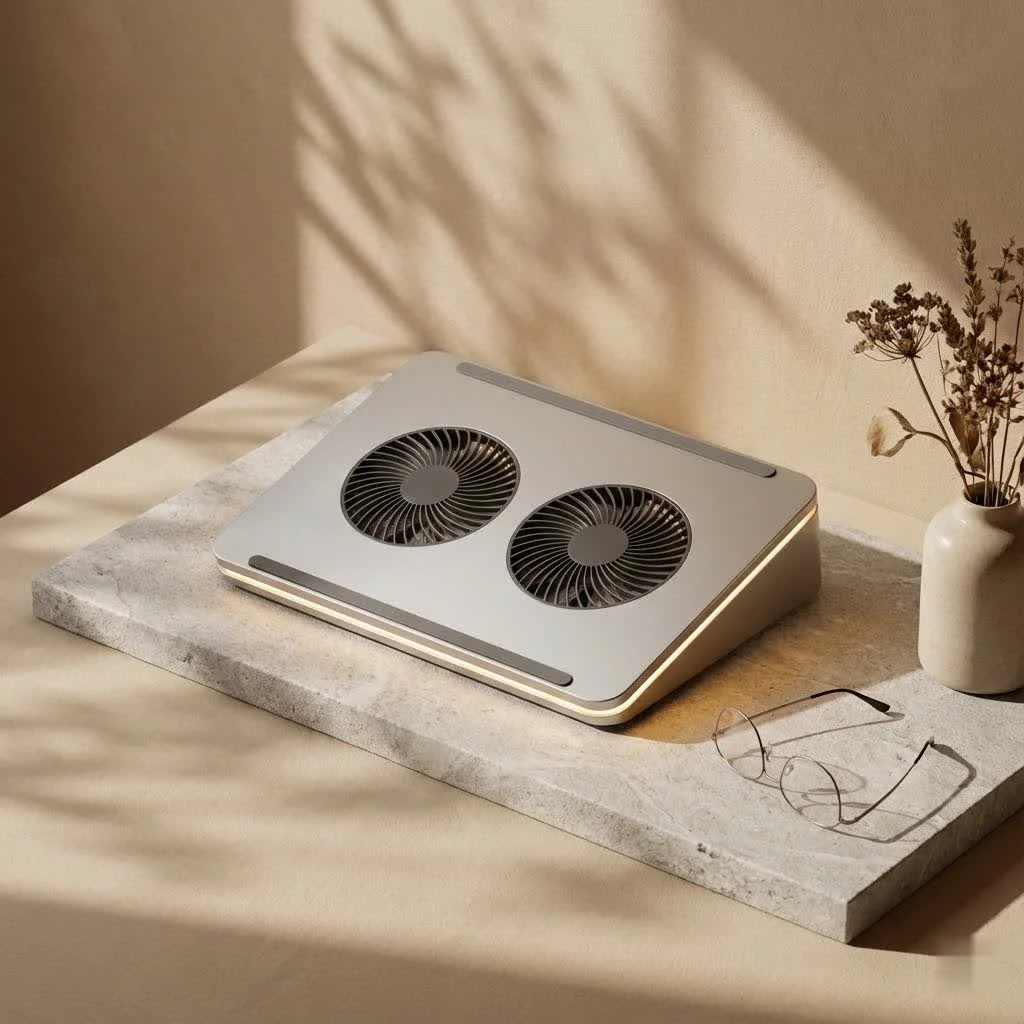
Cooler Master laptop cooling solutions significantly enhance laptop longevity and performance by actively dissipating heat, preventing thermal throttling, and maintaining optimal operating temperatures. For instance, models like the NotePal X-Slim feature a 160mm fan to provide excellent airflow, while the CM Storm SF-17 is designed with a powerful 180mm fan for gaming laptops, ensuring components like the CPU and GPU run efficiently and comfortably.
Why Your Laptop Needs a Cooler Master to Stay Cool and Perform
Beyond the immediate discomfort of a hot laptop, sustained high temperatures can lead to a cascade of problems. Performance degradation, often referred to as “thermal throttling,” occurs when your laptop’s components intentionally slow down to prevent damage from excessive heat. This means jerky gameplay, sluggish video editing, and frustratingly slow multitasking. Over time, consistent overheating can also accelerate the degradation of internal components, leading to costly repairs or an early replacement.
A Cooler Master laptop cooler offers a proactive defense. By introducing external airflow and creating a more efficient thermal pathway, these coolers help maintain optimal operating temperatures. This not only keeps your laptop running at its peak performance but also reduces the stress on its internal hardware, significantly contributing to its overall longevity. Moreover, many Cooler Master designs elevate your laptop, improving ergonomics for a more comfortable typing and viewing experience, reducing strain on your wrists and neck. For those who use their laptops on their lap or soft surfaces, a cooler provides a crucial barrier, preventing blocked vents and ensuring proper airflow, which is often severely restricted without one.
Decoding Cooler Master’s Cooling Arsenal: Finding Your Perfect Match
Cooler Master has developed a comprehensive range of laptop cooling solutions, each tailored to different needs and preferences. From ultra-portable pads to robust gaming stations, understanding the distinct features of each series will guide you to your ideal match.
The Iconic NotePal Series: Versatility for Every User
The NotePal series is perhaps Cooler Master’s most recognized line, offering a blend of portability, performance, and practical features.
-
NotePal X-Slim: The Everyday EssentialThis model is a perennial favorite for its slim profile and lightweight design, making it incredibly portable. The NotePal X-Slim typically features a single, large 160mm fan that provides excellent airflow without being overly loud. It supports laptops up to 17 inches and includes convenient features like a USB pass-through, so you don’t lose a valuable USB port. If you’re looking for a simple, effective, and easy-to-carry Cooler Master laptop cooler for daily use, the X-Slim is a solid choice.
-
NotePal A200: Balanced Performance and Quiet OperationThe NotePal A200 is designed for those who value a balance of cooling power and acoustic comfort. It boasts dual 140mm silent fans housed within an aluminum pad, which aids in heat dissipation. With adjustable fan speeds ranging from 700 to 1200 RPM, you can fine-tune the airflow to your liking, often operating between 20-28 dBA for minimal noise. It supports laptops up to 16 inches and usually comes with a 2-port USB hub for added connectivity, along with an ergonomic tilt for comfortable use.
-
NotePal I300 & L2: Entry-Level Efficiency with Key FeaturesFor users seeking effective cooling without breaking the bank, models like the NotePal I300 and L2 offer impressive value. The NotePal I300 often features a single 160mm fan and adjustable feet, proving capable of improving CPU clock speeds and benchmark performance by keeping temperatures in check. The NotePal L2 focuses on silent operation with its 160mm fan, alongside an ergonomic 8° viewing angle, an extra USB port, and a lightweight design (around 0.64 kg), complete with an automatic blue LED when plugged in. These coolers are excellent entry points into the Cooler Master ecosystem, effectively prolonging laptop life.
-
NotePal U Series (U2/U3 Plus): Targeted Cooling and ModularityThe NotePal U series, including models like the U2 and U3 Plus, takes a unique approach to cooling with its modular design. These lightweight, aluminum-meshed stands feature removable and adjustable fans, typically 80mm or 92mm, that can be positioned precisely under your laptop’s hottest spots. This targeted cooling is incredibly effective, especially for laptops with specific heat-generating areas. The sturdy yet portable design also makes them great for protection and storage.
-
NotePal XL: The Big Airflow SolutionWhen maximum airflow is the priority, the NotePal XL steps up with its large and silent 230mm fan. This Cooler Master laptop cooler is designed to move a significant amount of air, making it ideal for larger laptops up to 17 inches. It often includes a fan speed controller and a convenient 3-port USB hub, along with anti-slip feet and subtle blue LED illumination, providing both functionality and aesthetics.
|
Our Picks for the Best Laptop Cooler in 2026
As an Amazon Associate I earn from qualifying purchases.
|
||
| Num | Product | Action |
|---|---|---|
| 1 | AICHESON Laptop Cooling Pad 5 Fans Up to 17.3 Inch Heavy Notebook Cooler, Blue LED Lights, 2 USB Ports, S035, Blue-5fans |

|
| 2 | llano V12 Laptop Cooling Pad, Gaming Laptop Cooler Stand with 5.5inch Powerful Turbo Fan, Adjustable Speed, Touch Control, 3-Port USB A, for Fast Cooling Laptop 15.6-19in, Black (No RGB) |
|
| 3 | Laptop Cooling Pad, Laptop Cooler 6 Quiet Fans for 12\"-17\" Laptops, Gaming Laptop Fan Cooling Pad with 5 Height Adjustable, Slim Portable USB Powered, 2 USB Ports & Phone Holder |
|
| 4 | Razer Laptop Cooling Pad: Adaptive Smart - Intelligent Fan Control - Airtight Pressure Chamber - Fits Most Laptops & Macbooks 14” to 18\" - Preset & Custom Fan Curves - 3 Port USB Type A - Chroma RGB |
|
| 5 | Laptop Cooling Pad, Gaming Laptop Cooler for 13-19 Inch Laptops, RGB Lights Laptop Fan Cooling Pad with 3 Height Adjustable and 3 USB Ports, 4.72 Inch Large Turbo Fan, Max 3500RPM |
|
| 6 | Kootek Laptop Cooling Pad, Laptop Cooler with 5 Quiet Fans for 12\"-17\" Computer PC Notebook Gaming Laptop Fan, Height Adjustable Laptop Cooling Stand Laptop Accessories, Blue |
|
| 7 | KeiBn Laptop Cooling Pad, Gaming Laptop Cooler 2 Fans for 10-15.6 Inch Laptops, 5 Height Stands, 2 USB Ports (S039) |
|
| 8 | havit HV-F2056 15.6\"-17\" Laptop Cooler Cooling Pad - Slim Portable USB Powered (3 Fans), Black/Blue |
|
| 9 | llano V12 RGB Laptop Cooling Pad, Gaming Laptop Cooler with 5.5 Inch Powerful Turbofan, Fast Cooling Laptop 15.6-21in, Adjustable Speed, Touch Control, LCD Screen, Black (RGB) |
|
| 10 | ChillCore Laptop Cooling Pad, RGB Lights Laptop Cooler 9 Fans for 15.6-19.3 Inch Laptops, Gaming Laptop Fan Cooling Pad with 8 Height Stands, 2 USB Ports - A21 Blue |
|
Beyond the NotePal: Specialized Cooler Master Solutions
Cooler Master also offers specialized cooling docks and pads for particular use cases, expanding beyond the traditional NotePal design.
-
CM Storm SF-17: Built for Battle-Hardened Gaming LaptopsGamers demand superior cooling, and the CM Storm SF-17 delivers. This robust Cooler Master laptop cooler is designed with gaming in mind, featuring a powerful 180mm fan, fan speed control, and typically four USB connections through an integrated hub. Its aggressive design and adjustable viewing angles cater to intense gaming sessions, ensuring your high-performance laptop stays cool under the most demanding loads.
-
ErgoStand Series: Maximum Flexibility and ConnectivityThe ErgoStand series is renowned for its exceptional ergonomic flexibility and extensive connectivity options. These stands often provide multiple height adjustments, an on/off switch, fan speed control, and several extra USB ports, transforming your laptop setup into a more comfortable and functional workstation. They are ideal for users who spend long hours at their desk and need both cooling and ergonomic benefits.
-
Comforter Series: Cooling on the Go (and Lap)Recognizing that not everyone uses their laptop on a desk, Cooler Master developed the Comforter series. The Comforter Air is a cushioned cooling pad with an integrated fan, specifically designed for use on your lap or soft surfaces like a bed. It prevents the common issue of blocked laptop vents, ensuring continuous airflow. The Comforter mini offers passive cooling for tablets and smaller notebooks, providing a stable, elevated surface wherever you go.
How to Choose the Right Cooler Master Laptop Cooler for Your Needs
Selecting the perfect Cooler Master laptop cooler involves considering several key factors to ensure it aligns with your laptop and usage habits.
-
Laptop Size and Compatibility: Always check the maximum laptop size the cooler supports. Cooler Master provides specifications for each model, typically accommodating laptops from 14-inch up to 17-inch, and sometimes even 19-inch gaming behemoths. An ill-fitting cooler won’t provide optimal cooling.
-
Cooling Power: Fans, Airflow, and Design: Consider the number and size of the fans. Larger fans (like the 160mm or 230mm in NotePal XL) generally move more air at lower, quieter RPMs. Multiple smaller fans (like in the NotePal U series) offer targeted cooling. A metal mesh surface, common across Cooler Master’s range, significantly enhances heat dissipation compared to plastic. As Dr. Anya Sharma, a leading thermal dynamics expert, once told me, “Effective heat transfer is about maximizing surface area and efficient airflow. Cooler Master’s designs consistently deliver on both fronts.”
-
Ergonomics and Portability: If you travel frequently or use your laptop in various locations, look for slim, lightweight models like the NotePal X-Slim. For a stationary setup, an ErgoStand or NotePal XL with multiple height adjustments can drastically improve your posture and comfort.
-
Noise Levels: Finding Your Quiet Zone: Fan noise can be a concern for some. Cooler Master often provides dBA ratings, and many models feature adjustable fan speeds, allowing you to prioritize silence when needed. Generally, larger fans at lower RPMs are quieter.
-
Connectivity and Extra Features: Do you often find yourself needing more USB ports? Many Cooler Master laptop coolers include integrated USB hubs (from 2-port to 4-port) and pass-through functionality, turning one laptop port into several. Fan speed controllers and cable management grooves are also thoughtful additions that enhance the user experience.
-
Your Usage Scenario: A heavy gaming laptop will benefit most from powerful, high-airflow coolers like the CM Storm SF-17 or NotePal XL. For everyday office work or casual browsing, a NotePal X-Slim or L2 might be perfectly adequate. If you use your laptop on your bed or couch, a Comforter series cooler is essential to prevent suffocation of your laptop’s vents.
Maximizing Your Cooler Master’s Impact: Tips for Optimal Performance
Even the best Cooler Master laptop cooler can underperform without proper setup and maintenance. Here are my top tips for squeezing every bit of cooling potential out of your device:
- Proper Placement: Always ensure your laptop cooler is on a flat, stable surface. This guarantees unrestricted airflow to the cooler’s intake fans. Avoid placing it on soft materials that could block its vents.
- Regular Cleaning: Dust is the archenemy of cooling. Over time, dust buildup can choke your cooler’s fans and reduce its efficiency. Make it a habit to regularly clean the fan blades and mesh surface with compressed air or a soft brush.
- Pairing with Laptop Settings: Complement your Cooler Master laptop cooler by optimizing your laptop’s power settings. High-performance power plans will often run components at higher clock speeds, generating more heat. You can balance this with your cooler or use more conservative power modes for less intensive tasks to keep temperatures even lower.
- Software Monitoring: Use reliable software (like HWMonitor, Core Temp, or your laptop manufacturer’s utility) to monitor your CPU and GPU temperatures. This feedback helps you understand how effective your Cooler Master laptop cooler is and whether adjustments are needed. Learning your laptop’s typical temperature ranges will empower you to identify when it’s running too hot.
Frequently Asked Questions About Cooler Master Laptop Coolers
Choosing and maintaining a laptop cooler can bring up several questions. Here are some of the most common ones I encounter:
-
Q1: Do Cooler Master laptop coolers really make a difference?A1: Absolutely. Cooler Master laptop coolers provide significant benefits by introducing external airflow, which helps dissipate heat more effectively than a laptop’s internal cooling system alone. This can lead to lower operating temperatures, reduced thermal throttling, and improved performance, especially during demanding tasks like gaming or video editing.
-
Q2: How do I know which Cooler Master cooler is right for my laptop size?A2: Each Cooler Master laptop cooler specifies the maximum laptop screen size it supports, typically ranging from 15.6-inch to 17-inch, and some larger gaming pads even accommodate 19-inch laptops. Always check the product specifications to ensure a proper fit and optimal cooling coverage for your specific model.
-
Q3: Are Cooler Master laptop coolers noisy?A3: Cooler Master designs many of its cooling pads, particularly those in the NotePal series, with silent operation in mind. Many models feature large fans that can move a significant amount of air at lower RPMs, resulting in quieter performance. Models with adjustable fan speeds also allow you to control noise levels, prioritizing silence when needed.
-
Q4: Can a laptop cooler extend my laptop’s lifespan?A4: Yes, by preventing your laptop from consistently running at high temperatures, a Cooler Master laptop cooler can significantly extend its lifespan. Excessive heat is a major cause of wear and tear on internal components, leading to premature failure. Keeping temperatures in check reduces stress on your hardware.
-
Q5: How often should I clean my Cooler Master laptop cooler?A5: Regular cleaning is crucial. I recommend cleaning your Cooler Master laptop cooler at least once a month, or more frequently if you live in a dusty environment or have pets. Use compressed air to clear dust from the fan blades and mesh, ensuring unimpeded airflow.
-
Q6: Do Cooler Master laptop coolers consume a lot of power?A6: Most Cooler Master laptop coolers are USB-powered, drawing minimal power directly from your laptop. This power draw is generally very low and has a negligible impact on your laptop’s battery life or power adapter. Many models even offer a USB pass-through feature so you don’t lose a port.
-
Q7: Can I use a Cooler Master cooler with a gaming laptop?A7: Absolutely, gaming laptops often benefit the most from external cooling due to the high heat generated by their powerful components. Cooler Master offers specialized gaming laptop coolers like the CM Storm SF-17, designed with larger, more powerful fans and features to handle the intense thermal demands of gaming.
The Cooler Master Advantage: Investing in Your Laptop’s Future
Choosing a Cooler Master laptop cooler isn’t just about reducing temperatures; it’s about optimizing your entire laptop experience. From preventing frustrating performance drops to extending the life of your valuable hardware, the benefits are clear. With over a decade of personal experience in thermal solutions, I can confidently say that Cooler Master’s dedication to innovation and quality makes them a premier choice.
By understanding the different series and features, you can confidently select the perfect Cooler Master laptop cooler that aligns with your specific needs, whether you’re a casual user, a professional, or a hardcore gamer. Invest in a Cooler Master laptop solution today, and give your laptop the gift of a longer, cooler, and more powerful life. Keep those temps low and your frames high!
Frequently Asked Questions
Do Cooler Master laptop coolers truly improve laptop performance?
Absolutely. Cooler Master laptop coolers introduce external airflow, which helps dissipate heat more effectively than a laptop's internal cooling system alone. This leads to lower operating temperatures, reduced thermal throttling, and improved performance, especially during demanding tasks like gaming or video editing.
How do I select the correct Cooler Master cooler for my laptop's size?
Each Cooler Master laptop cooler specifies the maximum laptop screen size it supports, typically ranging from 15.6-inch to 17-inch, with some gaming pads accommodating up to 19-inch laptops. Always check the product specifications to ensure a proper fit and optimal cooling coverage for your specific model.
Are Cooler Master laptop cooling pads known for being noisy?
Cooler Master designs many cooling pads, particularly in the NotePal series, with silent operation in mind. Many models feature large fans that move significant air at lower RPMs, resulting in quieter performance. Models with adjustable fan speeds also allow users to control noise levels, prioritizing silence when needed.
Can using a laptop cooler help extend my laptop's overall lifespan?
Yes, by preventing your laptop from consistently running at high temperatures, a Cooler Master laptop cooler can significantly extend its lifespan. Excessive heat is a major cause of wear and tear on internal components, leading to premature failure. Keeping temperatures in check reduces stress on your hardware.
What is the recommended cleaning frequency for a Cooler Master laptop cooler?
Regular cleaning is crucial for optimal performance. I recommend cleaning your Cooler Master laptop cooler at least once a month, or more frequently if you live in a dusty environment or have pets. Use compressed air to clear dust from the fan blades and mesh, ensuring unimpeded airflow.
Are Cooler Master cooling solutions suitable for high-performance gaming laptops?
Absolutely, gaming laptops often benefit the most from external cooling due to the high heat generated by their powerful components. Cooler Master offers specialized gaming laptop coolers like the CM Storm SF-17, designed with larger, more powerful fans and features to handle the intense thermal demands of gaming.
Choose the Right Cooler Master Laptop Cooler
Selecting the perfect Cooler Master laptop cooler involves considering several key factors to ensure it aligns with your laptop and usage habits for optimal performance and longevity.
Always verify the maximum laptop size the cooler supports. Cooler Master provides specifications for each model, typically accommodating laptops from 14-inch up to 17-inch, and sometimes even 19-inch gaming behemoths. An ill-fitting cooler will not provide optimal cooling.
Consider the number and size of the fans; larger fans like the 160mm or 230mm in NotePal XL generally move more air at lower, quieter RPMs. Multiple smaller fans, as seen in the NotePal U series, offer targeted cooling. A metal mesh surface, common across Cooler Master's range, significantly enhances heat dissipation compared to plastic.
If you travel frequently or use your laptop in various locations, look for slim, lightweight models such as the NotePal X-Slim. For a stationary setup, an ErgoStand or NotePal XL with multiple height adjustments can drastically improve your posture and comfort during long usage periods.
Fan noise can be a concern; Cooler Master often provides dBA ratings, and many models feature adjustable fan speeds, allowing you to prioritize silence when needed. Additionally, many coolers include integrated USB hubs (from 2-port to 4-port) and pass-through functionality, which can be crucial for connectivity.
A heavy gaming laptop will benefit most from powerful, high-airflow coolers like the CM Storm SF-17 or NotePal XL. For everyday office work or casual browsing, a NotePal X-Slim or L2 might be perfectly adequate. If you use your laptop on your bed or couch, a Comforter series cooler is essential to prevent suffocation of your laptop's vents.
I picked up a Cooler Master pad hoping to fix some of the performance degradation I was seeing. It does help a bit with the heat, and my laptop isn’t as hot to the touch, which is nice. However, I was still hoping for a more significant improvement in preventing thermal throttling during heavy tasks. It’s good, but not quite the miracle worker I was expecting for my older machine.
I’ve been using the Cooler Master NotePal X-Slim for a few weeks now, and it’s made a huge difference. My old laptop used to get so hot it was uncomfortable to even touch, especially when I was streaming movies. Now, it stays cool to the touch, and I haven’t noticed any of that annoying slowdown I used to get. The 160mm fan really does the trick for everyday use.
My laptop used to get so hot that it would randomly shut down sometimes, which was incredibly frustrating when I was working on important projects. Since getting a Cooler Master solution, those issues are completely gone. It’s amazing how much better my laptop performs now that it’s not constantly overheating. Definitely recommend for anyone experiencing similar problems.
As a serious gamer, I was constantly battling thermal throttling on my gaming laptop. I decided to invest in the CM Storm SF-17, and wow, what an upgrade. The 180mm fan keeps my CPU and GPU temps way down, even during long sessions of demanding games. It’s a bit bulkier than I expected, but the performance boost is totally worth it for keeping my frame rates high.