In today’s fast-paced digital world, our laptops are often pushed to their limits, generating significant heat. This excess heat isn’t just uncomfortable; it can silently degrade performance and shorten your laptop’s lifespan. If you’ve ever felt your laptop growing warm on your lap or heard its internal fans whirring frantically, you’re experiencing a common issue that a well-chosen mini cooler for laptop can effectively address. At Tselk, we understand the nuances of thermal management, and we’re here to guide you through selecting the perfect compact cooling solution to keep your portable powerhouse running smoothly and efficiently.
What Exactly is a Mini Cooler for Laptop?
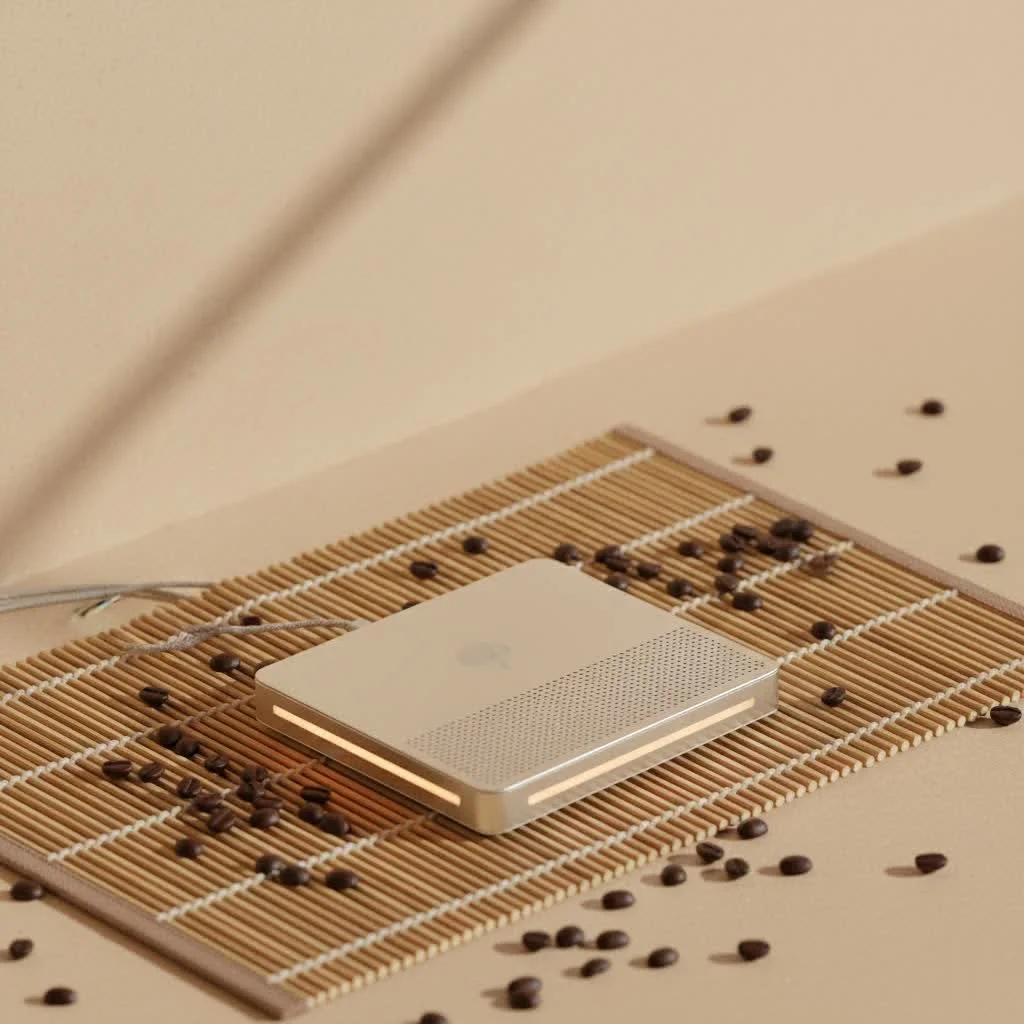
When we talk about a mini cooler for laptop, we’re referring to a compact, portable device designed to augment your laptop’s internal cooling system. Unlike larger, desk-bound cooling pads, mini coolers prioritize portability and a smaller footprint, making them ideal for users on the go, those with limited desk space, or anyone seeking a discreet yet effective cooling solution. These devices come in various forms, but their core purpose remains the same: to dissipate heat and maintain optimal operating temperatures for your laptop’s sensitive components.
The Unseen Enemy: Why Your Laptop Needs a Cooling Ally
Heat is the silent antagonist for any electronic device, and laptops are particularly susceptible. When your laptop’s CPU and GPU get too hot, they trigger a protective mechanism called “thermal throttling.” This means your laptop intentionally reduces its performance – slowing down its processing speed – to prevent overheating and potential hardware damage. The result? Slower applications, reduced frame rates in games, and overall sluggishness. Beyond performance, consistent high temperatures can accelerate the wear and tear on internal components like the battery, motherboard, and even the SSD, leading to premature failure. A reliable mini cooler for laptop acts as your thermal guardian, actively working to prevent these issues.
Navigating the World of Mini Laptop Coolers: Types You’ll Encounter
The market offers several types of mini cooling solutions, each with its own design philosophy and best-use scenarios. Understanding these distinctions is crucial for choosing the right mini cooler for laptop for your specific needs.
Traditional Mini Cooling Pads: The Under-Laptop Solution
These are perhaps the most recognizable form of laptop coolers. Mini cooling pads typically feature one or more small fans embedded within a slim platform that rests beneath your laptop. Their primary mechanism involves elevating the laptop to create better airflow and then blowing cool air upwards towards the laptop’s intake vents.
- Benefits: Simple to use, provides a stable, ergonomic platform, and can cool a broad area of the laptop’s underside. Many are USB-powered, making them convenient for travel.
- Ideal for: General users, students, or professionals who need consistent, subtle cooling and prefer a familiar form factor.
Side-Mounted Vacuum Coolers: The Exhaust Extractors
|
Our Picks for the Best Laptop Cooler in 2026
As an Amazon Associate I earn from qualifying purchases.
|
||
| Num | Product | Action |
|---|---|---|
| 1 | llano V12 Laptop Cooling Pad, Gaming Laptop Cooler Stand with 5.5inch Powerful Turbo Fan, Adjustable Speed, Touch Control, 3-Port USB A, for Fast Cooling Laptop 15.6-19in, Black (No RGB) |

|
| 2 | Laptop Cooling Pad, Laptop Cooler 6 Quiet Fans for 12\"-17\" Laptops, Gaming Laptop Fan Cooling Pad with 5 Height Adjustable, Slim Portable USB Powered, 2 USB Ports & Phone Holder |
|
| 3 | havit HV-F2056 15.6\"-17\" Laptop Cooler Cooling Pad - Slim Portable USB Powered (3 Fans), Black/Blue |
|
| 4 | ChillCore Laptop Cooling Pad, RGB Lights Laptop Cooler 9 Fans for 15.6-19.3 Inch Laptops, Gaming Laptop Fan Cooling Pad with 8 Height Stands, 2 USB Ports - A21 Blue |
|
| 5 | Kootek Laptop Cooling Pad, Laptop Cooler with 5 Quiet Fans for 12\"-17\" Computer PC Notebook Gaming Laptop Fan, Height Adjustable Laptop Cooling Stand Laptop Accessories, Blue |
|
| 6 | AICHESON Laptop Cooling Pad 5 Fans Up to 17.3 Inch Heavy Notebook Cooler, Blue LED Lights, 2 USB Ports, S035, Blue-5fans |
|
| 7 | Razer Laptop Cooling Pad: Adaptive Smart - Intelligent Fan Control - Airtight Pressure Chamber - Fits Most Laptops & Macbooks 14” to 18\" - Preset & Custom Fan Curves - 3 Port USB Type A - Chroma RGB |
|
| 8 | llano V12 RGB Laptop Cooling Pad, Gaming Laptop Cooler with 5.5 Inch Powerful Turbofan, Fast Cooling Laptop 15.6-21in, Adjustable Speed, Touch Control, LCD Screen, Black (RGB) |
|
| 9 | Laptop Cooling Pad, Gaming Laptop Cooler for 13-19 Inch Laptops, RGB Lights Laptop Fan Cooling Pad with 3 Height Adjustable and 3 USB Ports, 4.72 Inch Large Turbo Fan, Max 3500RPM |
|
| 10 | KeiBn Laptop Cooling Pad, Gaming Laptop Cooler 2 Fans for 10-15.6 Inch Laptops, 5 Height Stands, 2 USB Ports (S039) |
|
For users demanding more aggressive cooling, especially for gaming laptops or workstations, side-mounted vacuum coolers are a formidable option. These compact devices attach directly to your laptop’s exhaust vents and actively pull hot air out of the system. By creating a vacuum effect, they force the internal hot air out more efficiently than passive methods or traditional pads that blow air in.
- Benefits: Highly effective at removing hot air directly from the system, often leading to significant temperature drops. Very compact and specifically targets heat expulsion.
- Considerations: Requires a laptop with suitable side exhaust vents. Can sometimes be noisier at higher settings due to the focused airflow.
- Ideal for: Gamers, video editors, or anyone running resource-intensive applications where preventing thermal throttling is paramount.
Passive Stands: Simple Elevation, Subtle Cooling
While not “coolers” in the active sense, passive stands are the most “mini” and portable solution, as they contain no electronic components. These are essentially elevated stands that lift your laptop off a flat surface, allowing natural convection to improve airflow around the laptop’s chassis.
- Benefits: Extremely portable, lightweight, silent, and requires no power. Prevents heat buildup when using the laptop on soft surfaces like laps or beds.
- Considerations: Offers the least aggressive cooling, relying solely on natural airflow.
- Ideal for: Users who need basic elevation and slight thermal improvement, especially those who prioritize absolute silence and minimal bulk.
Choosing Your Perfect Portable Partner: Key Factors for a Mini Cooler for Laptop
Selecting the right mini cooler for laptop involves more than just picking the first compact option you see. As Dr. Alex Chen, Chief Thermal Architect at Tselk Labs, often says, “The best cooling solution is one that synergizes perfectly with your specific laptop’s design and your usage patterns. A mismatch, even with a powerful cooler, can lead to underwhelming results.” Here’s what to consider:
Compatibility: Size and Vent Alignment are King
Before anything else, ensure the mini cooler for laptop you choose is compatible with your device.
- Laptop Size: Does the cooler physically fit your laptop without being too small or overly large?
- Vent Placement: For cooling pads, check if the fans align with your laptop’s intake vents on the bottom. For vacuum coolers, confirm your laptop has a suitable side exhaust vent. A cooler that blocks existing vents rather than enhancing airflow can actually hinder cooling.
Cooling Power & Fan Design: Finding Your Airflow Sweet Spot
Consider the fan configuration and speed.
- Fan Quantity and Size: Some mini pads use multiple small fans for even distribution, while others feature one larger fan for concentrated airflow. Vacuum coolers typically have powerful, focused blowers.
- Adjustable Speeds: Many effective mini coolers offer adjustable fan speeds, allowing you to balance cooling performance with noise levels. Look for RPM (revolutions per minute) ratings if available, with higher RPMs generally indicating more powerful airflow.
- Directed Airflow: Coolers with foam seals or specific designs to create an “airtight pressure chamber” can be significantly more effective by forcing air directly through your laptop’s cooling system.
Portability & Build Quality: Ready for Any Journey
Since you’re looking for a mini cooler, portability is key.
- Weight and Slimness: A lightweight and thin design is essential for easy storage in your laptop bag.
- Durable Materials: Look for sturdy construction (e.g., aluminum, robust plastic) that can withstand travel and daily use without falling apart.
Power Source & Extra Features: Beyond Basic Cooling
- USB-Powered vs. External Power: Most mini coolers are USB-powered, drawing power from your laptop. While convenient, this slightly reduces your laptop’s battery life. Some high-performance models might offer external power options for stronger, more consistent cooling without impacting your laptop’s battery.
- USB Hubs: Some mini cooling pads include built-in USB ports, effectively replacing the one they use, which is a great bonus given the limited ports on many modern laptops.
- Ergonomics: Adjustable height settings can improve typing comfort and further enhance airflow.
Noise Levels: Keeping Your Workspace Serene
Powerful fans often come with increased noise. Decide what level of fan noise you can tolerate. Many manufacturers provide decibel (dB) ratings. Adjustable fan speeds allow you to dial down the noise when maximum cooling isn’t required.
Maximizing Your Mini Cooler’s Effectiveness: Tips from a Thermal Engineer
Even the best mini cooler for laptop can fall short if not used correctly. Here are my top tips for optimal results:
- Cleanliness is Key: Regularly clean your laptop’s internal vents and fan blades (with compressed air) and your mini cooler’s fans. Dust buildup is a major enemy of efficient cooling.
- Proper Placement: Ensure the cooler is on a flat, stable surface. If using a cooling pad, make sure your laptop’s intake vents are not obstructed and align as much as possible with the cooler’s fans. For vacuum coolers, ensure a tight seal around the exhaust vent.
- Combine with Good Practices: Your mini cooler is an enhancement, not a complete replacement for good thermal habits. Avoid using your laptop on soft surfaces like blankets or pillows, which block vents.
- Optimize Laptop Settings: Adjust your laptop’s power management settings to a “balanced” or “power saver” mode when not performing intensive tasks. This reduces heat generation and lightens the load on your cooling system.
- Monitor Temperatures: Use free software (e.g., HWiNFO, Core Temp) to monitor your CPU and GPU temperatures. This helps you gauge the effectiveness of your mini cooler for laptop and understand your laptop’s thermal behavior.
“A mini cooler for laptop isn’t just about dropping numbers on a temperature gauge; it’s about preserving the long-term health and consistent performance of your most vital portable tool. Proactive cooling is intelligent computing.” – Dr. Alex Chen, Chief Thermal Architect at Tselk Labs.
Common Questions About Mini Coolers for Laptops
Q: Do mini laptop coolers actually make a difference?
A: Yes, a good mini cooler for laptop can significantly reduce operating temperatures, often by 5-20°C, especially under heavy load. This prevents thermal throttling, improves performance, and extends the lifespan of your laptop’s components.
Q: Are side-mounted vacuum coolers better than pads?
A: It depends on your laptop and usage. Side-mounted vacuum coolers are often more effective at direct heat extraction from specific exhaust vents, making them excellent for high-performance laptops. Cooling pads offer more general cooling and ergonomic benefits. The “best” choice hinges on your laptop’s vent design and your cooling priorities.
Q: Can a mini cooler damage my laptop?
A: Generally, no. A properly designed and used mini cooler for laptop enhances airflow. However, a poorly designed cooler that draws too much power from USB or a cooler that blocks your laptop’s vents (instead of aiding them) could potentially cause issues. Always choose reputable brands and ensure proper vent alignment.
Q: How often should I clean my mini laptop cooler?
A: Regular cleaning is recommended. For optimal performance, aim to clean your mini cooler every 1-3 months, or more frequently if you use your laptop in dusty environments. Use compressed air to remove dust from fans and vents.
Q: What’s the ideal temperature reduction I can expect?
A: The temperature reduction varies widely based on the cooler’s design, your laptop’s thermal profile, and ambient conditions. Expect anywhere from a modest 5°C to an impressive 20°C drop in CPU and GPU temperatures during demanding tasks with an effective mini cooler for laptop.
Keep Your Cool, On the Go
Choosing the right mini cooler for laptop is an investment in your device’s longevity and performance. By understanding the different types, key features, and best practices for use, you can confidently select a portable cooling solution that keeps your laptop running efficiently, no matter where your work or play takes you. Don’t let overheating slow you down or damage your valuable hardware. Explore the options, make an informed decision, and experience the difference a truly cool laptop can make. Visit Tselk.com for more in-depth reviews and expert advice on all things laptop thermal management!
Get our weekly buyer guide
Practical specs, not advice. Unsubscribe anytime.
